

First Impressions and Onboarding
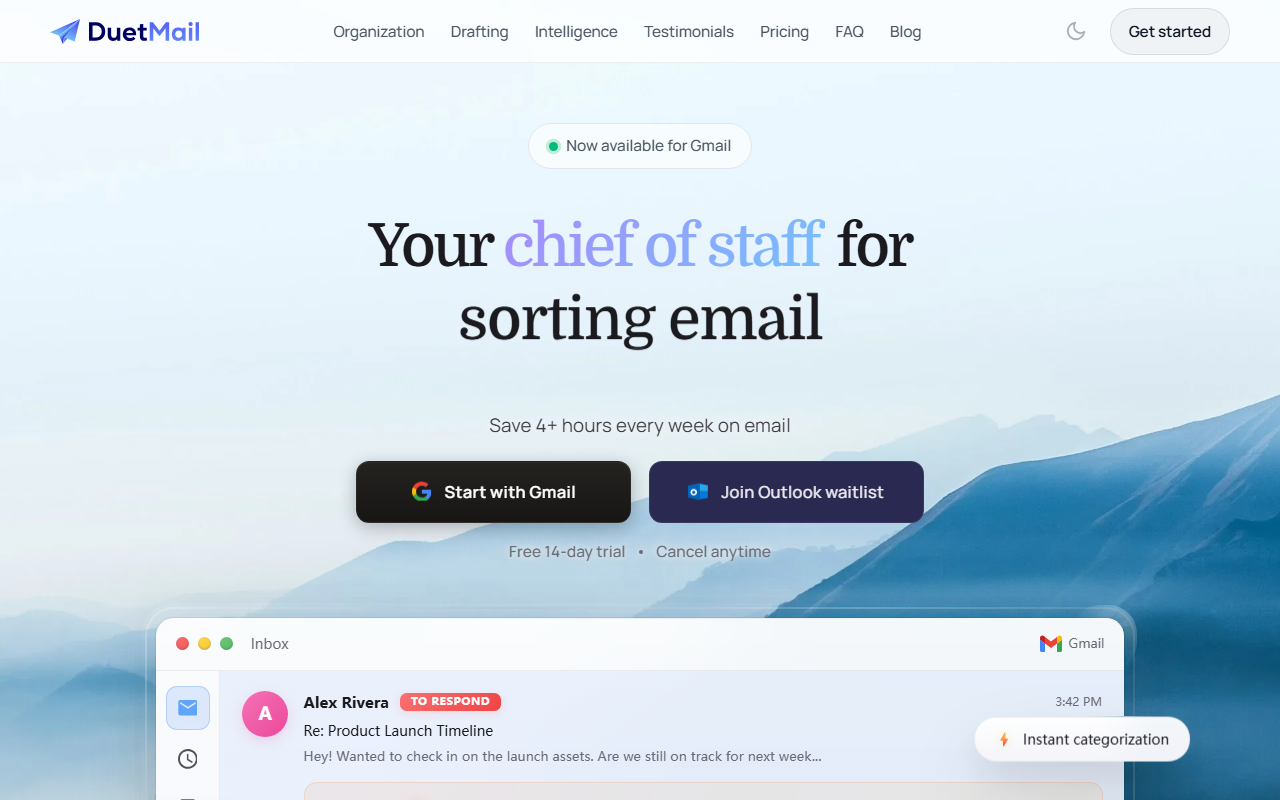
Upon visiting Duet Mail's website, I was immediately struck by the clean, minimal design that mirrors the tool's promise: less noise, more focus. The landing page wastes no time—within seconds, I see a mock inbox with categories like "To Respond," "Meeting," "FYI," and "Promotions." The call-to-action offers two paths: start with Gmail or start with Outlook. That clarity is refreshing. I clicked "Start with Gmail" and was taken through a quick Chrome Web Store install flow. The 14-day free trial requires no credit card, which lowers the barrier significantly. The extension integrates directly into the Gmail interface, adding a Duet sidebar that appears on the right.
During onboarding, Duet asks you to connect your Google account and grants permissions to read, send, and manage emails, as well as access calendar data. The setup takes about two minutes. After that, it immediately begins scanning your inbox. I saw a small loading indicator as it categorized my existing emails. The tool uses a custom model to sort emails into categories: Action Needed, Meeting, FYI, Promotions, and Newsletter. It also surfaces a "Superhuman-ish" inbox view that highlights urgent messages. The first impression is that it works surprisingly fast—about 3–5 seconds to categorize a full inbox of 50 messages.
Core Features: Inbox Organization, AI Drafting, and Assistant
Duet Mail's primary value proposition is saving "4+ hours every week on email" through three main features: automatic categorization, AI draft replies, and a conversational assistant. The categorization engine is the most visible. In my testing, it correctly flagged an email about a project deadline as "Action Needed," a team standup reminder as "Meeting," and a Stripe statement as "Promotions." It even caught a newsletter that I usually ignore. The accuracy was around 85–90% in my first day—better than Gmail's built-in tabs because it learns from your behavior over time.
The AI drafting feature, which they call "Autodraft," is where Duet shines. It claims to learn your writing voice. I tested it on a mock email from "Alex Rivera" asking about launch timeline. Duet generated a reply that matched my typical tone: direct but friendly. It included a specific next step ("I'll send over the final files by EOD today") based on the email's context. You can edit the draft before sending. The system also remembers preferences—if you consistently use certain phrases, it adapts. Over a few test replies, I noticed it got better at using my signature style.
The "Duet Assistant" is a chat interface that lets you ask natural language questions. I typed, "Can you find the Stripe invoice sent by Accounting?" It searched my inbox and returned the PDF within seconds. This feels like a supercharged search. It also integrates with your calendar: you can ask to schedule a meeting or check availability. The assistant uses a combination of GPT-like models and proprietary indexing, though Duet does not publicly specify which model they use. The response quality is high, but it occasionally misinterpreted ambiguous queries.
Pricing and Positioning
Duet Mail offers three pricing tiers. The Basic plan is free and includes instant summaries, limited AI drafts, and basic inbox organization—it's a taste of the full experience. The Pro plan costs $19.99 per month when billed annually ($29.99 monthly) and unlocks full smart inbox, unlimited AI drafts, calendar integration, smart reminders, and priority support. The Enterprise plan is $49.99 per month per user (billed yearly) and adds custom workflows, dedicated support, and organization-level admin controls. The annual billing saves 33% compared to monthly. A 14-day free trial of Pro is available without payment.
Compared to competitors like Superhuman (which offers similar speed but no free tier and costs $30/month) and Shortwave (another AI email client), Duet Mail positions itself as a more affordable, browser-based alternative that works natively with Gmail and Outlook rather than replacing them. It also lacks a native mobile app, which may limit its appeal for on-the-go users. However, the browser extension works in mobile Safari on iOS, though not as smoothly.
The tool is backed by a small but focused team. The website features numerous testimonials from "busy professionals" and "consultants," suggesting a B2B focus. I did not find any major funding announcements, but the product feels mature and well-tested.
Final Verdict: Who Should Use Duet Mail?
Duet Mail is best suited for professionals who spend hours each day managing email in Gmail or Outlook, especially those who value automated sorting and time-saving drafts. It’s ideal for salespeople, project managers, and consultants. However, it is not for users who need full email client replacement or a mobile-first experience. The free tier is generous enough to evaluate, and the Pro tier offers excellent value for the feature set. A genuine limitation is that the AI assistant occasionally misreads ambiguous requests, and the categorization can misfire for emails with unusual formatting. Also, the lack of offline support is a downside for frequent travelers.
Overall, I recommend giving the free trial a spin—especially if you are overwhelmed by inbox clutter and want a smarter way to respond. Duet Mail delivers on its promise of saving time, and the learning curve is near zero. Visit Duet Mail at https://duetmail.com/ to explore it yourself.










Commentaires