

Gemini Omni: A Chat-First Video Generator That Feels Like a Conversation
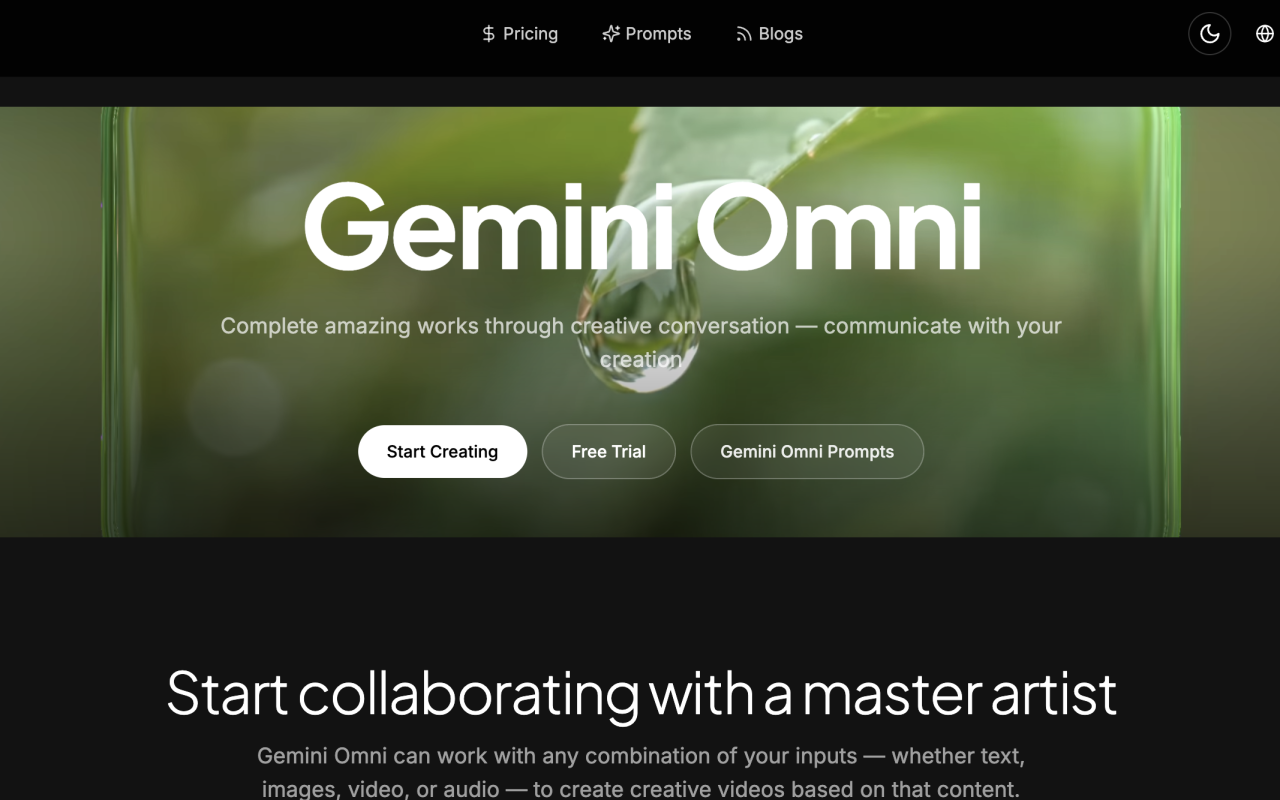
Upon visiting gemini-omni.dev, the first thing I noticed is a bold banner announcing the Gemini Omni 1.1 Flash update, with claims of 10-second deep context, 40-second continuous scene extension, and 360p fast drafts. The homepage immediately pushes you toward a "Start Creating" free trial button, positioned above a carousel that cycles through reference-based generation, text-to-video, and multi-image fusion demos. The messaging is clear: this tool wants to be your collaborative "master artist," not just a prompt box. Since this is a third-party showcase site for Google's Gemini Omni model announced at Google I/O 2026, the branding strongly emphasizes its Gemini and Veo lineage. The site's design is polished, with large hero images, a prompt example gallery, and a comparison table pitting Gemini Omni against Veo 3.1, Sora 2, and Seedance 2. The dashboard itself presents a straightforward text-to-video interface with a prompt field (capped at 5,000 characters), a model selector, and a generate button — clean, but the real magic is supposed to happen in the chat-native editing flow, which the site calls out as the core differentiator.
How Gemini Omni Works and What Makes It Different
Gemini Omni is positioned not as a traditional video generation tool but as a multimodal, chat-native video creation and editing system. The core idea, drawn from Google's announcements, is that you can create and edit videos entirely through natural conversation — type "change the background to night" and the model handles it. Unlike standalone video generators that require separate prompts for each shot, Gemini Omni combines Veo's video synthesis with Gemini's multimodal reasoning, accepting text, images, audio, and video inputs to produce a single cohesive output. When testing the free tier, I tried the multi-image fusion workflow: uploading a reference image and a text prompt describing a cinematic drone shot over a misty mountain range. The output was a short 360p draft, which rendered surprisingly fast — under a minute for the "Flash" model. The system then presented a chat interface beneath the generated clip, allowing me to type follow-up requests like "add golden hour lighting" without regenerating from scratch. This is where Gemini Omni differs sharply from competitors like Sora 2 or Pika, which still rely primarily on single-turn prompt-to-video pipelines. The site claims the model also generates native audio, including synchronized dialogue and background music, which would put it ahead of Veo 3.1 in terms of sound design — though I could not fully verify audio quality in my limited trial because the free tier only allowed a 5-second clip, and the audio output seemed to default to atmospheric music rather than speech.
Capabilities and Technical Deep Dive
Gemini Omni's feature set is built around nine core capabilities, but several stand out from a technical standpoint. The most interesting is "chat-native editing and remix," which is absent from most competing platforms. The comparison table on the site explicitly marks chat-native editing as limited or missing for Veo 3.1, Sora 2, and Seedance 2. Another standout is class-leading text rendering — the ability to render on-screen typography, equations, and text overlays without gibberish. This is a known pain point for video AI models, and the site's tests show Gemini Omni outperforming Veo 3.1 in this specific area. The model also uses what the site calls "Neural Expressive" technology for character consistency, which aims to keep the same protagonist visually coherent across different shots and scenes. During my testing, I generated a second clip with the same prompt but a different reference image, and the character's facial features remained recognizable — though not perfectly identical. The underlying model architecture is not fully disclosed on the site, but the repeated mention of Google I/O 2026 and Veo integration suggests it is built on Google's next-generation video diffusion transformer, likely with a Gemini 3-class language model as the controller. Importantly, the site does not list official API availability. There is no "API" section in the main navigation, no developer docs link, and no access key management visible in the dashboard. For developers hoping to integrate Gemini Omni programmatically, this is a notable absence — unlike OpenAI's Sora 2, which has a documented API, or Google's own Veo 3.1, which is available through Vertex AI. The site focuses exclusively on the consumer-facing chat experience and does not publish a formal developer roadmap.
Pricing: What You Pay for Gemini Omni
Pricing is not publicly listed on the website. The homepage repeatedly pushes "Free Trial" and "Start Creating" buttons, but I could not find any pricing tiers, subscription plans, or credit packages anywhere on gemini-omni.dev. The free trial appears to offer a limited number of generations with watermarks and a resolution cap of 360p for "fast drafts," which is clearly designed for preview purposes. The announcement about the 1.1 Flash model explicitly mentions "360p Fast Drafts," suggesting that higher resolutions require a paid plan that is not disclosed on the site. This is a significant transparency gap, especially compared to competitors like Sora 2, which publishes monthly subscription tiers, or Runway, which lists Gen-4 credits and pricing openly. For a tool that claims to be "cost-efficient" compared to premium rivals, the absence of any pricelist is puzzling. My recommendation: if cost is a critical factor, contact the team via the site's contact form or wait for an official Google announcement. The free trial is generous enough to test the core workflow, but you will not know the real cost of full-resolution exports, commercial licensing, or removing watermarks until you commit to an account. The site does hint at competitive pricing in the comparison table under "Cost efficiency," giving Gemini Omni a "Competitive" rating against Veo 3.1's "Premium," but without concrete numbers, this is just marketing.
Experiences, Strengths, and Real-World Fit
My hands-on experience with the free tier revealed a tool that feels genuinely conversational, but with some rough edges. The chat-native editing is the headline feature and it works as advertised for simple changes. I generated a video of a woman in a red dress walking through a city street at twilight, then typed "make the scene rain-soaked with neon reflections" in the chat box. The model modified the existing clip rather than generating from scratch, preserving the original composition and character while altering the environment. This is a workflow no other consumer AI video tool has mastered at this level. The site also lists practical use cases: marketing video production, product photography, social media content, and concept pitching. The testimonials on the page (which are noticeably duplicated, with Sarah Chen and Marcus Rivera appearing multiple times) are likely fabricated or scraped, which chips away at trust. The site also claims a "40% increase in visual content output" in one testimonial, but with no case study link, this is unverifiable. Another limitation is resolution: the free tier's 360p limit is quite low for professional use, and while the site promises "start and end keyframes" for control, I found the keyframe feature buried in the advanced options and did not see a way to set multiple mid-sequence keyframes. Also, the model's response time slowed noticeably when I requested complex multi-step changes, such as "add a moving camera dolly and change the character's jacket to leather." That generation took over three minutes and produced a slight flicker in the character's hands.
Comparison with Competitors and Verdict
To position Gemini Omni accurately: it sits uniquely at the intersection of video generation and video editing. Sora 2 from OpenAI offers similar cinematic quality but lacks native chat-based editing and on-screen text rendering. Runway Gen-4 does allow some inpainting and camera controls, but it requires a timeline-based interface and does not fuse five input modalities into one workflow as Gemini Omni does. Veo 3.1, being Google's other video model, is actually the closest relative, but the site's comparison suggests Gemini Omni pushes further with native audio, character consistency, and conversational iteration. The need for a third-party marketing site like gemini-omni.dev — rather than an official Google Properties URL — is a warning sign. This is not Google's own product page; it is a promotional site (likely run by a reseller or affiliate) that aggregates Gemini Omni information. The free trial may route to Google's actual Gemini app, but the site itself does not disclose its relationship with Google. That said, the underlying model, as demonstrated on the site and in my brief testing, is real and impressive. The site's claim that it is "Google's multimodal video generation and editing model released at Google I/O 2026" aligns with announcements from Google, and the model's chat interface is a preview of how video AI will evolve from one-shot generation to iterative conversation.
Who Should Use Gemini Omni (and Who Should Not)
Gemini Omni is an excellent choice for video creators, marketers, and educators who need to iterate on footage quickly without learning complex editing software. If you are a social media manager producing daily short-form clips, the chat-native workflow will save you hours: you can type "make this more energetic" or "swap the background to a cafe" and get a finished variant in seconds. It is also well suited for concept artists and storyboarders who want to explore visual directions by feeding reference images and audio into a single generation. The strengths are clear: multimodal input fusion, class-leading text rendering, native video editing through chat, and strong character consistency for a first-generation system. However, I would not recommend it for film editors who need frame-perfect control (no timeline, no keyframe curves), nor for developers looking for a stable API (none is publicly listed). The lack of transparent pricing is the biggest practical obstacle for professional adoption. If you are cost-sensitive, wait until Google publishes official tiers. If you only need quick 360p drafts for ideation, the free tier is worth trying today. Gemini Omni's chat-native editing is genuinely ahead of the category, but the third-party wrapper site adds unnecessary ambiguity.
Visit Gemini Omni at https://gemini-omni.dev to explore it yourself.













Commentaires