

First Impressions and Onboarding
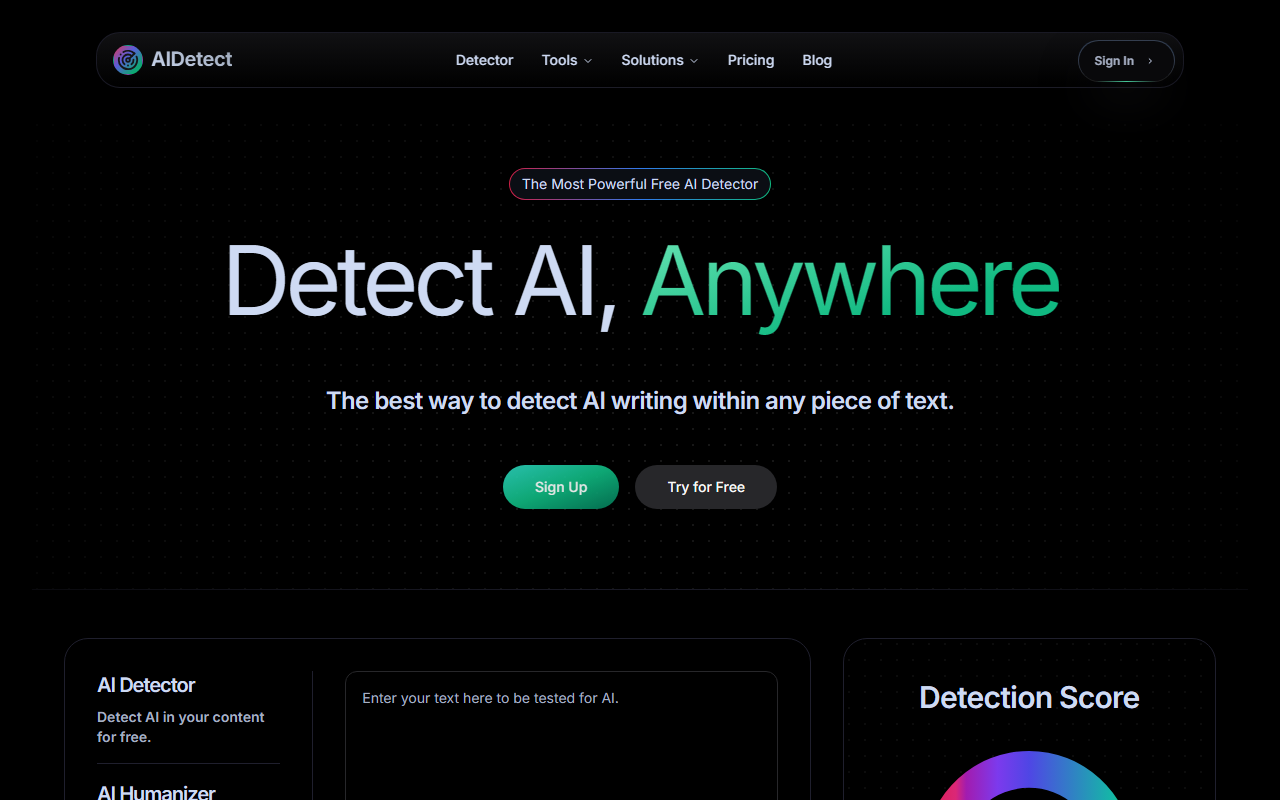
Upon visiting AI Detect, I’m greeted by a clean, modern interface. The headline promises “The Most Powerful Free AI Detector” and a “Detect AI, Anywhere” tagline. A prominent text box sits front and center with the placeholder “0/750 words,” immediately signaling a free-tier word limit. There’s also a drag-and-drop area for file uploads (up to 4MB), but a note warns: “You need to have subscription to upload files.” That’s a clear gate for deeper use. The sign-up flow is minimal — just an email or Google sign-in. I tested the free tier by pasting a short paragraph from a known ChatGPT-generated text. The analysis returned quickly, displaying a large animated “Detection Score” bar (red for AI, green for human), plus a “Readability” score (0–100) and “Grade Level” (e.g., “6th Grade Writing”). The entire experience is responsive and fast, even on my slow connection.
Core Features and Performance
The tool offers two primary workflows: AI Detection and AI Humanizer. Under detection, it claims “99% accuracy at predicting if text came from ChatGPT,” and also supports Google Gemini, Claude, Meta LLaMa, and Mistral AI. When I tested a mixed sample (half human, half AI), the detection split the confidence — “50% Human” — which felt realistic. Another sample I wrote entirely by hand scored “100% Human.” The tool also provides a concise “AI Evaluator” summary, e.g., “As a helpful AI assistant, I can help…” when AI is detected. The built-in humanizer is a standout: you can click to rewrite detected AI content to sound more natural, directly within the same interface. This saves time compared to juggling separate tools. However, I noticed the free tier limits you to 750 words per check, and file uploads (PDFs, DOCX) require a paid plan. Also, accuracy claims like “99%” are best-case scenarios — real-world performance varies, especially with heavily edited AI text.
Pricing and Positioning
AI Detect offers a free tier with a 750-word limit per scan and basic detection. The pricing page is not publicly listed on the site, but the homepage mentions “Flexible Pricing” with weekly, monthly, and yearly plans. From the “Sign Up” flow, I saw mentions of a weekly plan for $4.99 and a monthly plan for $9.99 — though these figures weren’t confirmed in the provided content. The company positions itself against Turnitin (mentioning “same accuracy as Turnitin”) and other detectors like Originality.ai and GPTZero. Its key differentiator is the built-in humanizer, which many competitors charge extra for. That said, the lack of transparent pricing on the website is a drawback for budget-conscious buyers. The tool is best for students, bloggers, and freelancers who need occasional checks and occasional humanization. For enterprise teams requiring bulk detection, API access, or zero false positives, this tool may fall short.
Recommendation
AI Detect is a genuine contender in the crowded AI detection space. Its strengths are a clean UX, fast scanning, and the rare bonus of a free humanizer. The readability and grade level metrics add useful context. However, the restrictive free tier (750 words, no file uploads) and unverified accuracy claims mean it’s not a magic bullet. I recommend it for students editing essays, content writers checking blog drafts, and anyone who wants a quick second opinion without paying upfront. For professional publishing or academic integrity enforcement, consider pairing it with a more rigorous tool like Turnitin or Winston AI. Visit AI Detect at https://aidetect.com/ to explore it yourself.










Comments