

First Impressions and Onboarding
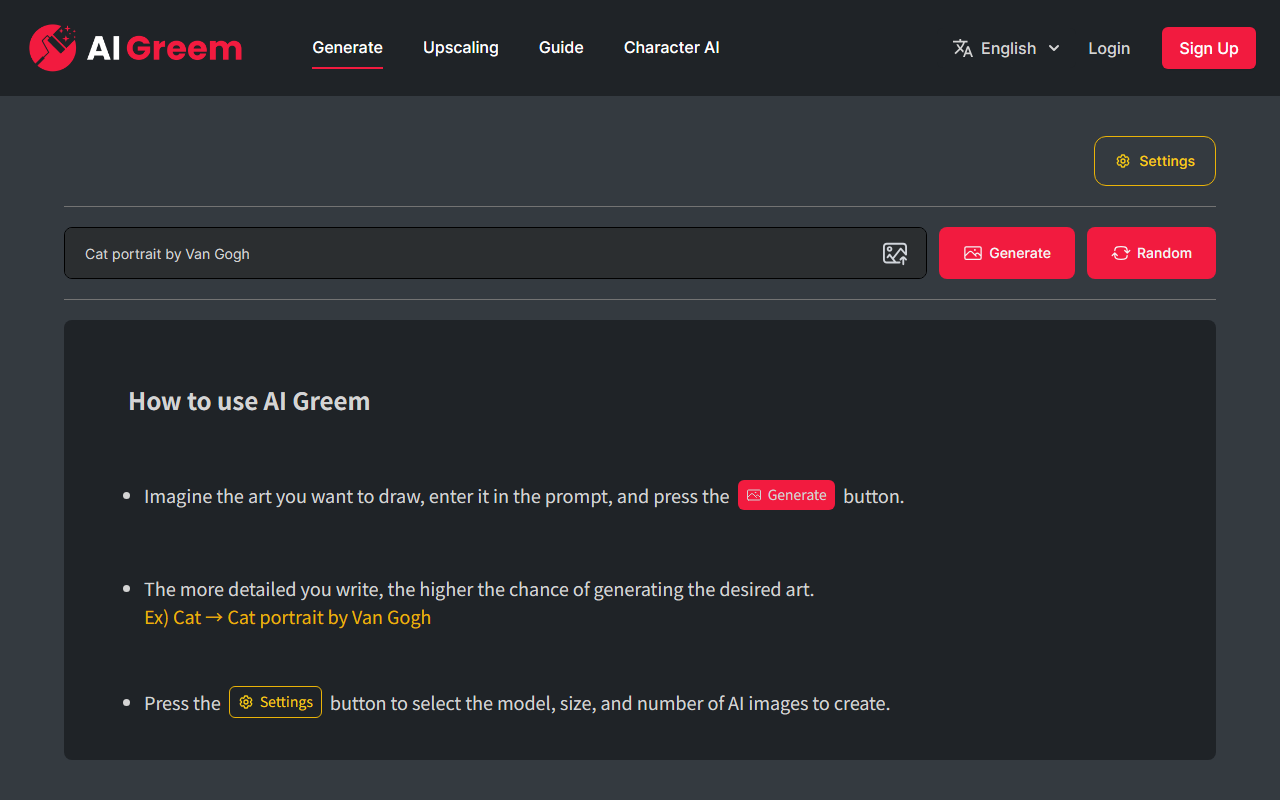
Upon visiting AI Greem's website, I was greeted by a clean, minimalist interface dominated by a large prompt input box and a prominent "생성하기" (Generate) button. The entire site is in Korean, which may pose a barrier for non-Korean speakers. Navigation is sparse: a settings icon, login and register buttons, and a random generation option. The onboarding is almost nonexistent—the page simply explains how to use the tool in a few lines: imagine a picture, type it into the prompt, and press generate. A helpful example shows “cat” becoming “van Gogh painted cat portrait”, which gives users a good starting point.
I tested the free tier by entering a prompt describing a futuristic cityscape. The response was fast, delivering four images in under ten seconds. However, there was no queue or progress indicator. The images were decent in quality, but lacked fine detail—suggesting the underlying model may be a lightweight version of Stable Diffusion or a similar open-source engine. The interface does not reveal which model is used. The settings menu allows you to choose from several model options (likely different styles or versions), image resolution (e.g., 512x512, 1024x1024), and the number of images to generate (1-4). This is surprisingly flexible for a free tool.
Features and Workflow
AI Greem focuses on one core task: text-to-image generation. There is no inpainting, outpainting, image-to-image, or negative prompt input. The workflow is straightforward: type a prompt, optionally adjust model/size/count in settings, and generate. The random generation button (랜덤생성) is a nice touch for those who want inspiration without typing. However, there is no gallery or community feature—outputs are only viewable and downloadable directly. I downloaded a few images; they saved as standard PNG files without watermarks, a welcome surprise for a free service.
The site does not require registration for basic usage, but signing in may be needed for saving history or accessing higher generations. I noted that after a few free generations, I was prompted to log in. Unfortunately, the site does not list any pricing or subscription tiers publicly, so it is unclear what limitations exist for free versus registered users. No API is mentioned. This lack of transparency can be frustrating for users wanting to scale use.
Strengths and Limitations
AI Greem's greatest strength is its simplicity. Anyone can land on the page and start generating images within seconds. The adjustable settings for model, size, and count provide a level of control that many comparable free tools lack. The fast generation speed is also commendable. Additionally, the absence of watermarks on generated images is a clear advantage for users who want clean outputs.
However, the tool has notable limitations. The image quality is adequate but not state-of-the-art; details like hands or complex textures often appear blurry or distorted. There is no option for advanced prompt weighting, face restoration, or upscaling. The lack of English language support and unclear pricing makes it difficult for international users to evaluate long-term viability. Compared to established competitors like Midjourney or Leonardo AI, AI Greem feels more like a hobbyist playground than a professional tool. It also lacks any community sharing or feedback loops that many users enjoy.
Who Should Use AI Greem
AI Greem is best suited for casual users who want to quickly generate simple images without committing to a paid platform. It is ideal for social media graphics, concept exploration, or just having fun with AI art. Beginners will appreciate the zero-friction interface. However, artists or designers needing high-fidelity output, advanced editing, or reliable API integration should look elsewhere. Competitors like Craiyon (formerly DALL-E Mini) offer similar simplicity with broader language support, while paid tools like Midjourney deliver far superior quality and control. If AI Greem were to add English localization and transparent pricing, it could carve a niche among lightweight generators. For now, it remains a neat but limited experiment.
Visit AI Greem at https://aigreem.com/ to explore it yourself.










Comments