

First Impressions and Onboarding
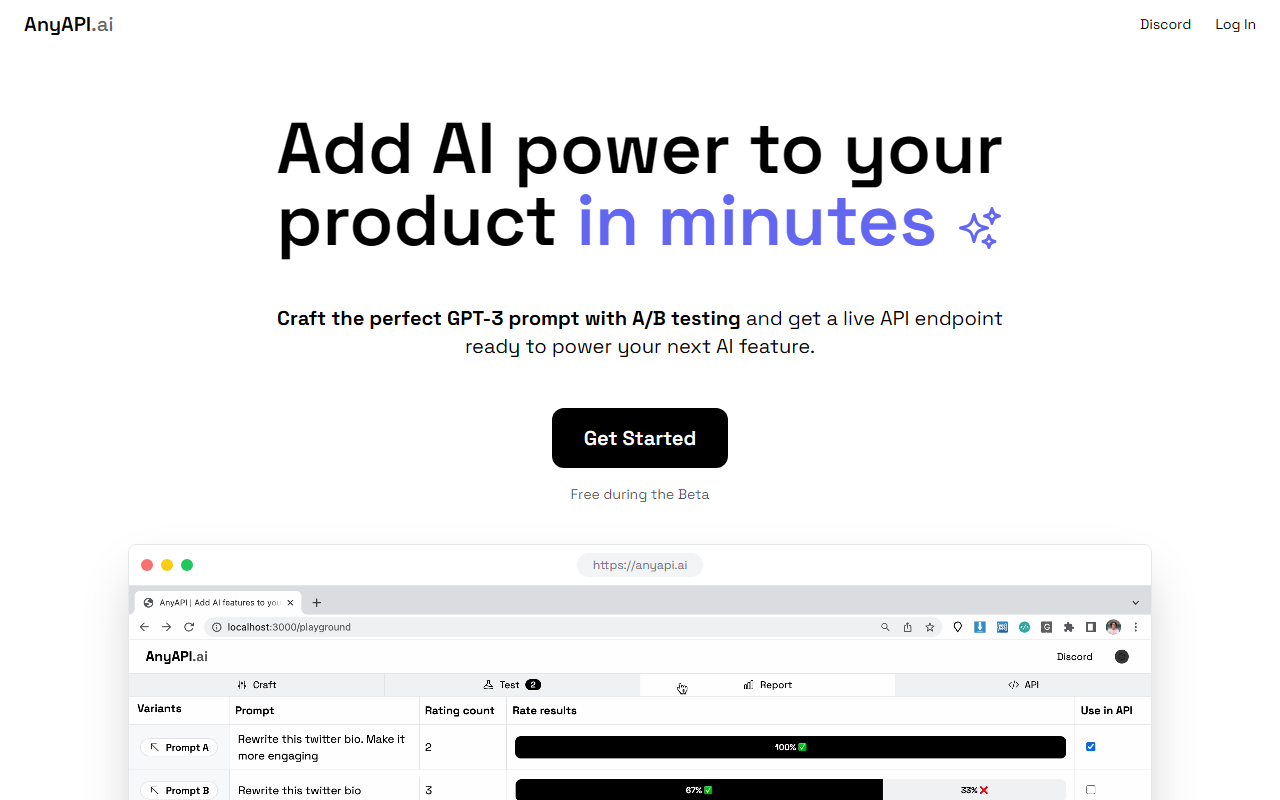
Upon visiting AnyAPI’s landing page, I was struck by its minimalism. The hero section reads “Add AI power to your product in minutes” with a single call-to-action button: “Get Started – Free during the Beta.” There is zero friction—no sign‑up demo, no feature list. Clicking through takes you directly to a dashboard where you can create a prompt, run A/B tests, and receive an API endpoint. I tested the free tier by exploring the “Email tasks” use case. The interface is clean: you define a prompt template, tweak parameters like temperature and max tokens, and then compare multiple variants side‑by‑side. Within about three minutes, I had a functional endpoint that turned a raw email into a structured task list. The onboarding is sparse—no tutorial or documentation beyond a short modal—but the simplicity lowers the barrier for experienced developers. Less technical users may feel lost, but the tool clearly targets builders who are already comfortable with prompt engineering.
How It Works and Technical Details
AnyAPI is essentially a prompt management layer on top of OpenAI’s GPT‑3 (likely the `gpt-3.5-turbo` or `gpt-4` models, though the site doesn’t specify). You write a prompt, define test inputs, and the platform runs A/B trials to compare outputs. Once you finalize a prompt variant, AnyAPI deploys it as a dedicated REST endpoint. Each endpoint accepts your custom parameters—like the input text—and returns generated text in JSON. Under the hood, this removes the need for you to handle OpenAI’s API directly, manage prompt versioning, or build an evaluation pipeline. The tool also includes a “Coming Soon” use case called “Ask GPT3 – Get plain text JSON,” which suggests future support for structured output validation. I didn’t see any mention of an official API for end‑user management, but the generated endpoints themselves are essentially a serverless function that wraps your chosen prompt. For integration, you just make a POST request to your unique URL. This approach is similar to tools like Vellum AI or OpenAI’s own playground, but AnyAPI focuses solely on turning a tested prompt into a programmable interface.
Pricing and Market Position
Currently, AnyAPI is completely free during its beta period. The website does not list any upcoming pricing tiers—no per-request fees, no monthly subscription. This is a deliberate strategy to attract early adopters and gather feedback. The lack of pricing transparency, however, makes it risky to build a production dependency. Alternatives like Vellum offer more robust prompt orchestration, monitoring, and versioning with a clear per‑token pricing model. Another competitor, AI21 Labs’ Jurassic‑1, provides a similar endpoint approach but with a different model. Where AnyAPI differentiates itself is its laser focus: you don’t get dashboards or analytics; you get one job—test a prompt, ship an endpoint. The tool is best suited for solo developers or small teams prototyping an AI feature quickly. If you need advanced features like logging, rate limiting, or multi‑model support, you’ll need to look elsewhere after beta ends. I did not find any indication of company backing or funding; it appears to be an independent project.
Verdict
AnyAPI’s strength lies in its speed and simplicity. I went from zero to a working email-to-task endpoint in under five minutes. The A/B testing capability is a genuine time‑saver for prompt engineers who would otherwise manually compare outputs. The big limitation is the beta’s uncertainty: no SLA, no data privacy guarantees, and unknown future pricing. I also observed that the error handling is basic—malformed prompts returned cryptic errors. For learning prompt engineering or building an internal prototype, AnyAPI is excellent. I would not recommend it for customer‑facing products until the team provides clear pricing and a roadmap. If you need a quick, hassle‑free way to turn a GPT‑3 prompt into an API, give AnyAPI a try while it’s still free. Visit AnyAPI at https://anyapi.netlify.app/ to explore it yourself.













Comments