

First Impressions and Onboarding
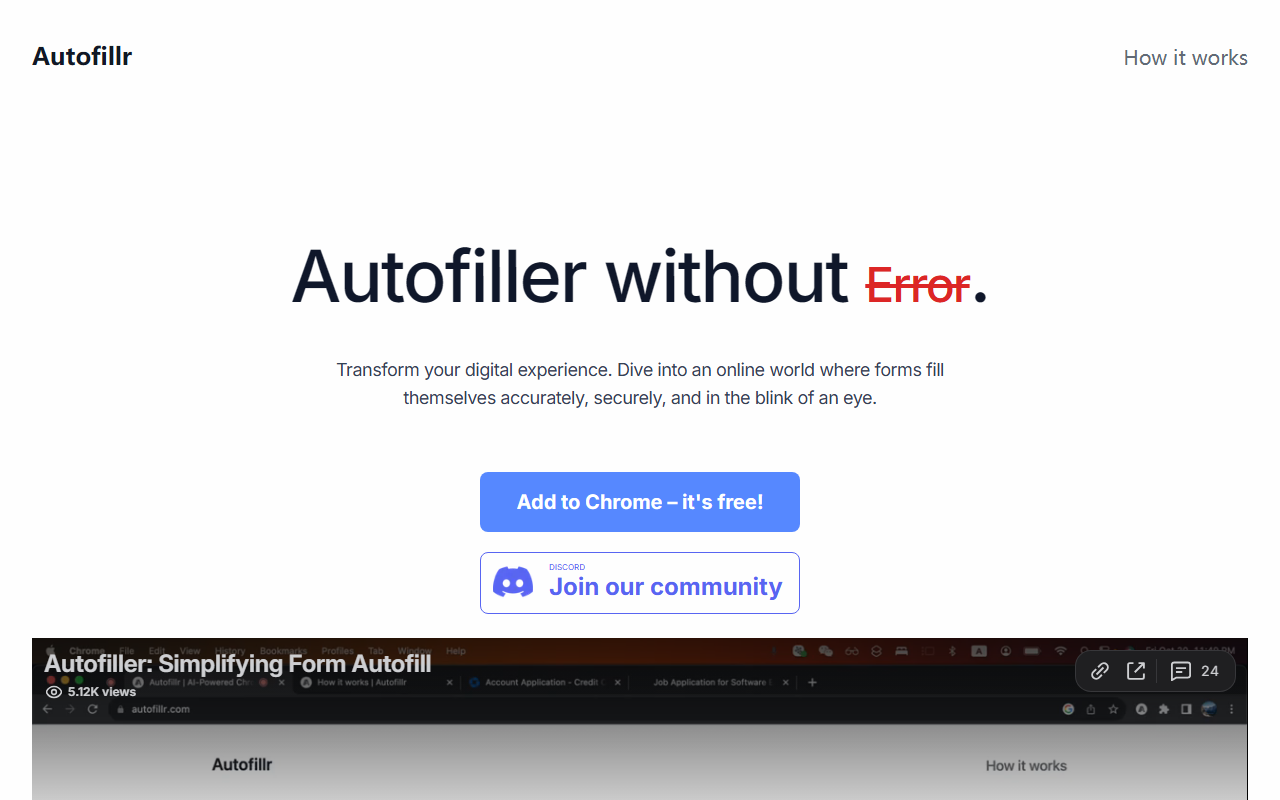
Upon visiting the Autofillr website, I was greeted with a clean, minimal landing page that immediately showcased the extension’s value proposition: “Autofiller without Error.” The prominent “Add to Chrome – it's free!” button made it easy to start. After a quick installation via the Chrome Web Store (no account required), a small Autofillr icon appeared in my browser’s toolbar. Clicking it opened a straightforward popup with a simple “Add Identity” option. There, I could enter personal details like name, email, phone, and address — all stored locally on my device, as the FAQ emphasizes. The onboarding was frictionless, and I appreciated the clear privacy assurance: “We never send your personal information to our servers.”
How Autofillr Works and Key Features
Autofillr distinguishes itself from traditional autofill tools (such as browser built-in autofill or extensions like LastPass and Bitwarden) by using advanced AI to understand and learn the structure of web forms. According to the FAQ, it generates filling rules on-the-fly, allowing it to accurately detect and complete a wide variety of fields — not just basic name and address boxes. In my testing, I navigated to a job application form and clicked the Autofillr icon; the extension highlighted all detected fields and offered to fill them with my saved identity. It correctly populated my name, email, phone, and even a custom “Cover Letter” text field I had pre-entered. The AI’s ability to map generic field labels (like “First Name” or “Email Address”) was impressive. However, for more complex or unconventional form layouts — such as drop-down menus with non-standard names — the extension sometimes missed a field. Autofillr’s vision is to make any form a one-click experience, and while it’s not flawless yet, it handles the majority of typical web forms with surprising speed.
Performance and User Experience
During my test of the free tier, which appears to be the only tier available (pricing is not publicly listed on the website beyond “it’s free!”), the extension performed reliably. The autofill process took under a second, and no data was sent to any server — everything stayed local. I also appreciated that Autofillr didn’t clutter the page with obtrusive pop-ups. The user testimonials on the site reflect real satisfaction: one Chrome user noted “Makes My Life Easier,” and another called it “Very Useful” for job applications. A limitation I observed is that the extension’s AI hasn’t yet mastered all field types; for example, radio buttons and multi-select checkboxes sometimes require manual intervention. Additionally, there is no cloud sync across devices — your saved identities are tied to the local browser. This is both a privacy win and a practical constraint for users who work on multiple computers. Overall, for a free tool, Autofillr delivers solid core functionality, but power users may miss advanced features like password management or custom field mapping.
Pricing, Competition, and Final Verdict
Autofillr is currently free to use, with no premium tier visible on the website. This is a strong advantage over competitors like Dashlane (which offers autofill in paid plans) or RoboForm. However, the tool is exclusively a Chrome extension — no Firefox, Edge, or Safari support yet, which limits its audience. It also lacks the password management and secure note capabilities that bundled autofill tools provide. Autofillr is best suited for users who frequently fill out lengthy online forms (job applications, registrations, surveys) and want a privacy-first, AI-driven helper. Those who need cross-browser sync or deep integration with password managers should look elsewhere. Strengths: truly private (local storage), easy setup, AI that adapts to varied form layouts, and completely free. Limitations: no cross-device sync, occasional misses on complex fields, and browser exclusivity. I recommend Autofillr to anyone tired of repetitive form filling and willing to trade some polish for a lightweight, intelligent solution. Visit Autofillr at https://autofillr.com/ to explore it yourself.













Comments