

First Impressions and Onboarding Experience
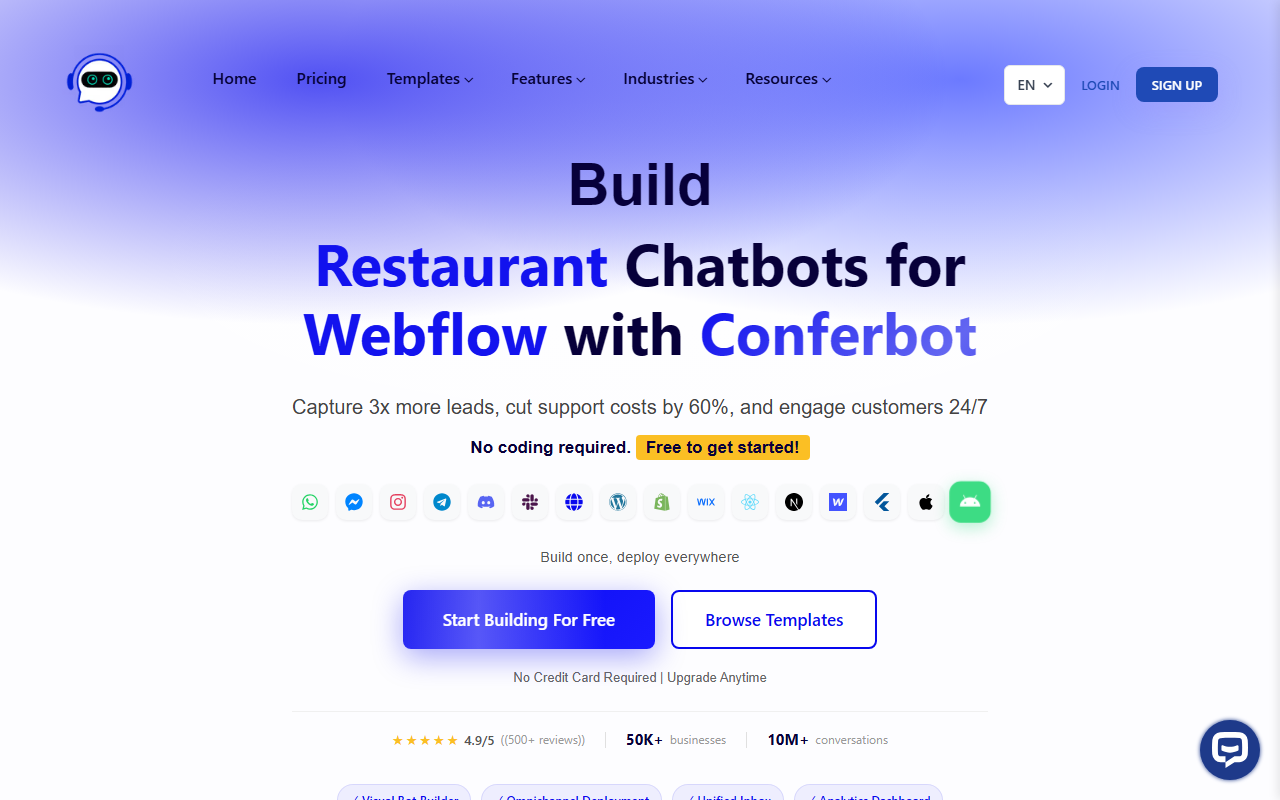
Upon visiting Conferbot's website, I was greeted with bold claims: capture 3x more leads, cut support costs by 60%, and engage customers 24/7. The homepage immediately showcases a clean dashboard with a prominent call-to-action to start building for free. I signed up without a credit card and was walked through a simple 3-step onboarding process. Within minutes, I had access to a visual drag-and-drop bot builder and over 50 pre-built templates. The interface is intuitive—blocks for triggers, actions, and responses snap together like Lego. I chose a FAQ template for a fictional e-commerce store and had a basic bot running in about 10 minutes. The experience was surprisingly frictionless, living up to the claim of "zero coding."
Core Features and Workflow
Conferbot's core strength is its omnichannel deployment. After building your bot, you can deploy it on websites (via a single line of JavaScript), WhatsApp, Messenger, Instagram, Telegram, Discord, Slack, and native mobile apps. I tested the WhatsApp integration by connecting my test number; the bot responded to customer queries like "Order status?" with pre-built flows within seconds. The Unified Inbox aggregates all conversations from different channels into one dashboard, which is a huge time-saver. The Analytics Dashboard shows real-time metrics like conversation volume, resolution rate, and lead conversion. I particularly liked the AI-powered responses—the bot used natural language to handle simple FAQs, though it struggled with nuanced queries. For those, I could set up fallback to a human agent. The platform also offers 50+ integrations (CRM, email marketing, etc.) and an ROI calculator that estimates lead increases based on your traffic. The visual builder supports conditional logic, so you can create complex workflows like lead qualification or appointment booking without code.
Pricing, Limitations, and Market Position
Conferbot offers a free 14-day trial with no credit card required. Pricing details are not fully transparent on the website—they direct you to a dedicated pricing page after signup. Based on the FAQ and ROI calculator, there are likely tiered plans based on conversations and channels. This lack of upfront pricing is a minor friction point. Compared to alternatives like ManyChat (strong on Messenger) or Tidio (simpler website chatbot), Conferbot's omnichannel breadth is a clear differentiator—it supports more platforms natively. The AI writing capability, however, is limited to chatbot responses; it is not a general-purpose AI writing assistant. This may disappoint users expecting a tool like Jasper or Copy.ai. Additionally, while the visual builder is powerful, it can feel overwhelming for absolute beginners due to the sheer number of options. The tool is best suited for marketing and support teams in small to mid-sized businesses that need a unified conversational interface across multiple channels. Enterprise features like SOC 2 compliance and 99.9% uptime are mentioned, suggesting it scales. However, advanced customization (e.g., custom AI model training) is not advertised.
Final Verdict
Conferbot delivers on its promise of rapid, no-code chatbot deployment across major messaging platforms. For lead generation and basic customer support automation, it is a solid choice. I appreciated the visual builder's flexibility and the unified inbox. However, its AI writing capabilities are narrow—do not expect a content generation tool. The lack of transparent pricing and the learning curve for complex flows are real drawbacks. If you need a simple website-only chatbot, Tidio might be faster. But if you want to engage customers on WhatsApp, Instagram, and Messenger from a single platform, Conferbot is worth the free trial. Try it to see if the ROI calculator's predictions match your reality.
Visit Conferbot at https://conferbot.com/ to explore it yourself.










Comments