

First Impressions and Onboarding
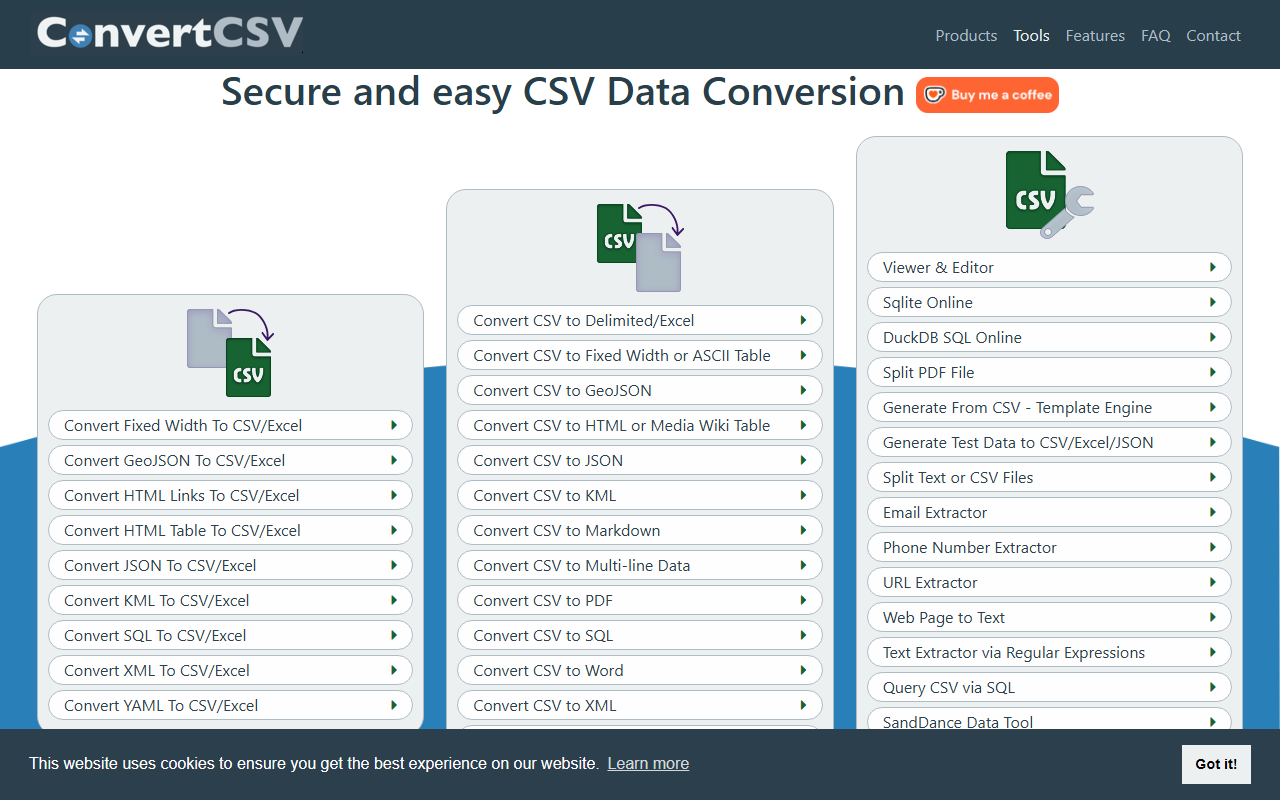
Upon visiting ConvertCSV.com, I was greeted by a no-nonsense landing page packed with a long list of conversion options. The interface is decidedly utilitarian—a simple list of links for each tool, from 'CSV to JSON' to 'Bulk Convert CSV to QR Code.' There is no fancy dashboard or interactive tutorial. I immediately appreciated the lack of clutter: the focus is purely on data conversion. To test the onboarding, I clicked 'Convert CSV to JSON.' The page loaded a file upload area and a few checkboxes. Within seconds I dropped a CSV file, and the JSON output appeared instantly. Because all processing happens client-side via JavaScript, there was zero network delay. The field separator auto-detect worked flawlessly on my mixed-format file. This is the fastest conversion I have ever experienced for such a broad set of formats.
Core Features and Workflow
ConvertCSV solves a common problem: transforming tabular data between dozens of formats without ever sending your data to a server. The tool supports conversions to and from CSV, JSON, XML, SQL, YAML, KML, HTML, Markdown, fixed-width, and more. It even includes a CSV Viewer and Editor that can handle Excel files directly. I tested the 'Query CSV via SQL' feature, which lets you write SQL statements against your CSV data and export results to CSV or JSON. This is an enormous time-saver for small-scale data analysis. Under the hood, the tool adheres to RFC 4180, handles quoting and escaping correctly, and includes a CSV validation checker. I also noticed a Template Engine with a built-in scripting language for generating custom output—a feature aimed at developers who need precise control over data formatting. A standout feature is the privacy guarantee: the FAQ confirms that your data never leaves your computer. This is a major trust signal for anyone working with sensitive information.
Pricing and Technical Considerations
Pricing is not publicly listed on the website for the core online conversion tools—they appear to be free to use as long as you stick with browser-based operations. However, the site mentions command-line tools and Windows desktop software under 'Products' (likely paid), as well as an API at ConvertCSV.io for production-scale usage. I did not find explicit pricing tables, but the API page states 'We have customers that run millions of transactions per month,' implying enterprise-level plans. Compared to alternatives like csvkit (open-source command-line tools) or Online-Convert.com (server-based), ConvertCSV excels in privacy and breadth of formats, but its UI feels dated and lacks modern drag-and-drop polish. Also, while client-side processing is secure, it can choke on extremely large files—the browser's memory is the limit. I tested a 50 MB CSV, and the browser hung for a few seconds before producing output. It works, but for big data, you would want the desktop or API versions.
Final Verdict and Recommendations
ConvertCSV is a rock-solid tool for developers, data analysts, and anyone who regularly juggles CSV files. Its greatest strengths are its privacy (no data upload) and the sheer number of conversion targets. It is best suited for occasional or intermediate-scale tasks where security is paramount. If you need to automate conversions in a server environment, the paid API is a logical next step. I would avoid the online tools for files exceeding 100 MB unless you have a powerful machine. Overall, ConvertCSV delivers exactly what it promises: fast, secure, and versatile CSV conversion. Visit ConvertCSV at https://convertcsv.com/ to explore it yourself.













Comments