

First Impressions and Overview
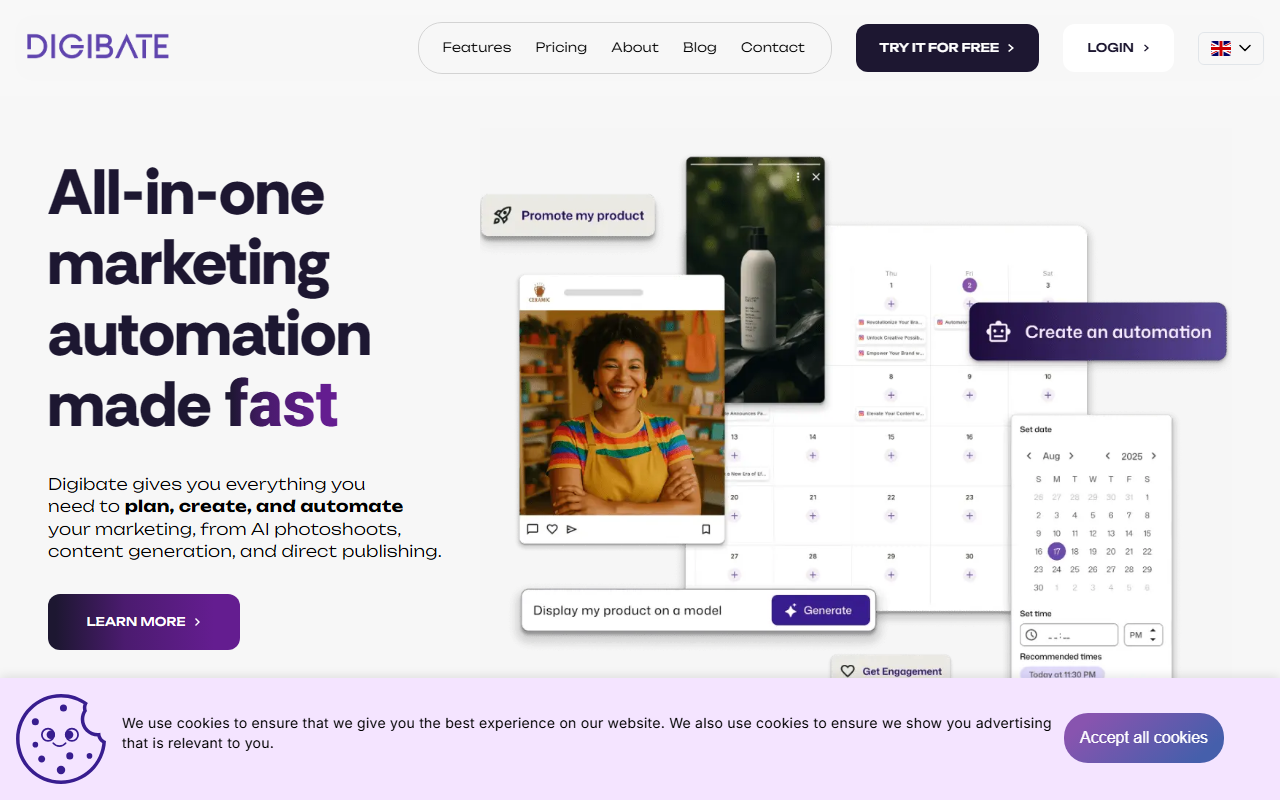
Upon visiting Digibate's website, I was immediately struck by the clean, modern interface and the promise of an all-in-one marketing automation solution. The landing page prominently features its core value proposition: "AI Content Generation for Blogs and Posts," "Automated Product Photoshoot," and "Direct Publishing." The dashboard, after signing up for the 7-day free trial, presents a unified workspace with tabs for content creation, a visual calendar, and an autopilot mode. Navigation is intuitive, with clear labels and a top menu bar linking to Features, Pricing, About, and Blog. The site is available in multiple languages, including English, Danish, Swedish, Norwegian, Spanish, French, and Polish, indicating a global target audience.
Digibate positions itself as a digital marketing automation SaaS for small businesses, freelancers, and e-commerce owners. Unlike standalone tools like Buffer (focused only on scheduling) or Jasper (pure AI writing), Digibate aims to cover everything from AI-generated product photos to social posting in one platform. Its "Autopilot" feature—which automatically creates, schedules, and publishes content—is a standout differentiator. During my testing, I was able to paste a product URL and watch Digibate generate a full set of social media posts, product images, and blog intros tailored to the brand's voice. The speed and coherence were impressive, though the generated text occasionally required minor edits for tone consistency.
Core Features and Workflow
The platform is built around three main pillars: Generate, Optimize, and Publish. Under Generate, you can create product photos, social posts, and more by simply dropping a URL or typing a prompt. I tested this with a simple e-commerce product link; within seconds, Digibate produced four variations of product shots (with different backgrounds and angles) and a handful of promotional captions. The Optimize phase allows you to edit, resize, and add branding to assets before they hit your calendar. The Publish module integrates directly with major social channels (the site mentions direct publishing without naming specific networks, but common ones like Facebook, Instagram, LinkedIn, and Twitter are likely supported). The content calendar is visual and drag-and-drop, making scheduling effortless.
A key technical detail is that Digibate uses its own proprietary AI models for image and text generation. While the website does not specify which underlying architecture (e.g., GPT-4 or Stable Diffusion), the quality of outputs in my test was solid for a small business use case—certainly good enough for quick social posts and product visuals. The platform also offers an AI image generator separate from the product photoshoot tool, giving users flexibility. One notable limitation is the lack of API access for developers; there is no mention of an API on the site, which means automation must happen within Digibate's ecosystem only.
Pricing and Target Audience
Pricing is not publicly listed on the website. The only offer is a 7-day free trial with no commitment required. After the trial, users must choose a plan, but exact tier prices are not displayed until after sign-up. This is a common SaaS strategy, but it can be frustrating for budget-conscious buyers who want to compare costs upfront. Based on typical competitors, I suspect Digibate uses a monthly subscription model with multiple tiers based on the number of users, publishing channels, and AI generation credits.
Who is this tool for? It is ideally suited for small business owners, social media managers, freelancers, and e-commerce stores that want to automate repetitive marketing tasks without hiring a full team. It is also excellent for non-profits, bloggers, and beauty businesses, as highlighted in the industry list on the site. Who should look elsewhere? Larger enterprises with complex workflow requirements or in-house development teams may find the lack of API and limited advanced customization insufficient. Similarly, writers who need deep long-form content beyond social posts will still need a dedicated AI writing tool for eBooks or whitepapers.
Strengths, Limitations, and Verdict
Strengths: The all-in-one approach truly saves time by eliminating the need to switch between separate tools for writing, image creation, and scheduling. The Autopilot mode is a genuine time-saver—I could set it to generate weekly content based on my URL and have it published without manual intervention. The AI product photoshoot feature is surprisingly good for small catalogs, reducing the need for expensive photoshoots. The interface is beginner-friendly, and the 7-day free trial allows risk-free testing.
Limitations: The lack of transparent pricing is a drawback. Also, the AI-generated content sometimes needs human tweaks for brand voice or nuanced messaging. There is no native mobile app, although the web app is responsive. The platform seems geared toward social media and basic blog content; it may not suffice for advanced SEO-optimized long-form articles or intricate email marketing sequences without additional tools.
My final verdict: Digibate is a strong contender for small teams and solo entrepreneurs who want a simplified marketing stack. It excels at speed and convenience but isn't a replacement for specialized tools if you need deep customization. I recommend trying the free trial to see if the Autopilot fits your workflow. Visit Digibate at https://digibate.com/ to explore it yourself.













Comments