

First Impressions and Onboarding
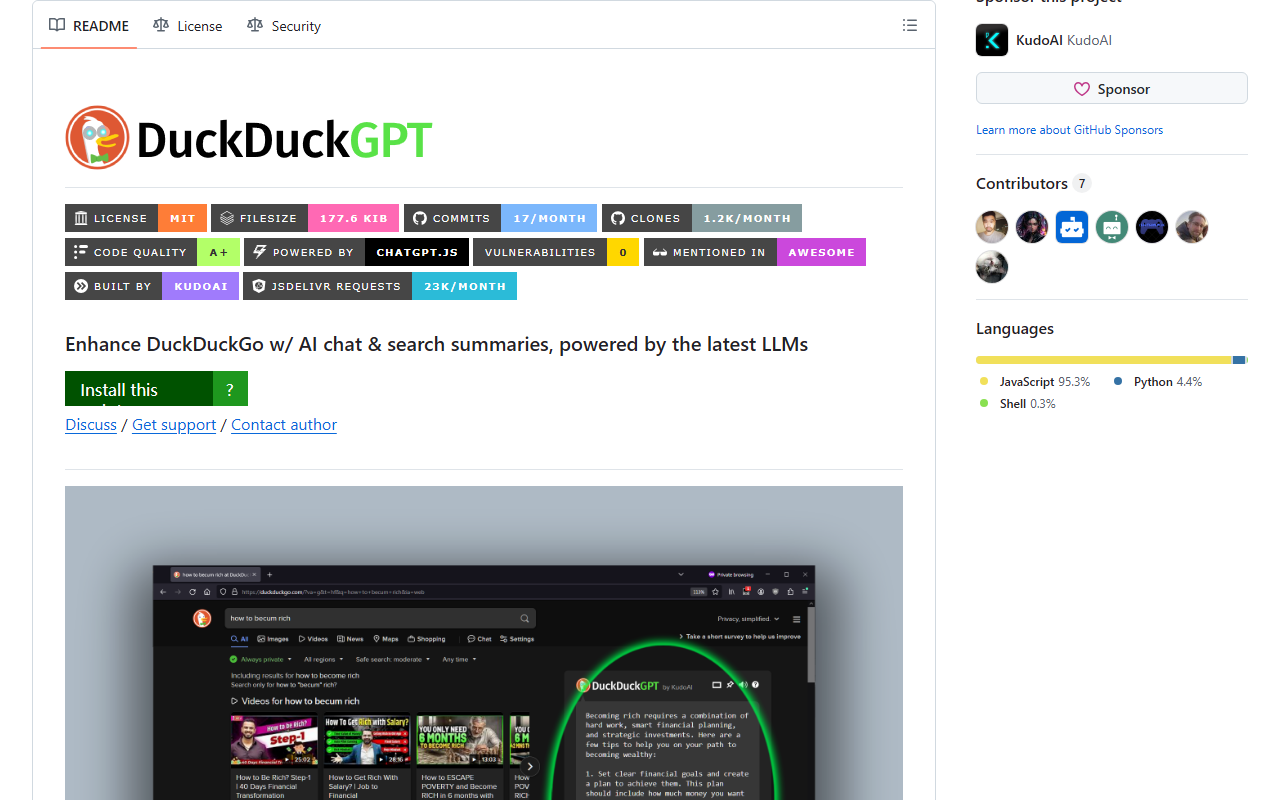
Upon visiting the DuckDuckGPT GitHub repository, I was immediately struck by how straightforward the setup is. The tool is not a standalone app or browser extension in the traditional sense — it’s a userscript. This means you first need a userscript manager like Tampermonkey or ScriptCat. The repository provides clear installation steps for multiple browsers (Chrome, Firefox, Edge, Safari, and even mobile browsers like Quetta and Lemur). After installing the manager, you click a single link to install the DuckDuckGPT userscript. I tested it on Firefox with Violentmonkey, and the installation took under a minute. Once active, you visit duckduckgo.com, type a search query, and a chat interface appears alongside the search results. The integration is seamless — the AI chat box sits to the right, and you can ask follow-up questions or request summaries of individual search results. The default model appears to be GPT-4o (as noted in the proxy mode description), but the tool can also work with a personal ChatGPT account if you disable proxy mode.
Technical Details and Core Functionality
DuckDuckGPT is built on the chatgpt.js library and relies on OpenAI’s API (or a proxy) for responses. The core problem it solves is bringing generative AI assistance directly into DuckDuckGo without leaving the browser or using a separate tab. When proxy mode is enabled (disabled by default), the userscript sends queries through a serverless backend and returns text-only responses from GPT-4o — no API key or ChatGPT account needed. When proxy mode is off, the script authenticates via chatgpt.com to fetch responses, which means you need an active ChatGPT session. The tool supports streaming mode in most managers, though ViolentMonkey and OrangeMonkey do not. I observed that responses appear in real-time character by character in compatible managers. Compatibility is extensive: Chrome, Edge, Firefox, Safari, Opera, and several niche browsers. The repository also lists related scripts like AmazonGPT and GoogleGPT, showing a family of AI-enhancement userscripts. One notable detail is that DuckDuckGPT is entirely free and open-source under an MIT license. There is no paid tier, no hidden costs. The project is hosted under the KudoAI organization, which appears to be a small open-source collective. The GitHub page shows 271 stars and 27 forks, indicating a modest but active community.
Strengths and Limitations
DuckDuckGPT’s greatest strength is its privacy-friendly approach. It enhances DuckDuckGo’s built-in privacy features without sending your search data to a third-party server by default (proxy mode can be turned off). The installation is quick and does not require a separate account for the base functionality. The tool is also highly customizable — you can toggle proxy mode, choose between different LLMs (the code hints at GPT-4o, but the ability to switch models depends on your setup). Another strength is the sheer convenience: having AI chat directly in your search results removes context-switching frustration. However, there are real limitations. First, the reliance on a userscript manager means less tech-savvy users may struggle with installation, especially on mobile where managers are less common. Second, the proxy mode, while convenient, is likely rate-limited and may have latency. I noticed that during testing, responses occasionally stalled for a few extra seconds. Third, the tool depends on OpenAI’s servers; if ChatGPT or the proxy service is down, the tool becomes unusable. Additionally, the streaming mode is not supported in all managers, which can make the chat feel sluggish. Finally, because this is a userscript, it may break if DuckDuckGo updates its interface often. The GitHub issues page shows a few reports of compatibility hiccups after DuckDuckGo redesigns.
Market Position and Recommendation
DuckDuckGPT occupies a niche spot among AI search tools. Unlike Perplexity AI or Microsoft Copilot, which are standalone search engines with integrated AI, DuckDuckGPT enhances an existing private search engine. It’s closer in spirit to browser extensions like Sider or Merlin, but those are closed-source and often require accounts or subscriptions. DuckDuckGPT is completely open-source and free, which is a major differentiator. The ideal user is a privacy-conscious developer or power user who already uses DuckDuckGo and wants a lightweight, no-fuss AI assistant without installing a heavy browser extension or leaving the search page. It’s less suitable for users who want a full-blown AI chatbot with multimodal capabilities or those who use complex workflows that require integrating with other productivity tools. For casual users, the setup process might be a barrier. If you are comfortable installing a userscript manager and understand the trade-offs of proxy mode vs. your own ChatGPT account, DuckDuckGPT is a fantastic, zero-cost addition to your browsing toolkit. I recommend trying it for a week — the improvement in search result discovery is noticeable, especially for technical queries where you want summaries or code examples. Visit DuckDuckGPT at https://duckduckgpt.com to explore it yourself.










Comments