

First Impressions and Onboarding
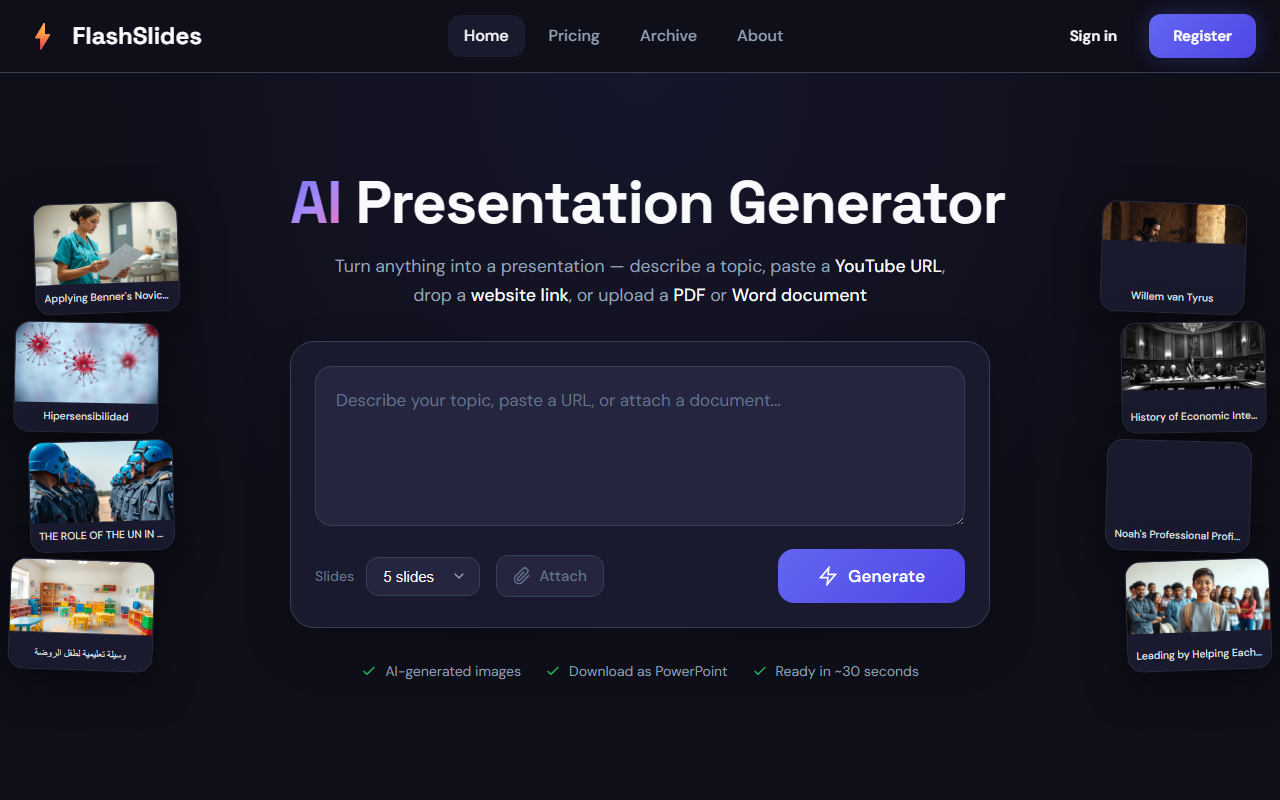
Upon visiting FlashSlides, I was greeted by a clean, minimalist interface. The landing page centers on a single input field that can accept anything — a plain topic, a YouTube URL, a website link, or uploaded PDF and Word documents. I immediately tested the free tier by signing in with Google (no email registration required). The onboarding is frictionless: after authentication, I saw the same main input area with a slide count selector ranging from 1 to 50 slides, an attach button for files, and a large "Generate" button. The dashboard also shows recent public presentations, which helped me gauge the output quality before trying it myself.
Core Features and Workflow
FlashSlides aims to solve one specific problem: turning almost any source of information into a slide deck in seconds. I tested it by pasting a lengthy URL from a tech news article. I selected 10 slides and clicked Generate. Within about 20 seconds, the tool presented a preview of the slides with text and AI-generated images. The images were surprisingly relevant — for example, an article about cloud computing produced an abstract digital network illustration. The text perfectly summarized the article’s key points, though it sometimes felt mechanically extracted. You can then download the deck as a PowerPoint (.pptx) file or share it via a unique URL. The generated presentation is public by default unless you toggle privacy in your dashboard. With the free tier, you get one generation per day; for more you purchase credits. The FAQ mentions credits but does not list exact prices on the homepage. The tool also offers an archive of all public presentations, which serves as inspiration but also raises privacy concerns for business users.
Compared to competitors like Gamma or Beautiful.ai, FlashSlides focuses on speed and simplicity. Gamma allows more inline editing and richer exports, while Beautiful.ai emphasizes design automation. FlashSlides trades deep customization for instant output and zero learning curve. It does not let you rearrange slides or edit text within the browser; you must download the PPTX and modify it later. This makes it a rapid prototyping tool rather than a final polish solution.
Pricing, Limitations, and Verdict
Pricing is not publicly listed on the website beyond the free daily presentation and reference to purchasing credits. The site has a "Pricing" link but the content shown in our review did not include it; during my test I could not find a visible price plan. This lack of transparency is a limitation — business users looking for bulk generation need to sign up and likely see pricing after login. Another limitation: all new presentations are public unless manually set to private in the dashboard. For professionals handling sensitive data, this is a dealbreaker unless you remember to change the setting each time. The AI images, while relevant, are not editable within the tool. And the export only supports .pptx, not PDF or Google Slides directly.
Strengths: FlashSlides excels at turning unstructured content into structured slide decks in under a minute. The ability to input URLs, YouTube videos, and documents makes it uniquely versatile. The free daily trial lets you test the quality risk-free. For students needing a quick starting point for a class presentation, or marketers who need a rough deck from a competitor’s article, it’s a strong time-saver. For professionals who require polished, customizable, and private slides, I recommend using FlashSlides as a first draft engine and then refining in PowerPoint. Visit FlashSlides at https://flashslides.com/ to explore it yourself.













Comments