

First Impressions and Interface Design
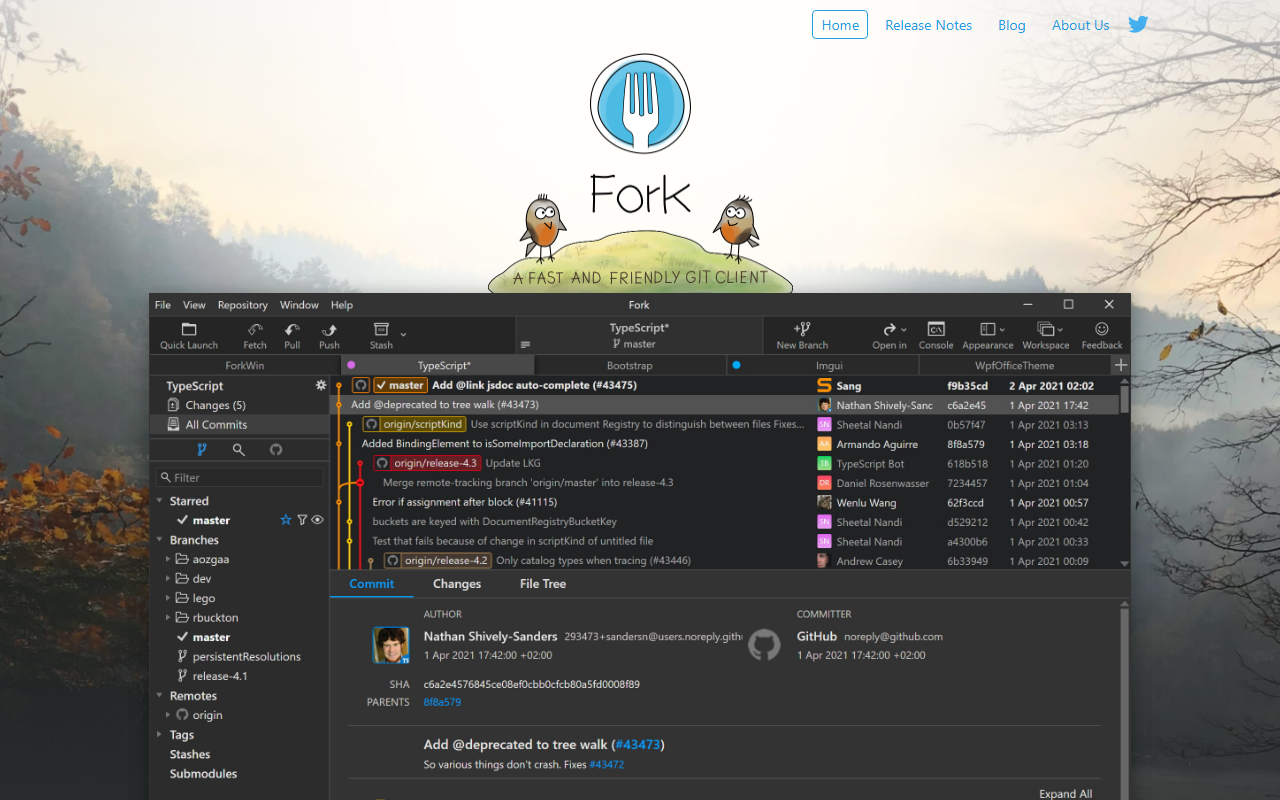
Upon visiting git-fork.com, I was greeted by a clean, no-nonsense landing page that immediately presents the core promise: a fast and friendly git client for Mac and Windows. The site offers clear download buttons and a feature overview with screenshots showing a modern, native-looking interface. Fork is developed by a small family team—Dan Pristupov and Tanya Pristupova—which gives it a personal, dedicated feel. The dashboard appears organized around a three-panel layout: a commit list on the left, working directory changes in the center, and a side-by-side diff view on the right. I appreciated how the screenshots highlight a clutter-free design, avoiding the overwhelming complexity of some enterprise tools.
When exploring the feature list, I noticed Fork emphasizes everyday git operations like fetch, pull, push, commit, branching, merging, and rebase. It also includes more advanced capabilities such as interactive rebase with visual editing, blame view, repository file tree browsing, and a built-in merge conflict resolver. The tool integrates GitHub notifications gently—a thoughtful touch for developers who want to stay informed without constant interruptions. The free evaluation period allows you to test all features before committing to purchase.
Core Features and Daily Workflow
Fork’s strength lies in how it handles common yet critical tasks. The side-by-side diff viewer is crisp and makes spotting changes easy. The ability to stage and unstage changes line-by-line from the commit view is a huge time-saver for precise commits. I was particularly impressed by the merge conflict helper; the website shows a dedicated interface that walks you through conflicts visually, which is far more intuitive than command-line wrestling. The interactive rebase tool lets you reorder, edit, or squash commits by dragging—something that usually requires careful command-line gymnastics in raw Git.
Another standout feature is the image diff viewer, which supports common formats and shows visual differences—perfect for designers or developers working with assets. Fork also includes Git-flow support, Git LFS, and GPG signing, making it suitable for teams that follow structured branching strategies or need to handle large files. The searchable history view and blame functionality make tracking down the source of a change straightforward. For users who rely on GitHub or GitLab, the notification integration reduces context switching. Overall, Fork covers the full spectrum from basic commits to deep repository archaeology.
Pricing and Market Position
Fork is priced at a flat $59.99 per license for either Mac or Windows, with a free evaluation version that doesn’t expire—though you’re encouraged to purchase after evaluating. This one-time payment model is refreshing compared to the subscription-based pricing of competitors like GitKraken (which costs $59.40/year for Pro) or the free but less polished Sourcetree. However, note that Fork does not offer a Linux version, which may be a dealbreaker for teams using that platform. The lack of a free tier beyond evaluation also means casual users might stick with free alternatives.
The tool is built natively for OS X 10.11+ and Windows 7+, ensuring good performance on older systems. It’s developed in Swift on macOS and .NET on Windows, giving each version a native feel rather than a cross-platform compromise. For developers who prioritize speed and a clean UX, Fork competes well against both free and paid options. The small team behind it means updates may come slower than larger companies, but the blog shows consistent improvements.
Final Verdict
Fork excels at providing a polished, fast git experience for individual developers and small teams on Mac or Windows. Its intuitive interface reduces the learning curve for newcomers while offering power users the depth they need. The merge conflict resolver and interactive rebase are genuinely helpful, and the image diff feature sets it apart. However, the lack of Linux support and the need to pay $59.99 after evaluation mean it’s not for everyone. If you’re on Mac or Windows and want a one-time purchase that feels snappy and well-crafted, Fork is an excellent choice. For those on a tight budget or Linux, look at Sourcetree or GitKraken’s free tier. Overall, Fork delivers on its promise of being “fast and friendly.”
Visit Fork at https://git-fork.com/ to explore it yourself.










Comments