

First Impressions and Onboarding
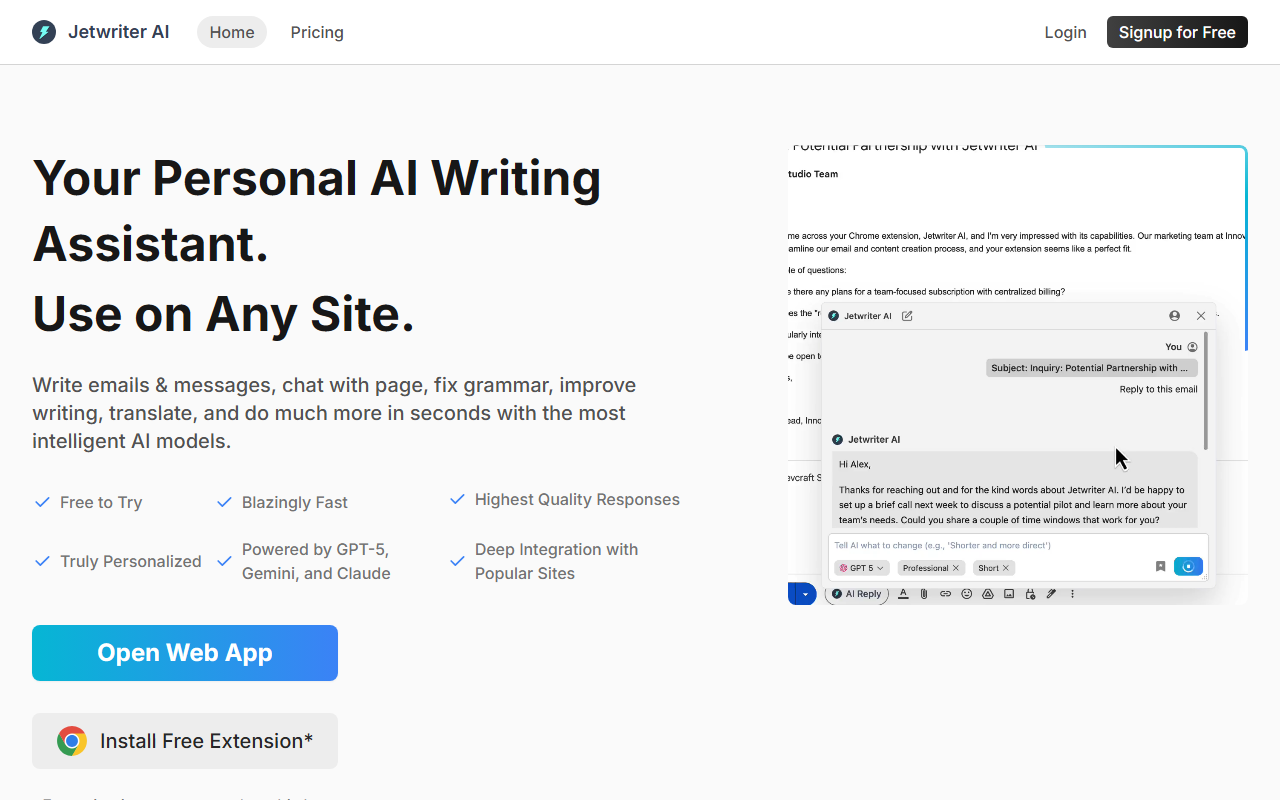
Upon visiting the Jetwriter AI website, I found a clean, modern landing page that immediately communicates the core value proposition: a personalized AI writing assistant that works on any site. The call-to-action to install a free extension is front and center. I clicked through and added the Chrome extension in under 30 seconds—the file size is under 1MB, so it didn't bog down my browser. After installation, a small widget appeared in my toolbar. The onboarding walkthrough was minimal but effective: it prompted me to create a personal profile (including my writing tone, preferred language, and typical use cases) and set up custom writing styles for different contexts like formal emails or casual Slack messages. I found this profile-based personalization to be a standout differentiator—most competitors apply a one-size-fits-all approach.
Core Features and Hands-On Testing
I tested Jetwriter AI primarily in Gmail and on LinkedIn. In Gmail, the tool automatically suggests replies based on the email thread, and it learned from my past emails to mimic my voice surprisingly well. The integration is deep: buttons appear inline for “Reply,” “Fix Grammar,” “Improve Writing,” and “Translate.” I selected a paragraph from an email and asked for a more professional rewrite; the response was fast and contextually accurate. The tool also offers a “Chat with AI” sidebar where I can switch between GPT-5, Claude Sonnet, and Gemini Pro mid-conversation—a feature that gives power users flexibility. I used the voice input to dictate a quick email reply, and the transcription was flawless. Another useful feature is “Chat with Page”: on a long news article, I asked for a summary and got bullet-point key info within seconds. The tool also supports file upload for chatting with documents (PDFs, Word docs, etc.), though I only tested it with a simple text file. All interactions felt snappy, and I appreciated that my data is encrypted in transit and not used for training—a clear privacy advantage.
Strengths, Limitations, and Market Position
Jetwriter AI’s biggest strength is its deep integration with popular platforms. Unlike Grammarly, which mainly focuses on grammar correction, or Jasper AI, which is more for long-form content creation, Jetwriter excels at short-form, conversational writing across Gmail, LinkedIn, Outlook, Slack, Zendesk, and more. The ability to create a writing profile and switch between leading AI models gives it a personalization edge. However, there are limitations. The tool is primarily a browser extension and a web app; there is no native desktop or mobile app (though the web app works on mobile browsers). During my testing, the AI occasionally failed to grasp very niche industry jargon, and the free tier may have usage caps—pricing details are not fully listed on the website, only a “See Pricing” button and a free-to-try offer. For users who need a standalone writing assistant with offline capabilities, this might not be the ideal choice. The tool is best for professionals, customer support agents, and busy managers who live in email and messaging apps and want a fast, contextual helper.
Final Verdict and Recommendation
Jetwriter AI delivers on its promise of a personalized, integrated writing experience. If you spend hours drafting emails, responding on LinkedIn, or typing in Slack, this tool will save you significant time while keeping your unique voice. The multi-model support and privacy-first approach are genuine differentiators. I recommend trying the free extension first to see how well it learns your style. For those needing heavy-duty long-form content generation or a standalone writing suite, look at alternatives like Copy.ai or Jasper. But for everyday communication on the web, Jetwriter AI is a strong contender that deserves a spot in your productivity toolkit.
Visit Jetwriter AI at https://jetwriter.ai/ to explore it yourself.













Comments