

First Impressions and Onboarding
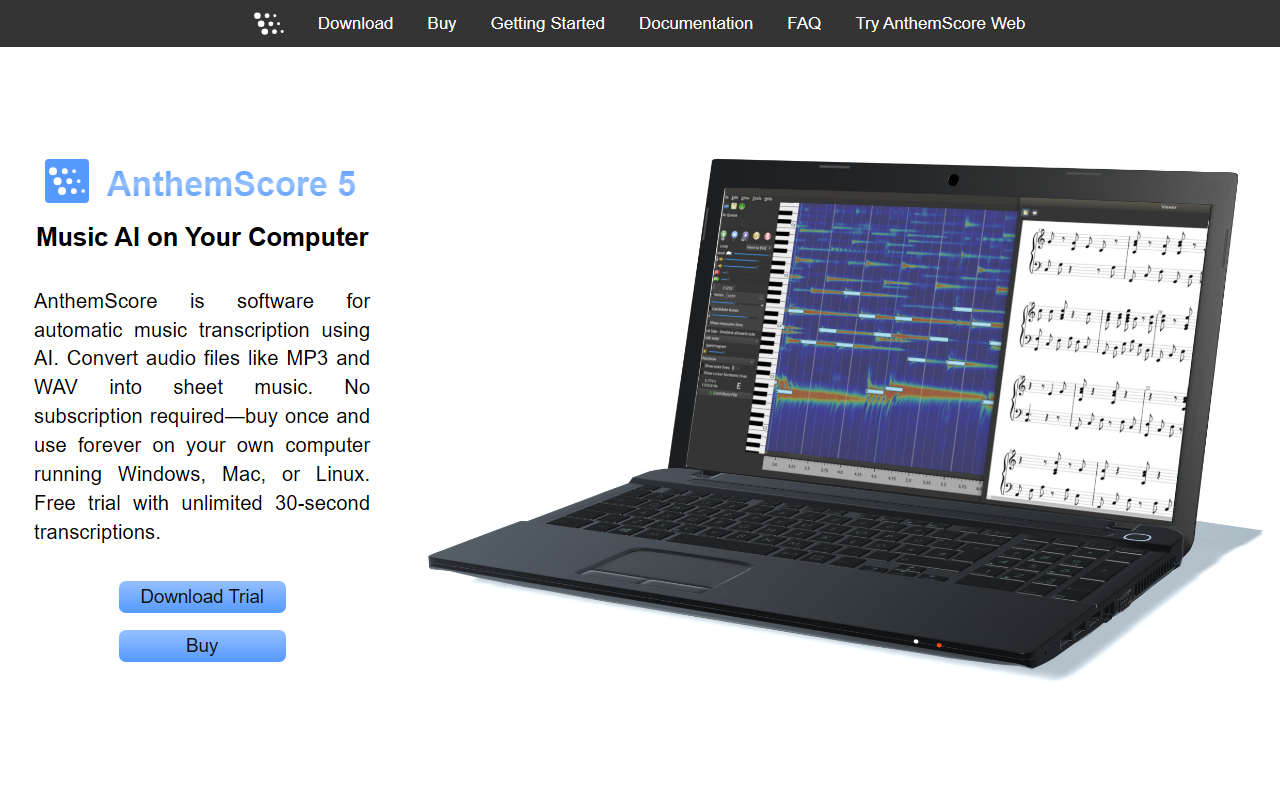
Upon visiting lunaverus.com, the landing page immediately presents AnthemScore, the company's flagship product for automatic music transcription. The design is clean and focused: a hero section with a screenshot of the software, clear calls-to-action for downloading the trial or buying directly. I downloaded the free trial for Windows. The installer was straightforward, and within minutes I had the application running. The dashboard shows a simple interface: a central spectrogram, a piano roll, and a sheet music view. The onboarding flow encourages you to drop in an audio file; I tested a 30-second clip of a piano piece. The AI processed it in about 10 seconds and generated a decent preliminary transcription. The note detection was impressive, though a few chords were misidentified. The trial limits to 30-second segments and 100 total transcriptions, which is enough to evaluate the core accuracy.
Features and Performance
AnthemScore uses machine learning to detect notes, beats, and instruments from audio files such as MP3 and WAV. The transcription engine is surprisingly fast even on a mid-range laptop, and the desktop app runs fully offline—a strong advantage over cloud-based services. The software provides several editing tools: you can adjust note density with a slider, tap downbeats to set measures, and slow down playback without pitch change. It also supports multiple instruments, automatically formatting sheet music in the correct key and range. You can output to PDF, MusicXML, or MIDI, which integrates well with notation software like MuseScore or Sibelius. Advanced editing includes time signature changes, triplets, and measure insertion. During my test, I used the “add notes” slider to fill in missed notes, and the AI intelligently filled gaps. However, the free trial does not allow saving or printing beyond the 30-second limit, and the Lite edition lacks note editing and spectrogram display, which are critical for detailed work.
Pricing and Value
Lunaverus offers three one-time purchase editions for AnthemScore. Lite costs $31 and includes unlimited song transcription and one year of updates, but no note editing or spectrogram. Professional is $42 and adds powerful editing tools, spectrogram view, and audio playback. Studio costs $107 and includes lifetime free updates. Unlike subscription-based competitors like ScoreCloud or AudioScore, AnthemScore’s buy-once model is appealing for users who want perpetual access. There is also a web version (subscription) mentioned on the site, but pricing for that is not disclosed. The free trial lets you test all editions via a feature-limited mode, which is helpful. The main limitation is that the Lite edition may be too restrictive for serious transcribers, and the Professional edition, while affordable, lacks the lifetime updates of Studio. For $107, Studio is a solid investment for frequent users.
Final Verdict
AnthemScore is genuinely useful for any musician who needs to transcribe audio into sheet music quickly. Its strengths include offline operation, one-time pricing, and robust editing capabilities. The machine learning model handles polyphonic audio reasonably well, though complex passages with many overlapping notes require manual correction. The main limitations are the 30-second cap on the free trial and the lack of note editing in the Lite edition. Compared to Lunaverus’s web app, the desktop version offers far more control. I recommend AnthemScore for hobbyists, educators, and composers who want a reliable transcription tool without a recurring subscription. For occasional use, the free trial may suffice, but serious users should invest in the Professional or Studio editions. Visit AnthemScore by Lunaverus at https://lunaverus.com/ to explore it yourself.










Comments