

First Impressions and Onboarding
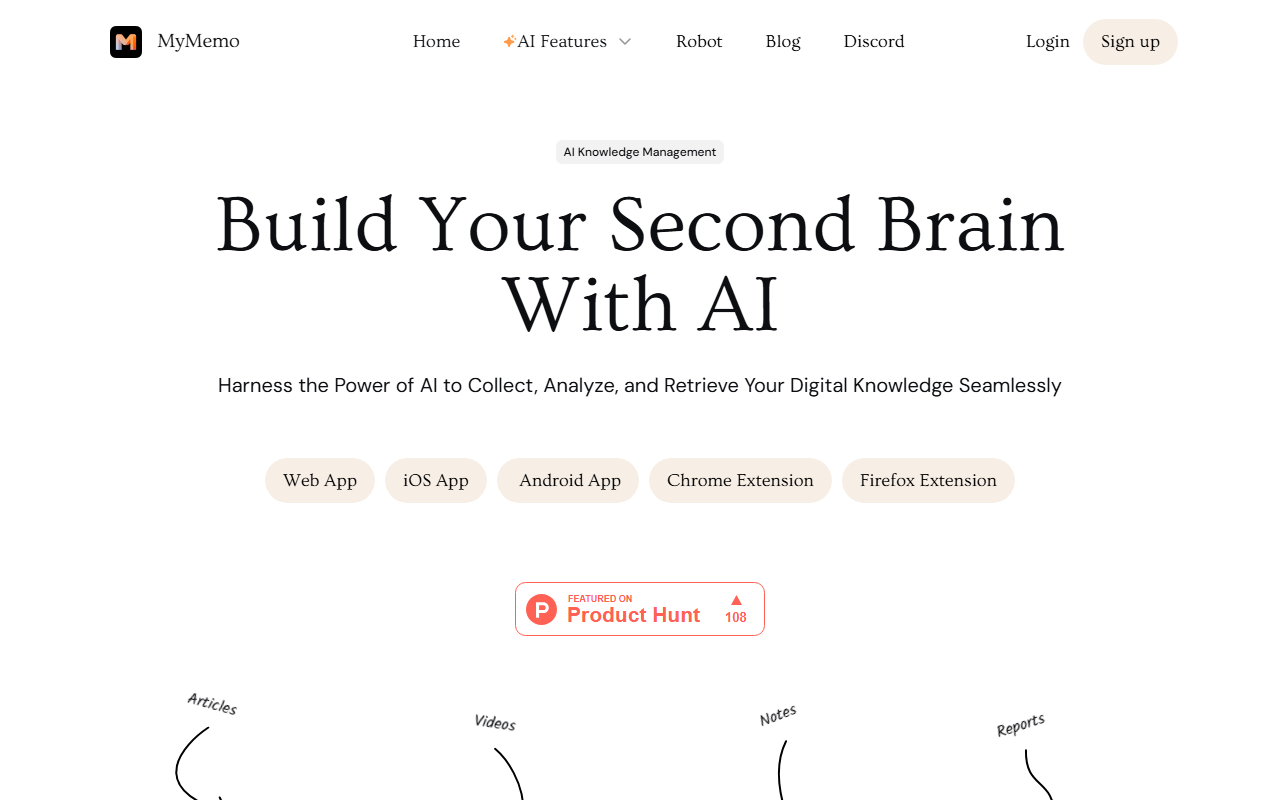
Upon visiting MyMemo’s website, I was greeted by a clean, modern design that immediately communicates its core value: turning digital chaos into a structured second brain. The headline — “Build Your Second Brain With AI” — sets the expectation clearly. The dashboard, which I could only preview through screenshots, appears to be a minimalist workspace with a left sidebar for navigation and a central feed for collected content. I signed up for the free tier (a prominent “Get MyMemo Free” button is front and center) and within minutes was able to connect the Chrome extension. The onboarding walked me through saving my first article: clicking the extension icon, selecting content, and letting the AI automatically tag and summarize it. The process felt intuitive, almost like bookmarking but with smart analysis built in.
Core Capabilities and Technology
MyMemo positions itself as an AI-powered knowledge management system. It solves a real problem: information overload. Instead of saving links, screenshots, tweets, notes, and videos across dozens of apps, MyMemo centralises everything in one place. The tool uses AI — likely a combination of natural language processing and summarisation models — to automatically analyse saved content, extract key points, and generate a searchable knowledge base. I tested the AI chat feature by asking “What have I uploaded about marketing strategy?” after saving a few blog posts. The response was impressively accurate, referencing specific sentences and linking back to original sources. The system seems to index content as you add it, so the more you feed it, the smarter it becomes. Importantly, all answers are generated strictly from your personal knowledge base, not from the open web — a privacy-oriented approach that many professionals will appreciate.
From a technical standpoint, MyMemo offers a web app, iOS and Android apps, and a Chrome extension. The extension makes capture seamless: you can save an entire article, a screenshot, or just a selected snippet. The AI then processes it, generating a summary and categorising it under user-defined tags. The platform also supports diverse content types: images, links, videos, tweets, notes, and files. Notably, there is a “Recap” feature that appears to periodically surface key insights from your library. While the underlying model is not explicitly named on the site, the quality of summaries and chat responses suggests it uses a robust transformer-based architecture, similar to GPT variants.
Pricing is not publicly listed on the website. A free tier is clearly available — users can sign up and start collecting content immediately. For advanced features like larger storage limits, team collaboration, or priority AI processing, I suspect a paid subscription exists, but specifics are not disclosed. This lack of transparency could be a drawback for budget-conscious buyers.
Market Position and Competitors
MyMemo competes directly with tools like Notion AI, Mem, and Obsidian (with AI plugins). Unlike Notion, which is a full-featured workspace with wiki-like structure, MyMemo focuses purely on knowledge capture and retrieval. It is more lightweight and relies heavily on AI to automate organisation, whereas Notion requires manual setup of databases and templates. Compared to Mem, MyMemo offers a broader range of input types (including video and screenshots) and stronger source attribution in answers. However, Mem has a more mature AI chat experience and a native desktop app (MyMemo currently relies on web and mobile). For users who want a no-organisation-required system that simply lets them save and ask questions, MyMemo excels. But those who need deep project management, database-style views, or team collaboration may find it lacking — though MyMemo does mention a Chrome extension and mobile apps, which suggest some degree of cross-platform usability. The tool appears to be relatively new, with a growing user base indicated by positive reviews from AI tool platforms. The website prominently features several rave reviews, lending credibility. The company behind MyMemo is not obviously backed by a large tech firm, but the polished design and functionality suggest a well-funded startup.
Strengths, Limitations, and Verdict
Strengths are clear: MyMemo’s AI truly understands the content you save. The chat feature is fast, accurate, and always cites sources — a feature many knowledge management tools overlook. The ability to capture virtually anything (articles, tweets, videos, notes) and have it automatically processed is a huge time-saver. The free tier is generous enough for personal use, and the multi-platform support (web, iOS, Android, Chrome) ensures you can save from anywhere. The design is clean and uncluttered, reducing cognitive load.
Limitations are equally real. The lack of public pricing for premium tiers is frustrating — users may invest time in the free version only to hit a wall. The tool is heavily AI-dependent; if you prefer manual tagging and folder structures, MyMemo may feel too black-box. Also, while it supports many content types, it does not appear to natively integrate with popular tools like Slack, Notion, or Evernote, which could limit its utility in a team environment. Finally, the AI’s understanding is limited to what you feed it; it cannot yet reason across disparate topics as fluidly as some competitors.
Who should try it: Individual knowledge workers — writers, researchers, students, and professionals drowning in bookmarks and notes. Anyone who wants a “set it and forget it” system for building a personal knowledge base will love MyMemo. Who should look elsewhere: Teams needing shared workspaces or advanced project management, and users who demand transparent pricing upfront.
Overall, MyMemo delivers on its promise of an AI-powered second brain. It is a pleasure to use, and the intelligence behind it genuinely reduces information anxiety. I recommend starting with the free version and upgrading as your library grows. Visit MyMemo at https://mymemo.ai/ to explore it yourself.













Comments