

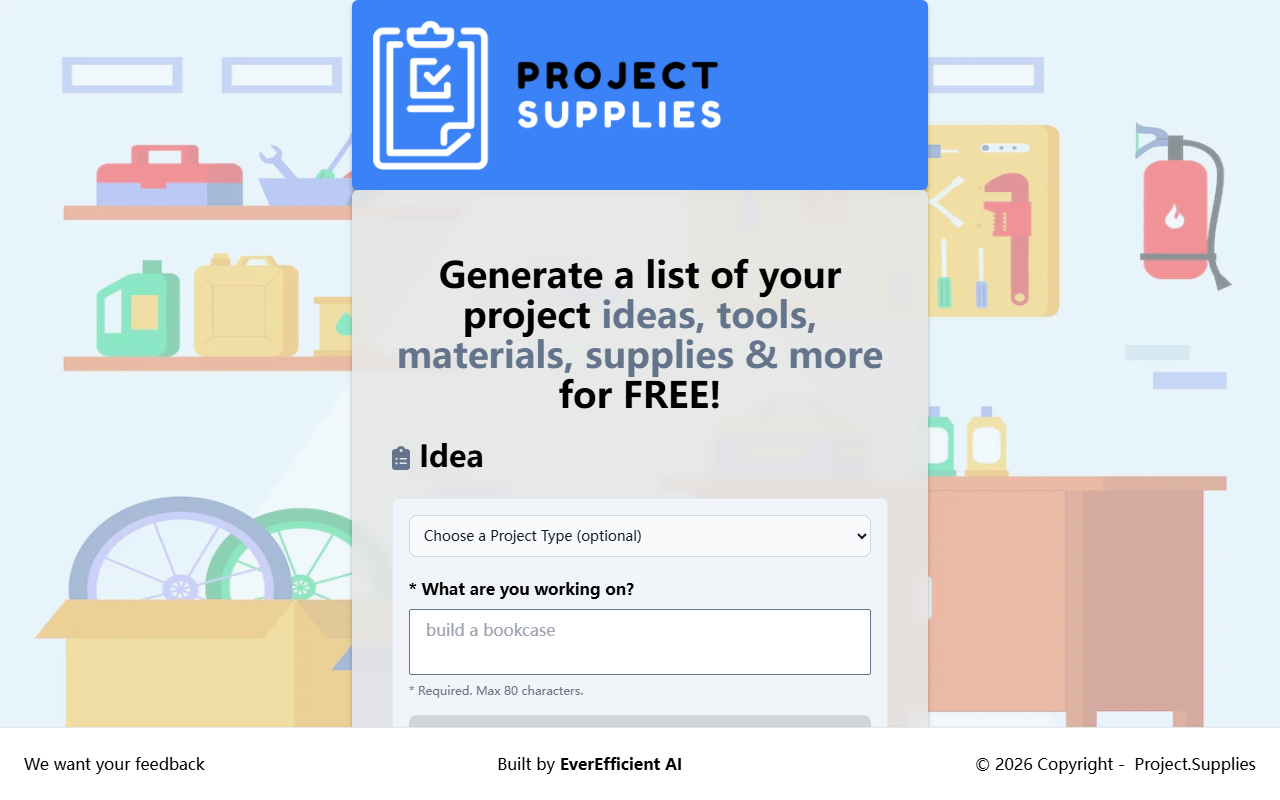
Upon visiting Project.Supplies, I encountered a clean, minimalist interface that immediately invites you to start generating DIY project ideas. The tool lives up to its name: it's a free, no-frills generator for project concepts, tools, materials, and supplies. There are no sign-ups or paywalls — just a text box and a dropdown.
First Impressions and Interface
The homepage is built around one central form. You can optionally choose a project type from a long list that includes 3D Printing, Woodworking, Robotics, Cooking, and more. Then you type what you're working on (max 80 characters) and click 'Create'. The response appears below almost instantly. I tested it with 'build a birdhouse' under Woodworking, and it returned a solid list: from 'rustic birdhouse with recycled wood' to 'tools: saw, drill, screws' and a full materials list. The output is presented in a simple, readable block of text — no fancy formatting, but it gets the job done.
What Problem Does It Solve?
For makers and hobbyists stuck in a creative rut, this tool offers a quick brainstorming session. It saves time researching separate ideas and supply lists. Unlike general AI assistants like ChatGPT, Project.Supplies is purpose-built for DIY and craft projects. It doesn't ask follow-up questions or remember context, but it doesn't need to. The underlying technology isn't disclosed, but given the free tier and speed, it likely uses a simple generative model or rule-based engine paired with a curated database. There is no API or integration mentioned on the site.
Pricing and Market Position
As stated on the site, everything is FREE. There are no premium tiers or hidden costs. This makes it highly accessible, though it also means no advanced features like project saving, collaboration, or image generation. Competitors include dedicated project databases (like Instructables) and AI writing tools such as Jasper or Copy.ai, but those are broader and often paid. Project.Supplies focuses exclusively on generating project elements, and it does so with refreshing simplicity.
Strengths and Limitations
Strengths: It's genuinely free, no account needed, and produces reasonable outputs for a wide range of categories. The inclusion of tools and materials alongside ideas is practical for planning.
Limitations: The 80-character input limit is restrictive for complex queries. The output lacks depth — it's a bulleted list, not a step-by-step guide. There's no way to refine or iterate on generated ideas. The site also features a prominent ad for a blockchain course, which may distract some users.
Who Should Use Project.Supplies?
This tool is ideal for casual DIYers, students, and makers looking for quick inspiration or a starting point. If you need detailed plans or an integrated project management workflow, look elsewhere. For a zero-cost brainstorming push, Project.Supplies is worth a bookmark.
Visit Project.Supplies at https://project.supplies/ to explore it yourself.













Comments