

First Impressions and Onboarding
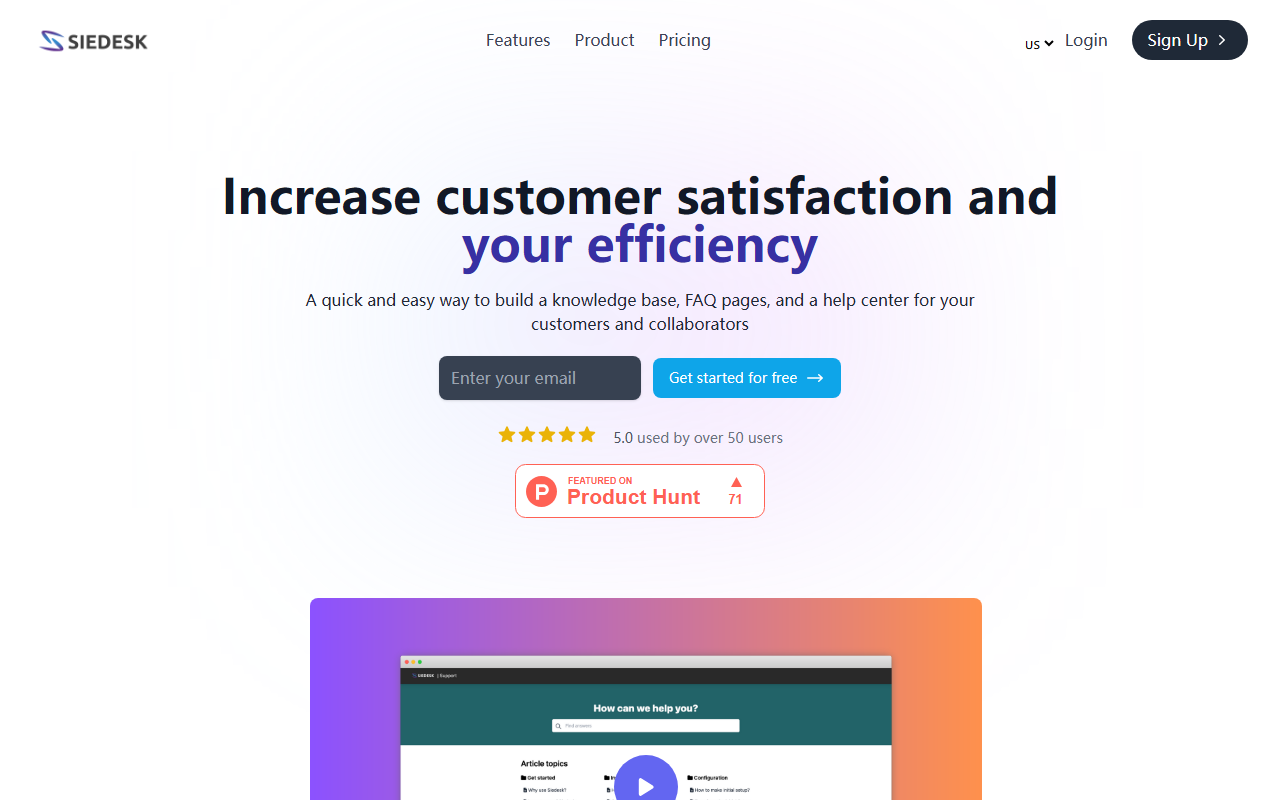
Upon visiting Siedesk.com, I was greeted by a clean, French-language interface that immediately highlights the core promise: building a knowledge base, FAQ pages, and a help center with AI assistance. The homepage features a simple call-to-action to start for free, and a 5.0 rating from over 50 users is prominently displayed. Signing up was straightforward—no credit card required for the free tier—and within minutes I was inside the dashboard. The layout is intuitive: a left sidebar for navigation, a central editor, and clear sections for articles, FAQs, and customization. The onboarding flow includes a brief tutorial, making it easy even for non-technical users.
Core Features and AI Writing Capabilities
Siedesk's primary function is to centralize customer and employee questions into a searchable knowledge base. The AI writing assistant, powered by GPT, is integrated directly into the article editor. When I tested it by typing a request like “Write a FAQ about account setup,” the tool generated a well-structured draft within seconds. This is a genuine time-saver for support teams drowning in repetitive queries. Beyond writing, Siedesk offers a customizable help center with your own domain, free SSL, and a subdomain. Analytics track searches, views, likes, and dislikes for each article, allowing you to refine content based on real user engagement. The interface also supports both internal (employee) and external (customer) knowledge bases.
One specific workflow I observed: after creating an article, you can publish it immediately and monitor its performance via the “Suivie” tab. The search functionality within the help center is fast and returns relevant results—a critical feature for reducing support tickets. Notably, the tool is SEO-friendly, which helps your help center rank on search engines, further deflecting questions.
Pricing and Market Positioning
Pricing is not publicly listed on the website beyond the free plan. I attempted to find a pricing page but none exists—users are prompted to start free, and presumably paid plans are offered after sign-up or via a contact form. This lack of transparency is a limitation for researchers and procurement teams. That said, the free tier seems generous for small teams or startups. In the market, Siedesk competes with tools like Helpjuice and Document360. Unlike those heavyweights, Siedesk focuses on simplicity and AI-assisted content creation rather than advanced ticketing or multi-language support. It is best suited for small to medium businesses that want a fast, lightweight help desk knowledge base. Larger enterprises needing robust workflows or integrations may look elsewhere.
Final Verdict
Siedesk’s strengths lie in its ease of use, GPT-powered content generation, and all-in-one help center package. The AI writing assistant genuinely reduces the effort of drafting articles, and the analytics provide actionable insights. However, the lack of transparent pricing and limited integration options are real drawbacks. The tool is currently available only in French by default, which may alienate English-speaking users, though language support might expand. Overall, if you are a small team or a solo entrepreneur looking to set up a professional knowledge base or FAQ page quickly, Siedesk is worth trying. The free plan gives you enough to evaluate its value. For those needing complex ticketing systems or extensive third-party integrations, consider a more established platform.
Visit Siedesk at https://siedesk.com/ to explore it yourself.










Comments