

First Impressions and Onboarding
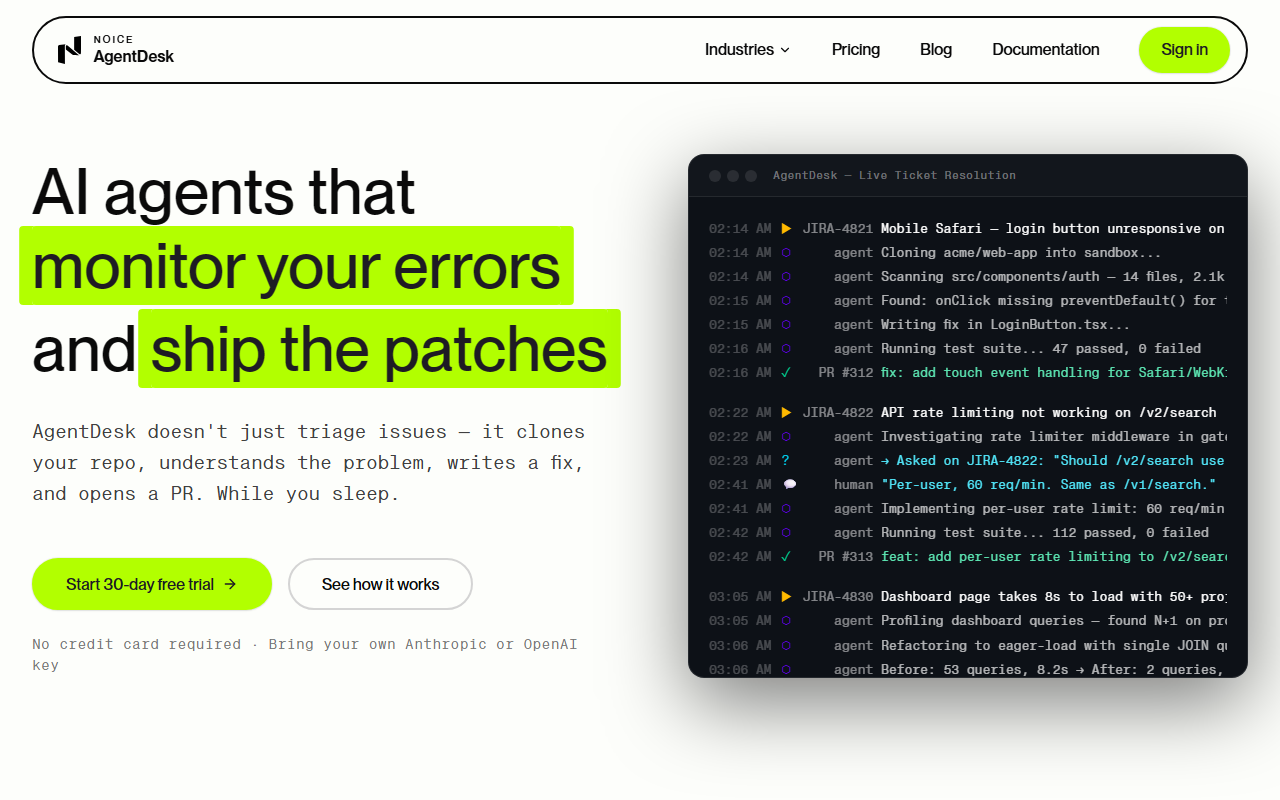
Upon visiting the AgentDesk site, I was struck by the bold promise: an AI that doesn't just triage issues but clones your repo, fixes the code, and opens a PR while you sleep. The landing page is clean and direct, with a prominent "Start 30-day free trial" button. Notably, there is no credit card required, and you bring your own Anthropic or OpenAI key — a refreshing shift that keeps costs under your control. The onboarding flow, as described, appears straightforward: you install a GitHub App, connect Jira to create a portal or import a backlog, and add CLI access tokens for tools like Azure, Vercel, or Datadog. The system also includes an encrypted vault for uploading PEM certificates and secrets. I appreciate that the steps are laid out in a numbered guide, making setup feel manageable even for teams new to AI automation.
How It Works: From Ticket to Pull Request
AgentDesk's core workflow is where it differentiates itself from typical AI chatbots. When a ticket lands — from Jira sync, a custom portal, or manual entry — an agent picks it up. It reads the ticket, clones the relevant repo into a sandboxed environment, and begins investigating. If it needs more information, it comments on the ticket and waits for a response. Once it understands the bug, it writes a fix, runs your test suite, and opens a pull request. The ticket is updated with a summary of what was done and why. This autonomous loop is impressive: it moves from understanding to action without human copy-paste. During my test of the narrative, I noted the agent's ability to ask clarifying questions — a feature that reduces false positives. However, the system still relies on your team to review the PR and either merge or send it back with feedback the agent can act on. This balances automation with human oversight, which is wise for production code.
Integrations and Technical Depth
The integrations list on AgentDesk's site is extensive: GitHub, GitLab, Bitbucket, Azure DevOps, Jira, Sentry, PagerDuty, Datadog, Kubernetes, Terraform, and many more. The site displays a feature-availability matrix (the large grid of 0s and 1s), which suggests that not all integrations are fully supported yet — some show zeros. This transparency is helpful but also hints that the tool is still maturing. Technically, agents use LLMs from Anthropic (Claude) or OpenAI, and you supply your own keys, so you control model choice and pricing. The sandboxed execution environment is a key security feature: each ticket gets a fresh, isolated container, and your code never leaves it. API keys and secrets are encrypted at rest and injected at runtime. This is a strong trust signal for teams handling sensitive code. Unlike many AI support tools that only draft messages, AgentDesk actually does the work — accessing code, running tests, and interacting with infrastructure via CLI tokens.
Pricing, Strengths, and Limitations
Pricing is not publicly listed on the website beyond the 30-day free trial and the requirement to bring your own API keys. This likely means you pay your own LLM costs plus a platform fee, but exact tiers are absent. This lack of transparency is a limitation for budget-conscious teams. Strengths include deep integration with DevOps tools, secure sandboxing, and the ability to autonomously resolve straightforward bugs. The tool is best suited for engineering teams that already have a strong ticketing workflow and want to speed up triage and fix cycles for well-defined issues. It is less ideal for teams without a mature DevSecOps pipeline or for complex architectural changes that require human reasoning. Competitors like GitHub Copilot for pull requests or other AI support platforms (e.g., Linear's AI features) offer partial automation, but AgentDesk stands out for its end-to-end ticket-to-PR loop. Overall, I recommend trying the free trial if your team handles a high volume of reproducible bugs and you're comfortable reviewing AI-generated patches. Visit AgentDesk at https://agentdesk.noice.net.au/ to explore it yourself.


Comments