

First Impressions and Onboarding
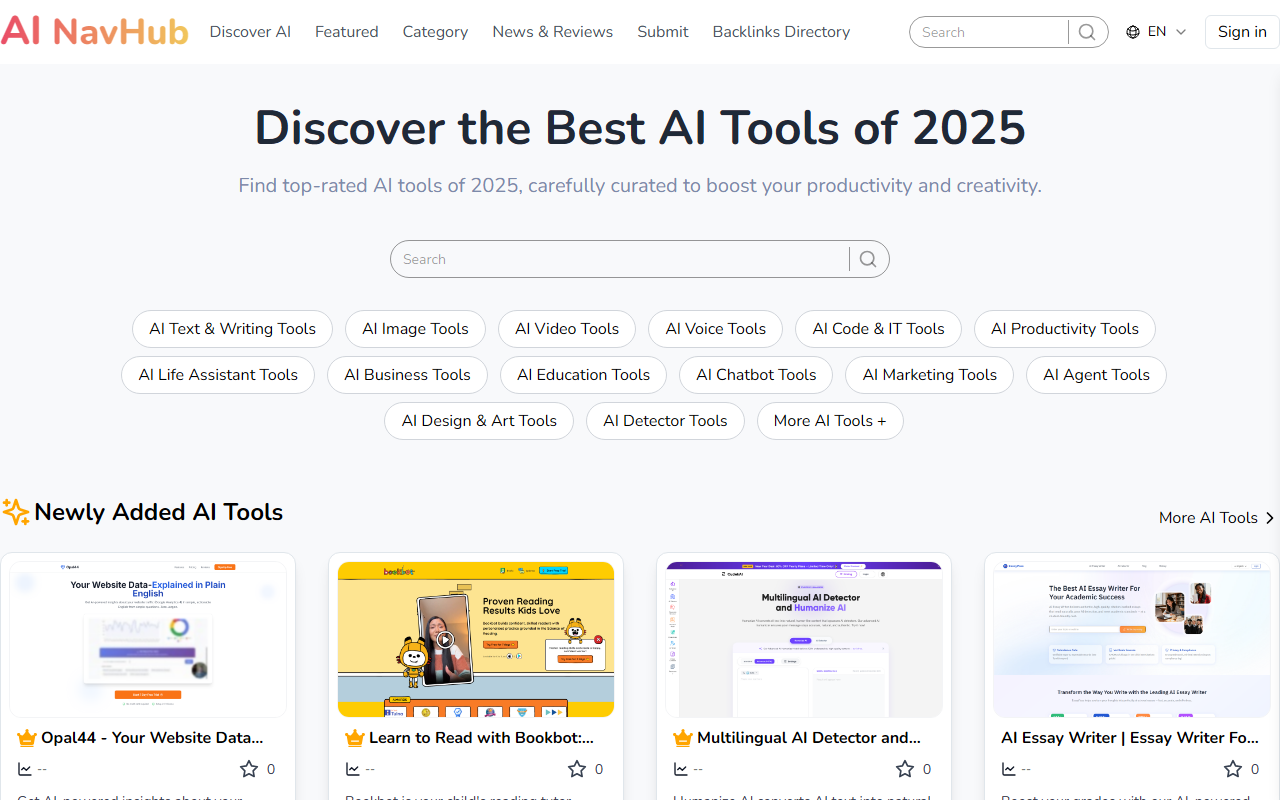
Upon visiting AI NavHub, I was greeted by a clean, card-based layout that immediately communicates its purpose: a directory for discovering AI tools. The homepage features a prominent search bar and visual category tiles alongside sections labeled “Newly Added AI Tools,” “Most Popular Tools,” and “Most Favorite Tools.” The loading animation (“Loading...loading...”) was brief, and within seconds I could start browsing. There’s no sign-up requirement to view the listings, which makes onboarding frictionless. The FAQ section is easily accessible from the bottom of the page, offering quick answers about submissions and how to use the platform. While the site lacks a guided tour or onboarding tutorial, its straightforward design means most users will find their way without help.
Exploring the Directory: Categories and Features
The directory organizes tools across twelve main categories: AI Text & Writing, Image, Video, Voice, Code & IT, Productivity, Life Assistant, Business, Education, Chatbot, Marketing, Agent, Design & Art, and Detector Tools. Each category page lists tools with a short description, a “View Detail” link, and a star rating (from the “+99” counter I noticed). When testing the search function, I typed “transcript” and immediately saw relevant results like SpotScribe, which extracts Spotify podcast transcripts. Clicking “View Detail” opens a dedicated page (though the content shown on the homepage is limited). One notable workflow is the ability to submit your own tool for free—the site encourages a backlink to AI NavHub in return. The platform claims to host over 300+ tools and has a “Loved by 400+ happy users” counter. I did not find advanced filtering options (e.g., by pricing model or API availability), so discovery relies on browsing categories or using the search bar.
Strengths and Limitations
AI NavHub’s greatest strength is its simplicity and breadth. The site is fast, free to use, and covers a wide range of tool types—from writing assistants to AI detectors. The FAQ is thorough and transparent, especially noting that all tools are owned by their respective creators. However, the directory has notable limitations. There are no in-depth reviews, user ratings beyond a simple favorite count, or filtering by features like free tier, API support, or language. The “Most Popular” and “Most Favorite” sections rely on user engagement, but it’s unclear how these are calculated. Compared to competitors like Futurepedia (which includes pricing tiers and detailed filter options) or There’s An AI For That (which offers use-case-specific searches), AI NavHub feels less mature. Additionally, the email-only support ([email protected]) may not scale well.
Who Should Use AI NavHub?
This directory is best suited for casual explorers—students, freelancers, or small business owners who want a quick, curated list of AI tools across categories. It’s ideal for discovering new tools you didn’t know existed, especially if you’re looking for entry-level solutions. However, power users or enterprises seeking detailed comparisons, API documentation, or robust filtering should look elsewhere. If you’re a tool creator, the free submission process with a backlink requirement is a fair trade to gain visibility. Overall, AI NavHub serves its purpose as a lightweight discovery engine, but it lacks the depth needed for serious evaluation.
Visit AI NavHub at https://ainavhub.com/ to explore it yourself.


Comments