

First Impressions and Onboarding
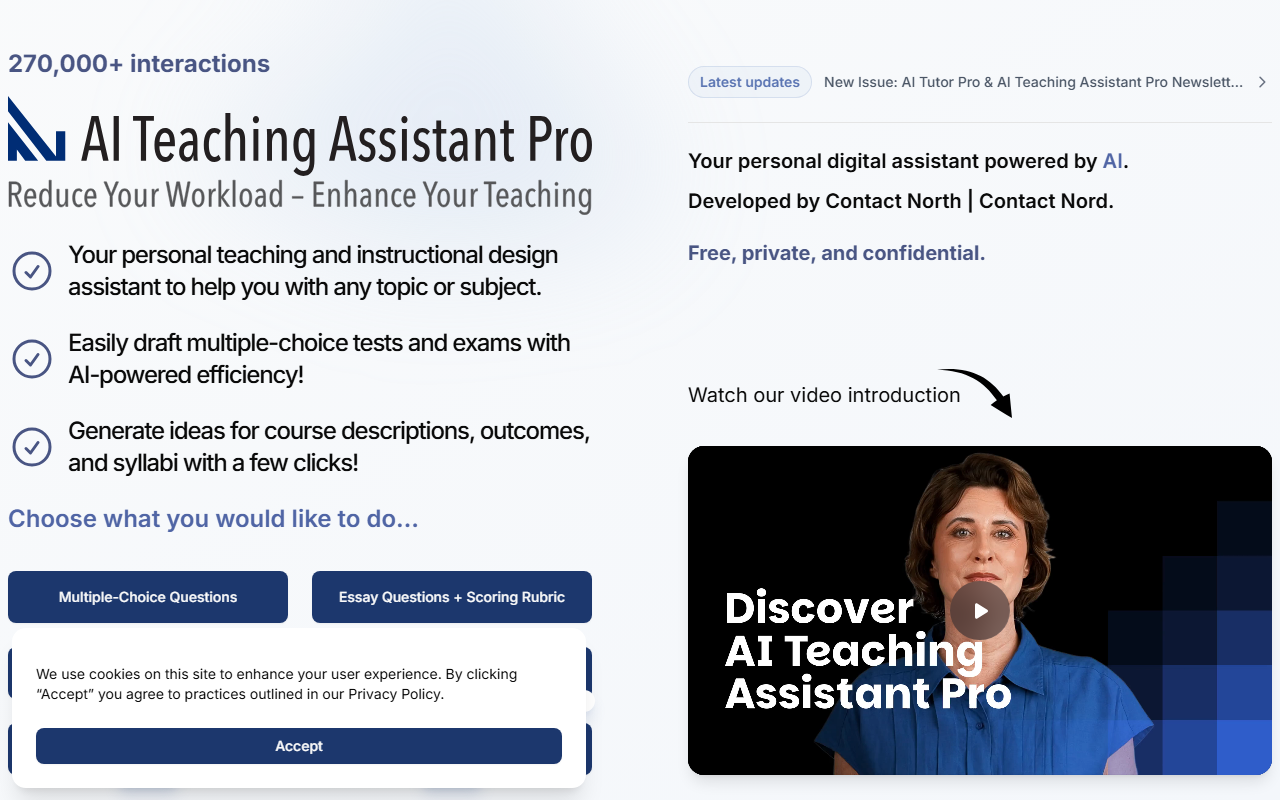
Upon visiting the AI Teaching Assistant Pro website, the first thing that struck me was its clean, purpose-driven design. The homepage immediately informs you that this tool is developed by Contact North | Contact Nord, Ontario’s network for distance education and training. A prominent banner shows "270,000+ interactions" — a solid indicator of real-world usage. The call to action is clear: "Choose what you would like to do…" with a grid of options like Multiple-Choice Questions, Essay Questions + Scoring Rubric, Syllabus + teaching notes/slides, Slide Builder, and even a new Study Guide Beta. There is also a "Free ChatGPT Account Required" label next to the Faculty Assistant option, which is an upfront disclosure I appreciated.
The onboarding flow is minimal. No account creation is needed — the tool is described as "Free, private, and confidential." After clicking any option, you are prompted to enter a prompt or topic. The interface is a single-page web app with a text input area and a results panel. I tested the Multiple-Choice Questions generator by entering "Grade 10 biology: cell division." Within seconds, the AI returned a set of five questions with four answer options each, plus a clear correct answer indicator. The response quality was solid — the questions were age-appropriate and the distractors were plausible. The tool uses ChatGPT under the hood (likely GPT-3.5 or GPT-4, though not explicitly stated), which explains the need for the free ChatGPT account for some features.
Features and Workflow
The AI Teaching Assistant Pro is essentially a curated set of prompt templates powered by large language models. The menu includes nine distinct tools: Multiple-Choice Questions, Essay Questions + Scoring Rubric, Syllabus + teaching notes/slides, Slide Builder, Faculty Assistant, Learning Shorts, Syllabus Q&A, Study Guide (Beta), and a generic Free ChatGPT Account Required option. Each tool opens a specialized form. For example, the Essay Questions generator asks for the subject, grade level, number of questions, and complexity. After submission, the AI outputs a list of essay prompts and a detailed scoring rubric — complete with criteria for each level (Excellent, Good, Satisfactory, Needs Improvement).
I found the Syllabus + teaching notes/slides feature particularly useful. I entered "University-level introduction to data ethics." The AI generated a full syllabus outline, weekly topics, reading suggestions, and even a set of teaching slides in bullet-point form. The output is text-based (not actual slide files), but you can copy and paste into PowerPoint. The Slide Builder works similarly: it generates slide content based on a topic. The Learning Shorts tool creates brief, student-friendly explanations of concepts, suitable for quick review videos or handouts. All results can be copied to the clipboard or exported as plain text. There is no API or integration with learning management systems, which is a limitation for power users.
One notable detail: the "Free ChatGPT Account Required" button suggests that the Faculty Assistant feature leverages your own ChatGPT API key or account, while the other tools seem to use the site’s own backend. This creates a slight fragmentation in the user experience — you might need to log in to ChatGPT separately for that one feature. However, the core tools (MCQs, essays, syllabus) work without any additional authentication.
Strengths and Limitations
The tool’s greatest strength is its simplicity and focus. It addresses a common pain point for educators: the time-consuming task of creating assessments, syllabi, and instructional materials from scratch. The pre-built templates guide the AI to produce structured, educationally sound output. The privacy policy is reassuring — the site claims all interactions are confidential and not stored. Being free is a huge plus, especially for underfunded institutions. The track record of 270,000+ interactions suggests the tool has been tested and iterated upon.
However, there are clear limitations. The tool is entirely text-based and does not generate actual slide decks or formatted documents — you must copy and paste. The quality of the AI output depends heavily on the specificity of your input; vague prompts lead to generic results. The Study Guide Beta I tested was underwhelming — it produced a basic outline without interactive elements. Additionally, the reliance on a ChatGPT account for the Faculty Assistant feature could be confusing for non-technical educators. There is no version history, no ability to save or organize past outputs, and no collaborative features. For a tool positioned as a "personal assistant," the lack of persistent storage is a notable gap.
Competitors like Eduaide.ai and Khanmigo offer more polished UI and integration options, but they come with paid tiers. AI Teaching Assistant Pro’s biggest advantage is its zero cost and institutional backing from Contact North, making it a trustworthy entry point for educators exploring AI in the classroom.
Who Should Use This Tool?
This tool is best suited for K-12 and higher-education instructors who need quick, AI-assisted drafts of assessments, syllabi, and learning materials. It is especially valuable for teachers who are new to AI and want a no-risk, no-login environment to experiment. Curriculum developers and instructional designers will find the Essay Questions + Scoring Rubric generator time-saving. Conversely, this tool is not ideal for those who require polished, exportable slide decks, LMS integration, or advanced data analysis. If you need collaboration features or persistent storage, look elsewhere.
Overall, AI Teaching Assistant Pro is a commendable free resource. It does not reinvent the wheel, but it applies generative AI efficiently to routine teaching tasks. I recommend educators in Ontario (and beyond) give it a try, especially for quick lesson planning or test creation. The simplicity is its superpower — just pick a tool, enter a topic, and get usable content in seconds.
Visit AI Teaching Assistant Pro at https://aiteachingassistantpro.ca/ to explore it yourself.


Comments