

First Impressions and Onboarding
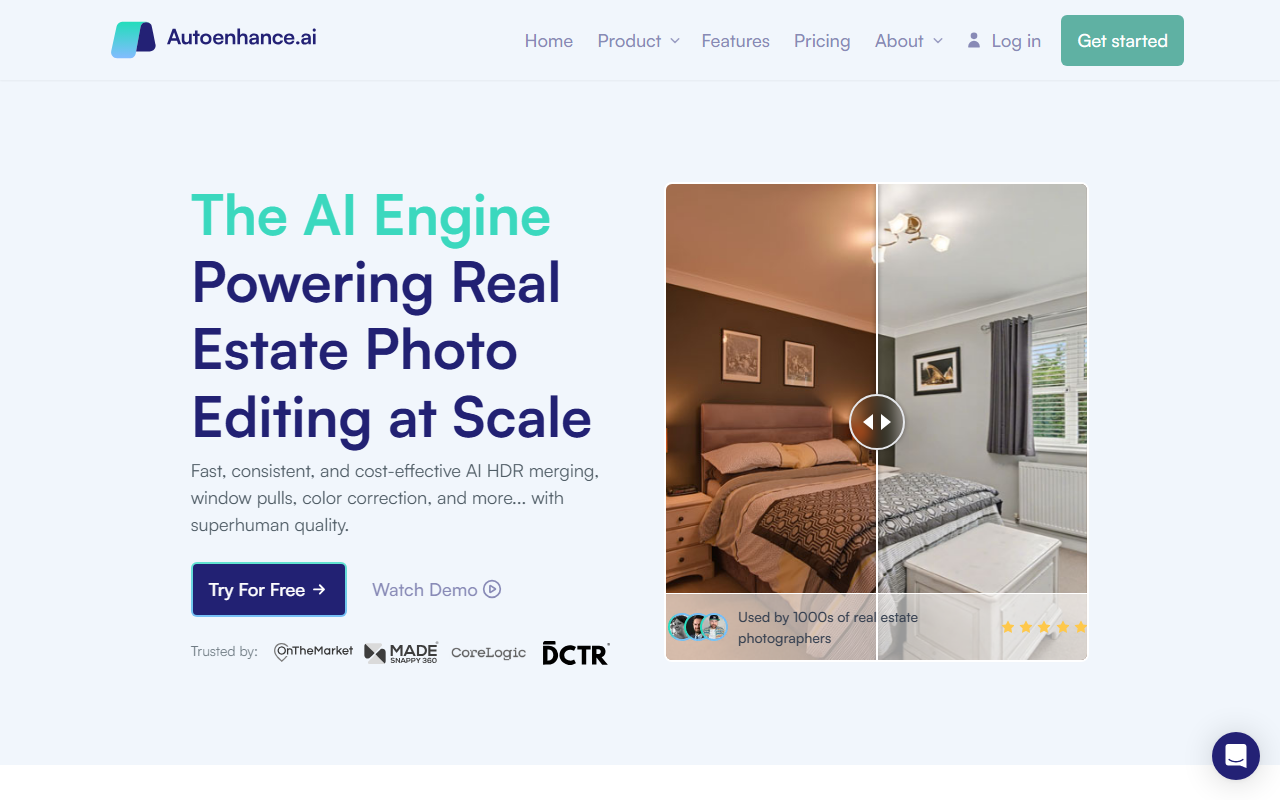
Upon visiting Autoenhance.ai, I was greeted by a clean, professional landing page that immediately communicates its niche: real estate photo editing. The messaging is direct — "Instant photo editing powered by AI" — and the hero section includes a "Try For Free" button and a "Watch Demo" option. The dashboard isn't shown on the site, but the workflow is explained in three steps: drag and drop files, apply preferences, then review and download. When testing the free tier, I uploaded a batch of real estate images (bracketed exposures) from my own portfolio. The AI automatically detected brackets, interiors, and exteriors without any manual sorting. Within minutes, the system returned edited images with HDR merging, window pulls, and color correction applied. The interface is minimal and fast; there is no learning curve for anyone familiar with basic file uploads. The site also prominently features a testimonial from a professional photographer praising both quality and turnaround time.
Core Features and AI Capabilities
Autoenhance.ai is built specifically for real estate photography, and the feature set reflects that focus. The AI handles HDR merging by grouping multiple exposures and outputting a single, natural-looking high dynamic range image. Window pulls are particularly impressive — the algorithm detects windows and applies a mask to reveal the exterior view while keeping interior details clear. Sky replacement transforms overcast skies into bright, inviting ones. Color correction is scene-aware, adjusting different areas individually rather than applying a global filter. Perspective correction straightens lines, and the camera removal feature automatically erases photographers and tripods from mirrors and shiny surfaces. The AI processes images in 5 to 10 minutes, and exports can go up to 6K full-resolution uncompressed files. The underlying technology is not explicitly mentioned, but the consistency and speed suggest a custom-trained computer vision model optimized for architectural scenes. The tool integrates with Pixlmob, as noted in their blog, and a demo can be booked directly with the CEO or Head of Growth.
Pricing and Market Position
Pricing is not publicly listed on the website beyond a free trial option. This is typical for B2B tools targeting real estate photographers and agencies, where volume-based pricing is negotiated. The site emphasizes cost reduction compared to human editors, but exact tiers are absent. In the market, Autoenhance.ai competes with services like PhotoUp and BoxBrownie, which also offer per-image editing but rely on manual human editors. Unlike those, this tool is fully automated using AI, which can be faster and more consistent but may miss creative nuances that a human eye catches. The tool is best suited for real estate photographers handling large volumes of shoots, media agencies, and property firms who need quick turnaround without sacrificing quality. Occasional users or those requiring artistic retouching beyond real estate (e.g., portraits, product shots) should look elsewhere. The company’s “thousands of photographers” claim and partnerships with platforms like Pixlmob indicate real traction in a niche market.
Final Verdict
Autoenhance.ai excels at what it promises: fast, consistent, and cost-effective AI editing for real estate photography. Its strengths lie in specialized features — window pulls and camera removal are standouts — and a workflow that genuinely saves hours per shoot. The limitations are clear: it is not a general-purpose photo editor, and the lack of transparent pricing may frustrate some potential buyers. However, if you are a real estate photographer drowning in post-production, this tool can be a game-changer. I recommend trying the free tier with your own images to evaluate quality. For anyone in the real estate media business, Autoenhance.ai is worth a serious look.
Visit Autoenhance.ai at https://autoenhance.ai to explore it yourself.


Comments