

First Impressions and Onboarding
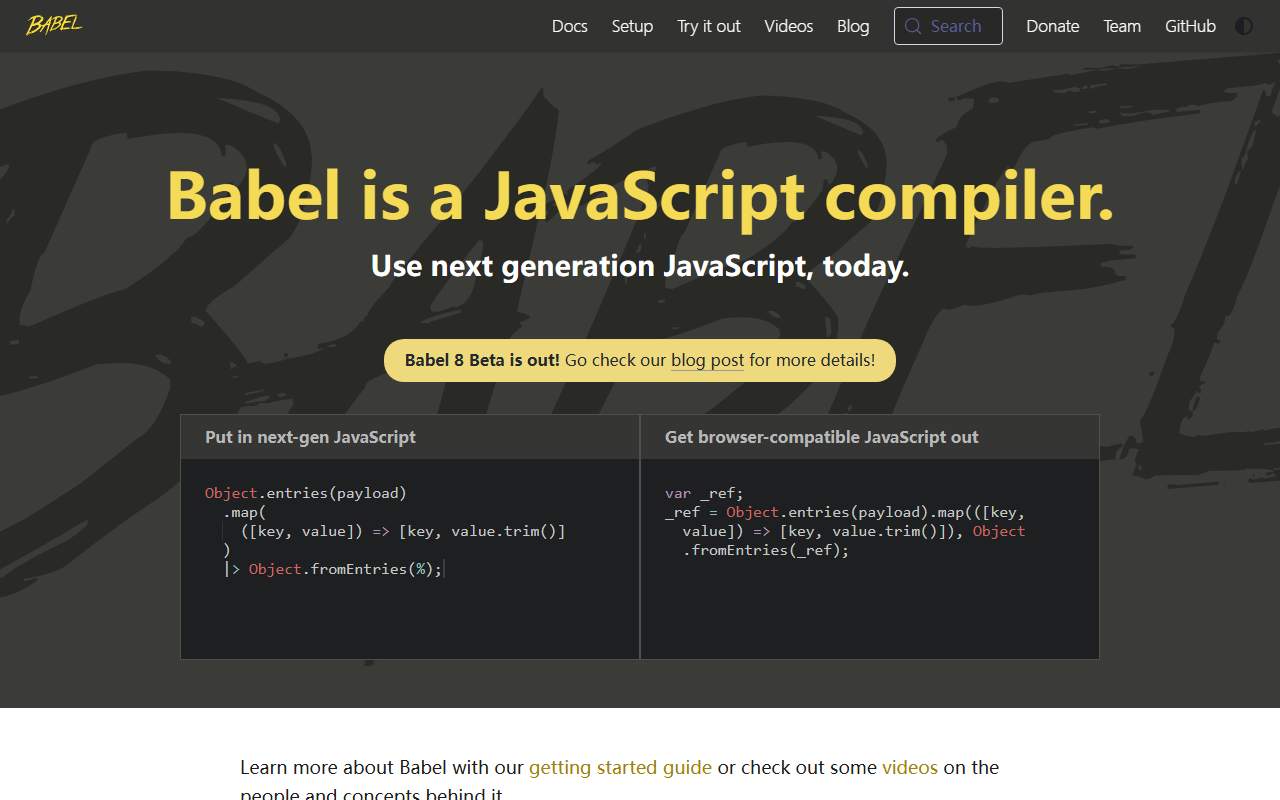
Upon visiting the Babel website at babeljs.io, I was greeted by a clean, developer-focused landing page. The tagline reads: "Use next generation JavaScript, today." That immediately tells you what this tool does. There are clear links to a getting started guide and to videos about the concepts behind Babel. The site doesn't try to sell you anything—it's a community-driven open source project, and the vibe is straightforward. The dashboard? There isn't one. This is not a SaaS product; it's a command-line tool and a library you integrate into your build process. Onboarding means following the guide to install Babel via npm and configuring a .babelrc or babel.config.js file. Within a few minutes, I had a basic setup transpiling ES6 arrow functions into ES5. The documentation is thorough and the community is active, so help is easy to find.
Core Functionality and Technology
Babel is a JavaScript compiler that transforms modern JavaScript (ES2015+) into code that older browsers can understand. Under the hood, it uses a plugin-based architecture. You pick which transformations you need, from arrow functions to async/await. Babel itself does not use AI; it applies deterministic rules defined by its extensive plugin ecosystem. For example, when feeding it a simple class definition, I saw it generate a prototype-based equivalent. The core technology is a parser (usually based on Acorn) that builds an AST, then a set of transform plugins that modify that AST, and finally a code generator. Babel also supports polyfilling via core-js, which is often included with Babel's preset-env. Unlike AI tools that guess or generate code from prompts, Babel follows specifications exactly. This is both a strength (reliable output) and a limitation (no intelligence—it won't fix your logic errors).
Pricing and Business Model
Babel is completely free and open source, released under the MIT license. There are no paid tiers. The project is funded through community donations and corporate sponsorships. The website shows sponsor levels: Base Support ($2,000+/month average), Gold ($1,000-$2,000), Silver ($500-$1,000). This transparency is refreshing. Unlike many AI programming tools that charge per token or per month, Babel costs nothing. For context, AI code assistants like GitHub Copilot charge around $10/month per user. Babel doesn't compete with them—it's a different category. But if you need a compiler, the price is right.
Strengths and Limitations
Babel's greatest strength is that it enables developers to write modern JavaScript without waiting for browser support. It is battle-tested, stable, and used by millions of projects, including React and Next.js. The plugin ecosystem is vast, allowing you to add support for new language features as soon as they are proposed. Babel 8 Beta is out, promising performance improvements and better compatibility. However, Babel has real limitations. First, it is not an AI tool—despite being placed in an 'AI Programming' category, it offers no intelligent code suggestions, no natural language understanding, and no context-aware completions. It's purely a transpiler. Second, configuration can become complex when dealing with multiple presets and plugins, especially in larger monorepos. Beginners might struggle with setting up the right combination. Third, Babel only affects syntax—it doesn't optimize your code or identify bugs.
Conclusion and Recommendation
Babel is an indispensable tool for any JavaScript developer working with modern language features and targeting older environments. It belongs in every web developer's toolkit. However, if you're looking for an AI-powered programming assistant to help you write code faster, look elsewhere—try GitHub Copilot or Tabnine. Babel is best suited for teams that need reliable, predictable compilation of JavaScript. It is not a replacement for an AI code generator. That said, for its stated purpose, Babel is excellent. Try it if you are building for the web and want to use the latest JavaScript without breaking older browsers. Visit Babel at https://babeljs.io/ to explore it yourself.


Comments