

First Impressions and Onboarding Experience
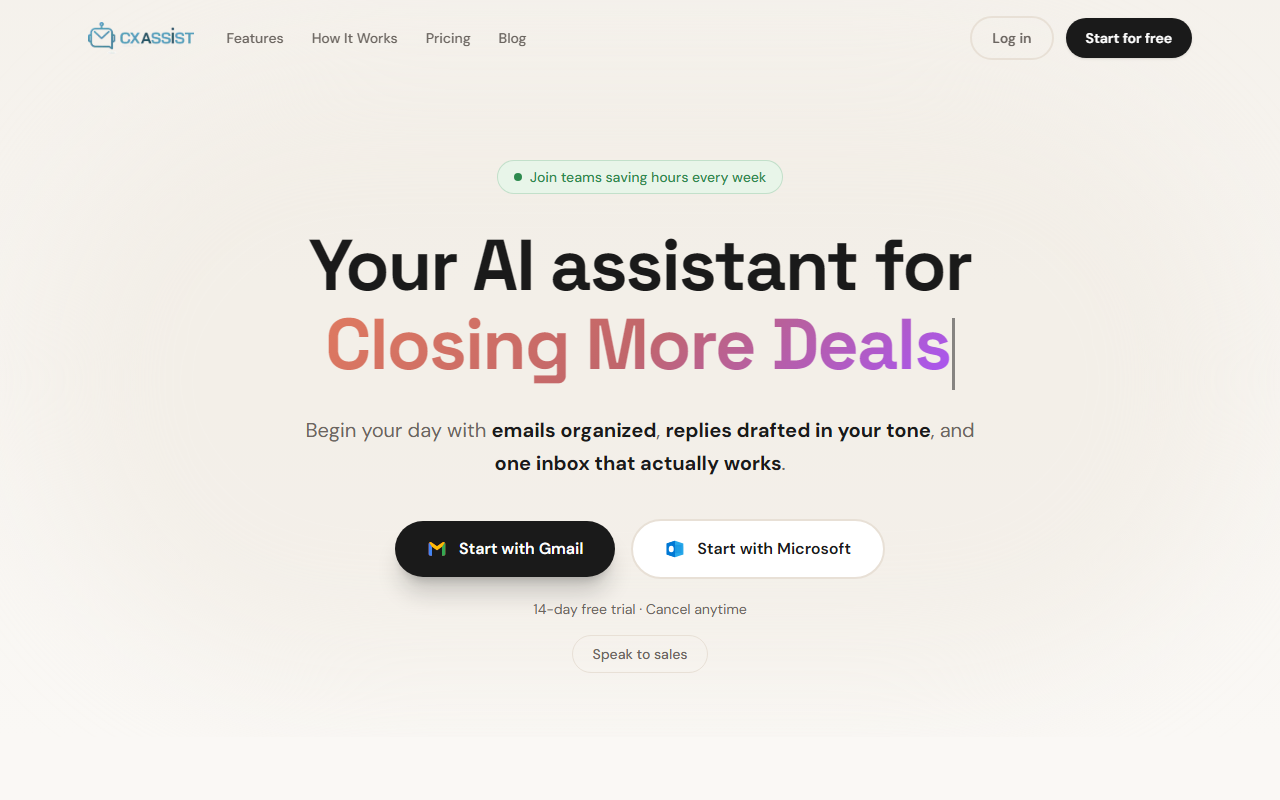
Upon visiting CXassist, I was immediately struck by how clean the landing page is. The value proposition is clear: an AI assistant that drafts replies in your voice and organizes your inbox. I clicked the “Start with Gmail” button and was prompted to connect via OAuth — no passwords shared, which instantly put me at ease. Setup took less than 30 seconds. After connecting, I was taken to the dashboard, which features an email queue, inbox manager, and AI training section. The queue showed real-time statuses: Pending, Drafted, Sent. I tested the free trial, which allows up to 150 emails processed. Within minutes, CXassist had already drafted a reply to a support ticket in my inbox, and the tone match indicator showed 98% — impressive for a first interaction. The Magic Rewrite feature let me quickly turn a formal reply into a friendly one with a single click. The overall UI is intuitive and responsive on both desktop and mobile.
Core Features and Technology
CXassist is built around email automation with a strong emphasis on personalization. The AI training module lets you upload text samples, files, or even URLs (on Pro) to teach the model your tone, writing rules, and preferred phrases. The result is drafts that genuinely sound like you. The tool uses a combination of natural language processing and a custom persona system. For the free trial, you get only a “general persona,” but upgrading to Starter ($9.99/month) unlocks one custom persona. The Pro plan ($24.99/month) offers unlimited personas and an “act-as” feature — useful for agencies managing multiple clients. Key features include: Smart Categorization (auto-labels emails as Priority, Support, FYI, Spam), a Queue for tracking email status, an Intelligence Dashboard with KPIs and sentiment trends, and integrations with Slack, HubSpot, Stripe, Shopify, and webhooks (Pro only). The Smart Inbox consolidates all your email into one view with filters. Auto-send is only available on Pro; lower tiers use draft mode where you review before sending. Translation supports 100+ languages. Security is robust: OAuth-only authentication, TLS encryption, AES-256 at rest, and a clear statement that your data is not used for training other models.
Pricing, Market Position, and Target Audience
CXassist offers a 14-day full-featured free trial, then three paid tiers. Starter at $9.99/month (500 emails/month) is ideal for solo founders who want drafting help. Pro at $24.99/month (3,000 emails/month) adds auto-send, multiple inboxes, and integrations — best for growing teams. Scale from $299/month (25,000 emails) targets larger organizations with SLA support. Annual billing gives 34% off. Compared to competitors like Milo (AI email for sales) or Kanary (for inbox organization), CXassist focuses heavily on tone matching and persona-based drafting, which sets it apart. Unlike Superhuman, it’s not a full email client but works on top of Gmail/Outlook. The tool is best suited for: sales teams needing instant follow-ups, customer support teams wanting to maintain high CSAT with automated replies, freelancers overwhelmed by email volume, and marketing agencies managing multiple brand voices. It is less ideal for users who need a native mobile app (only mobile-friendly webapp currently) or those who want a completely hands-off automation without reviewing drafts (only Pro has auto-send).
Strengths, Limitations, and Final Verdict
Strengths of CXassist include the remarkably accurate tone matching — I tested it with a few email threads and the drafts required minimal edits. The Smart Categorization instantly reduced my inbox noise. The integration with Slack and HubSpot on Pro is genuinely useful for workflow automation. Security practices are transparent and reassuring. However, there are limitations. The free trial caps at 150 emails for its lifetime, which feels stingy compared to some competitors offering more generous limits. The absence of auto-send on lower plans means you still have to review each draft, which adds friction for power users. Also, while the platform supports Outlook and Gmail, it does not work with other email providers like Yahoo or custom IMAP (except via Pro with Instantly). Finally, the Scale plan pricing is opaque — you have to contact sales, which may frustrate some teams. Overall, I recommend CXassist to anyone who deals with high email volume and wants to maintain a consistent personal or brand voice. The 14-day free trial lets you verify the tone accuracy risk-free. For solopreneurs and small teams on a budget, the Starter plan is a steal. For those ready to automate fully, the Pro plan is the sweet spot. Visit CXassist at https://cxassist.io/ to explore it yourself.


Comments