
First Impressions and Onboarding
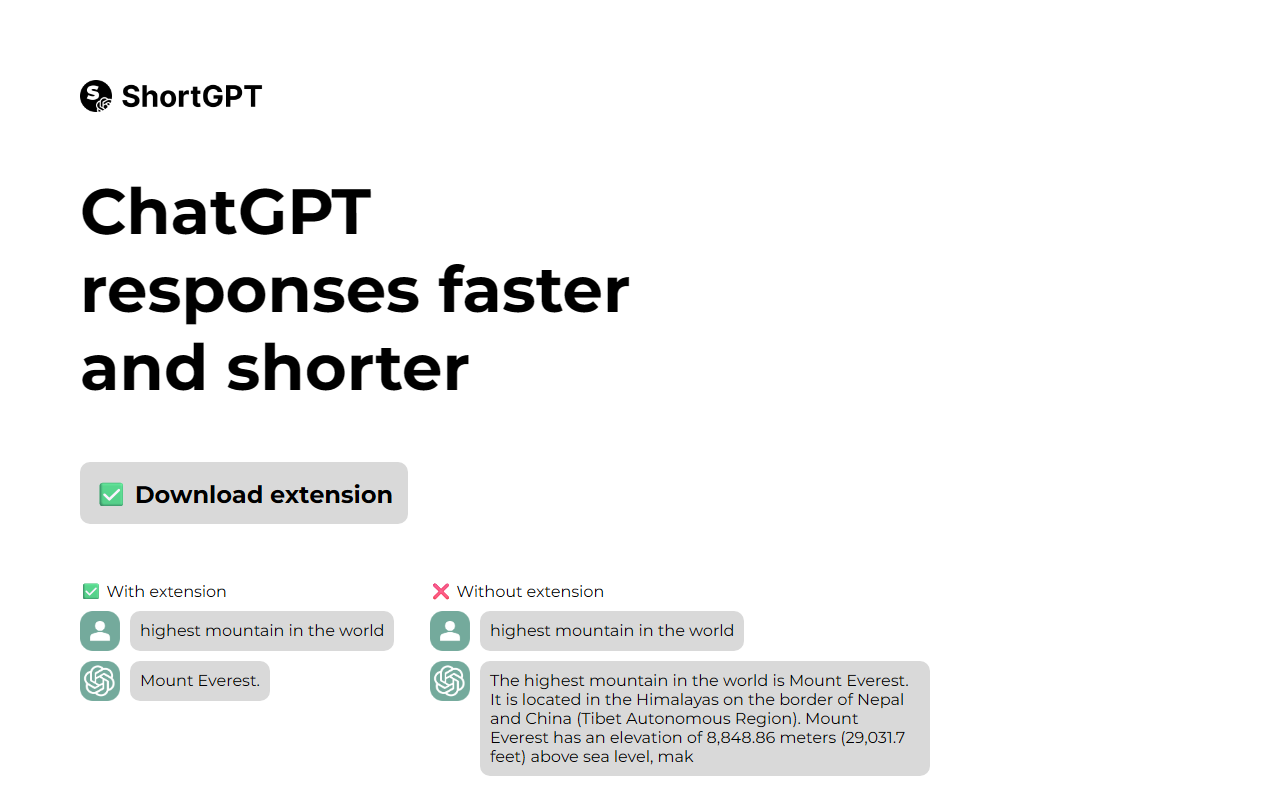
Upon visiting the Greenify-GPT landing page, I was greeted with a spartan layout that immediately gets to the point. The headline reads "ChatGPT faster and concise" alongside a side-by-side comparison showing the difference between having the extension enabled and not. Without the extension, the answer to "highest mountain in the world" is the typical ChatGPT multi-sentence response. With the extension, the answer is simply "Mount Everest." It's a clear demonstration of the value proposition: trim the fluff.
The onboarding flow is entirely manual. There is no Chrome Web Store listing; instead, the site instructs you to download a zip file, unzip it, go to chrome://extensions, enable Developer mode, and click "Load unpacked." While this is a common approach for early-stage or hobbyist extensions, it adds friction for the average user. I followed the steps on my own machine and had the extension running in under two minutes. Once loaded, a small green icon appears in the toolbar, and it works immediately on any chat.openai.com tab.
How Greenify-GPT Works
The extension acts as a content filter on ChatGPT's responses. It intercepts the output stream and reduces it to the most essential information—typically a single sentence or a short fact. I tested it on several queries: "Explain quantum computing in simple terms" returned "Quantum computing uses qubits to perform calculations much faster than classical computers." That is indeed concise, though it loses the nuance and examples that GPT-4 normally provides.
Technically, Greenify-GPT does not use a different underlying model. It simply post-processes the generated text. The extension's manifest.json shows it runs a content script on chat.openai.com and chatgpt.com. The algorithm appears to be a heuristic that strips away introductory phrases, explanations, and disclaimers, keeping only the core answer. There is no API, no customization options, and no integration with other platforms. It is a single-purpose tool for those who find ChatGPT's default verbosity wasteful.
I noticed that for multi-part questions or requests for lists, the extension sometimes cuts out important elements. For example, asking for a pros-and-cons list returned only the first pro. This is a significant limitation if you need structured responses. The tool is best suited for simple factual queries or when you want a quick, no-frills answer.
Pricing and Availability
Greenify-GPT is completely free. There are no pricing tiers, subscription plans, or any mention of payment on the website. The developer has not listed the extension on the Chrome Web Store, which means it cannot be installed with one click and will not receive automatic updates. Users must manually check for newer versions and repeat the load process.
Currently, the extension only works on Google Chrome (and by extension, Chromium-based browsers like Edge or Brave with similar load procedures). There is no Firefox, Safari, or mobile version. This limits its reach considerably. Given the lack of official store presence, I recommend caution: load extensions only from trusted sources. The source code appears minimal and has not been audited, but the script is readable and seems benign.
Final Verdict: Strengths, Limitations, and Recommendations
Strengths: Greenify-GPT delivers on its core promise—it makes ChatGPT responses shorter and faster to read. The installation process, though manual, is straightforward for anyone comfortable with developer mode. The extension is lightweight, does not affect performance, and works reliably once enabled. For power users who are tired of ChatGPT's often padded replies, this is a useful tool to have in your arsenal.
Limitations: The lack of a Web Store listing is the biggest drawback. It undermines trust and convenience. The extension is overly aggressive in cutting content, often removing context or important details. There are no settings to adjust the conciseness level, no whitelist of queries, and no support for other AI chatbots like Claude or Gemini. Additionally, it only works on the chat.openai.com domain, not on custom interfaces or mobile web.
Who should try it: This tool is ideal for users who frequently ask factual, one-answer questions (e.g., definitions, dates, single-step instructions) and want to save time reading. It is also a good choice for developers who want to experiment with a simple extension design or fork it for their own purposes.
Who should look elsewhere: Anyone who needs ChatGPT for creative writing, detailed explanations, or multi-part analysis will find Greenify-GPT too restrictive. Users who prefer the official ChatGPT interface or use it on multiple browsers should also skip it. For a more polished alternative, consider Superpower ChatGPT, which offers customizable response styles and works from the Chrome Web Store.
Visit Greenify-GPT at https://greenify-gpt-fe-1.vercel.app/ to explore it yourself.


Comments