

First Impressions and Onboarding
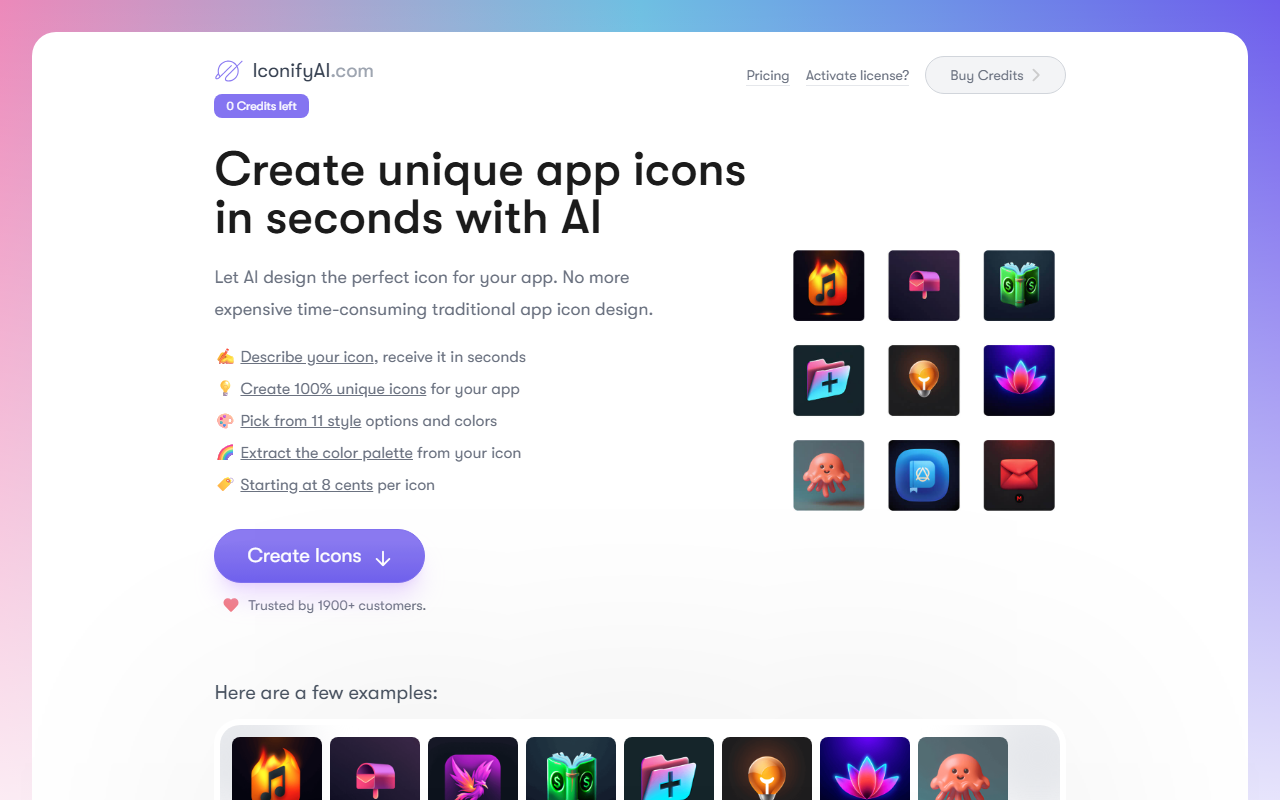
Upon visiting IconifyAI, I was greeted by a clean, no-nonsense interface. The dashboard immediately shows your credit balance and a prominent 'Create Icons' button. The entire workflow is streamlined: you describe your objects, choose a color, pick a style, and specify how many icons you need. There's no account creation wall—you can start generating right away once you have credits. I found the onboarding intuitive; the tool even offers a tutorial tooltip for first-timers.
The web app is fast. After selecting the 'Metallic' style and typing 'a shield with a star,' I clicked 'Generate Icons' and got four variations in under 20 seconds. Each icon was 1024x1024 pixels in PNG format, crisp and ready to download. The interface also includes a color palette extraction feature—when I hovered over a generated icon, it displayed its dominant colors. That's a nice touch for designers who need branding consistency.
Feature Depth and Generation Quality
IconifyAI offers 11 distinct styles: Metallic, Textured, Pixelated, Clay, Gradient, Solid, Mascot, Flat, Vintage, Sketch, and Photorealistic. I tested several. The 'Flat' style produced clean, modern icons comparable to what you'd get from a junior designer. 'Photorealistic' gave detailed, almost 3D-looking results—impressive for an AI generator. However, the 'Pixelated' style felt a bit too low-resolution for a modern app icon; it might work better for retro game interfaces.
Each generation costs 1 credit, and credits are sold in bundles. The tool uses a proprietary AI trained on a library of graphics and icons. While I couldn't find details on the underlying model, the outputs are consistent and avoid the odd artifacts common in some AI image generators. The 'Extract Color Palette' feature automatically pulls 5-6 colors from your icon, saving time for brand development. You receive both PNG and JPG files, plus font and color suggestions—though the font recommendations were generic (e.g., 'San Francisco' or 'Roboto').
Pricing and Market Position
Pricing is straightforward: $17 for 80 credits ($0.21/icon), $24 for 200 credits ($0.12/icon), and $37 for 450 credits ($0.08/icon). The 'Starting at 8 cents per icon' claim only applies to the largest pack. Compared to hiring a freelance designer (easily $50–$150 per icon), this is dramatically cheaper. However, it's more expensive than some competitors like LogoAI or Looka, which offer unlimited plans for around $20/month. IconifyAI's per-credit model means ongoing costs for high-volume users, whereas subscription services might be more economical for hundreds of icons.
Trusted by over 1,900 customers, the tool clearly has a user base. The FAQ emphasizes commercial rights and reselling permissions—this is a big plus for app developers who need full ownership. But be aware: the AI's creativity is limited to your prompt; you cannot edit icons directly (no vector export). If you need SVG or layered files, look elsewhere. Also, the credit system means unused credits don't expire, which is fair.
Strengths, Limitations, and Verdict
Strengths: Speed (under 1 minute), unique outputs per prompt, 11 styles, full commercial rights, and the color palette extractor. The user interface is a breeze, and the quality of the 'Gradient' and 'Solid' styles is professional-grade. For indie developers or small teams needing quick app store icons, IconifyAI is a fantastic time-saver.
Limitations: The credit system can become pricey for bulk work; no vector or SVG export; limited to only 1:1 square icons; no style blending or custom training; font suggestions are too basic; and the 'Pixelated' style feels underbaked. Also, the AI struggles with complex compositions—a prompt like 'a dragon with a sword on a shield' produced messy results. Stick to 1-3 objects for best output.
Who should use IconifyAI? App developers who need high-quality, unique icons fast and cheap. Graphic designers wanting rapid prototyping options will also find value. Skip it if you need vector files, extensive manual editing, or if you're a high-volume enterprise requiring unlimited generations.
Visit IconifyAI at https://iconifyai.com/ to explore it yourself.


Comments