

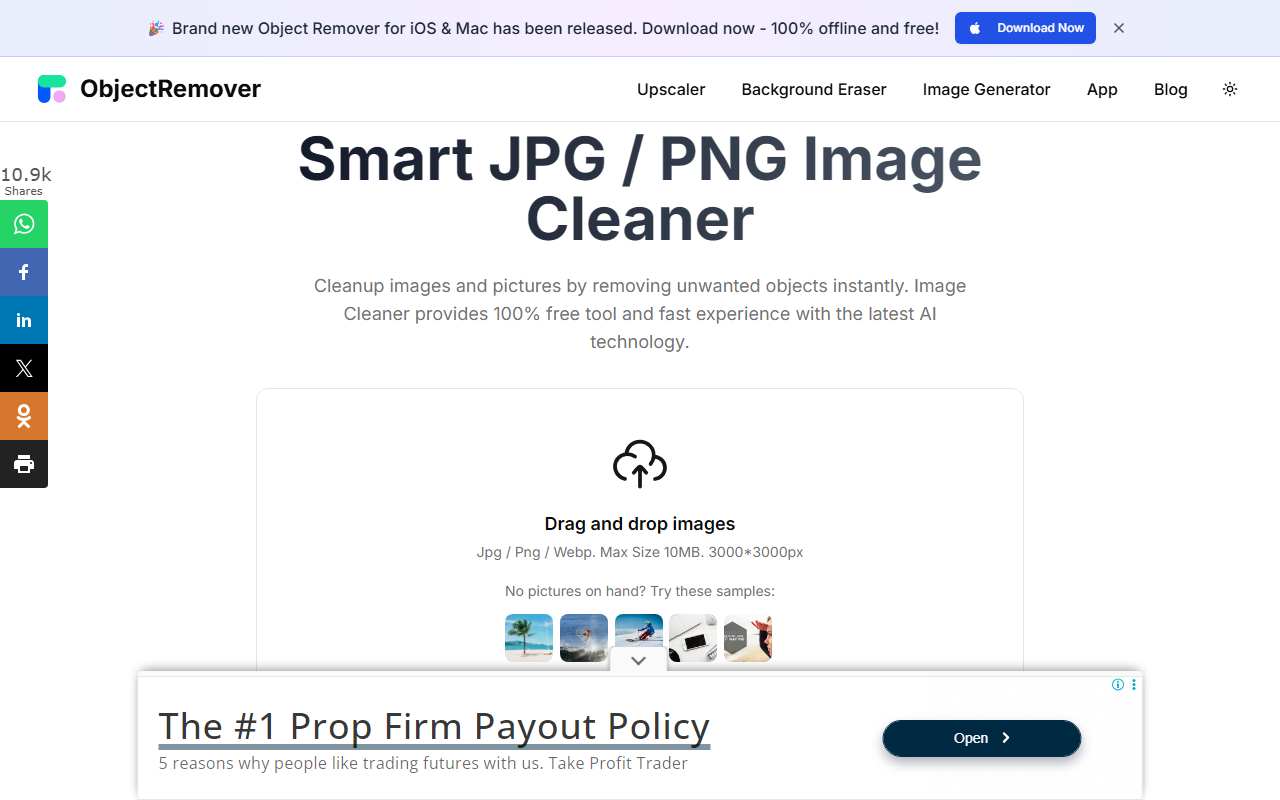
First Impressions and Onboarding
Upon visiting ImgCleaner.com, I was greeted by a clean, minimal interface with a prominent drag-and-drop area. The site offers a dark/light theme toggle, and the first thing I noticed was a banner promoting a free iPhone app for offline object removal. For the web version, the landing page clearly states: “Smart JPG / PNG Image Cleaner” with a 10MB file size limit and 3000x3000px resolution cap. I appreciated the provision of sample images to test the tool immediately—a thoughtful touch for new users. The entire onboarding took less than 30 seconds: no sign-up, no account creation, just upload and start editing.
How the Object Removal Worked in My Tests
I uploaded a photo with a distracting lamppost in the background. After the image loaded, a simple brush/selection tool appeared—I had to manually paint over the object I wanted removed. The tool uses “advanced algorithms” and AI (no specific model named) to analyze and fill the selected area. Processing took about 5 seconds, and the result was a natural-looking background with no visible artifacts. I could preview the cleaned image before downloading, and the output was completely watermark-free, even on the free tier. The experience felt comparable to high-end tools like Adobe Photoshop’s generative fill but without the complexity or cost. However, I noticed the removal struggled with large, complex objects spanning multiple colors—results were less seamless when I tested a busy street scene with overlapping elements.
Pricing, Limitations, and Market Position
ImgCleaner offers all its features for free with no hidden charges. There is no mention of premium tiers or credits—something rare in this space. The limitations are clear: maximum file size of 10MB, maximum resolution of 3000x3000px, and only JPG/PNG/WebP formats. There is no batch processing, no API, and no advanced options like smoothing or edge refinement. Unlike competitors such as Cleanup.pictures (which offers similar tech but with a paid plan for higher resolutions) or Remove.bg’s object remover (which requires credits after a free trial), ImgCleaner stays entirely free. That said, it lacks the variety of tools found in Canva or Adobe Express, making it best suited for quick one-off edits rather than professional workflows.
Who Should Use ImgCleaner?
This tool is ideal for casual users, social media managers, and anyone who needs to remove an unwanted object or text from a simple image without fiddling with complex software. Its zero-cost entry point and ease of use make it a great gateway for beginners. However, if you require high-resolution output above 3000px, batch processing, or fine-grained control over the fill result, you may want to look at paid alternatives like Photoshop or the per-credit model of Inpaint. In short, ImgCleaner delivers exactly what it promises: a fast, free, and straightforward object remover for basic cleanup tasks. I recommend giving it a try for your next quick image fix.
Visit ImgCleaner at https://imgcleaner.com/ to explore it yourself.


Comments