

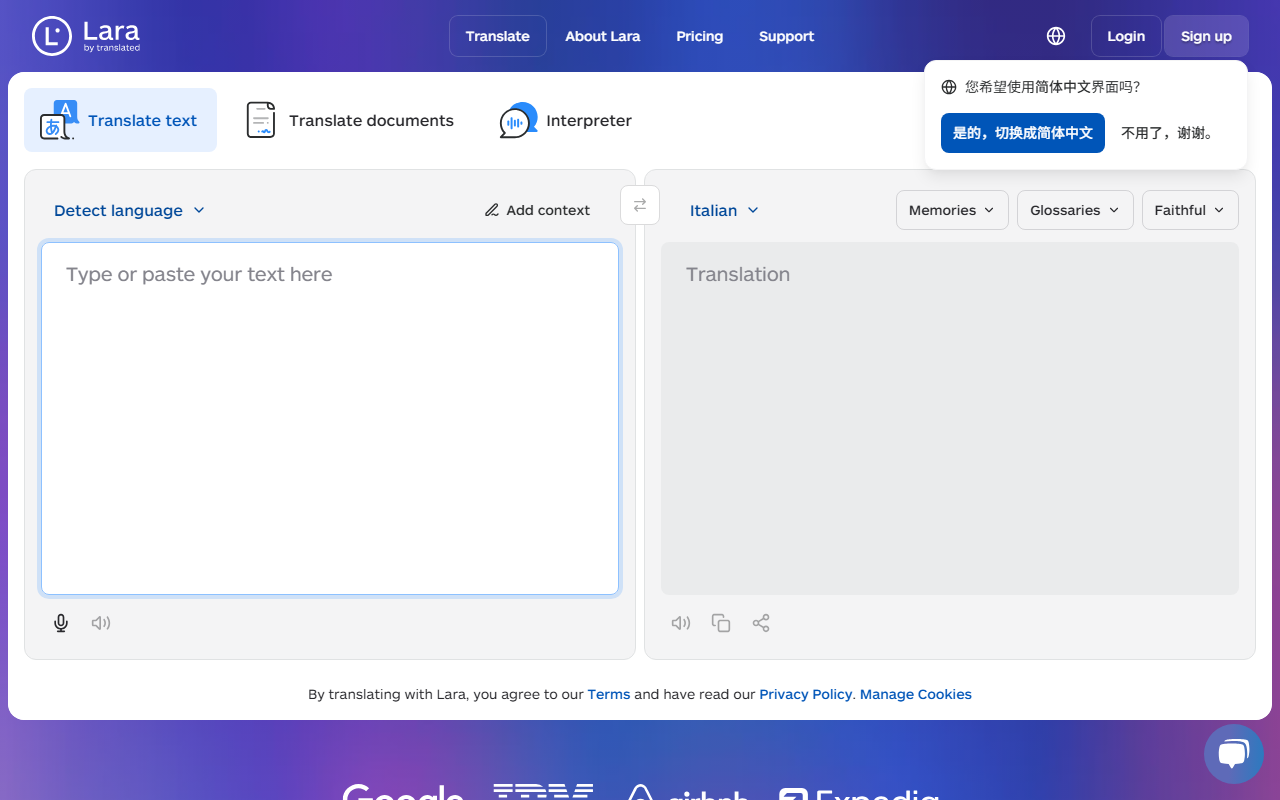
First Impressions and Interface
Upon visiting Lara Translate at laratranslate.com, I was greeted with a clean, uncluttered dashboard. The top navigation features five tabs: Text, Documents, Interpreter, More Tools, and a prominent CTA to Sign up or Log in. The tagline reads ‘Reliable, Fast, Free’ — a bold promise that immediately caught my attention. Below the tabs, a translation panel offers a source language dropdown (detect language is default), a target language field, and a large text box with placeholder text ‘Type or paste your text here’. I appreciate the additional options below the source box: Faithful, Fluid, and Creative translation modes, plus fields for uploading memories and glossaries. A small toggle for incognito mode sits above the keyboard shortcut hints. The overall layout is intuitive and responsive.
Core Features and Technology
Lara Translate is built on the same engine as the enterprise-grade Translated — a veteran in professional translation services. The tool supports 203 languages for text, 72 file formats for documents (including PDFs, Word, and Excel), and an interpreter mode covering 182 languages. The ‘More Tools’ tab hints at 19 integrations, though I didn’t test them all. The inclusion of memories and glossaries allows users to create custom translation memories and term bases — a feature usually reserved for paid CAT tools. Incognito mode ensures no data is stored, which is ideal for sensitive content. During my test, I translated a sample English sentence into Italian. The output was accurate, and the three tone options (Faithful, Fluid, Creative) gave me control over formality and style. The ‘Add context’ box also lets users specify domain, improving relevance.
Pricing and Competitive Position
Lara Translate presents itself as a free tool, with no pricing information publicly listed on the website. The ‘Free’ claim in the tagline suggests its basic translation service costs nothing, but it’s unclear whether advanced features (like unlimited documents, large glossaries, or API access) require a subscription. For context, competitors like Google Translate and DeepL offer free tiers with limits; DeepL’s Pro plan starts at €8.74/month. Lara Translate differentiates itself with memories, glossaries, and incognito mode — features typically absent from free alternatives. With over 350,000 customers indicated, it has a solid user base, likely drawn from existing Translated clients. Without transparent pricing, however, potential power users may hesitate to rely on it for professional workflows.
Strengths and Limitations
The strongest aspects of Lara Translate are its breadth of languages (203 text, 182 spoken) and the document translation engine, which preserves formatting in 72 file types. The incognito mode and memory/glossary support are rare in free-tier tools and give it a professional edge. On the downside, the tool does not offer an API for developers, and the lack of clear pricing for premium features leaves uncertainty. The interpreter mode — which I assume connects to a human interpreter — is not instantly available; it likely requires booking or real-time connection, which could be a hurdle for casual users. Additionally, there’s no mobile app mentioned, limiting on-the-go use. For freelancers or small businesses needing quick, reliable, and free multilingual translation with document handling, Lara Translate is an excellent choice. Enterprises requiring full API integration or SLAs would be better served by the parent company’s enterprise plan or DeepL Pro.
Visit Lara Translate at https://laratranslate.com/ to explore it yourself.




Comments