

First Impressions and Onboarding
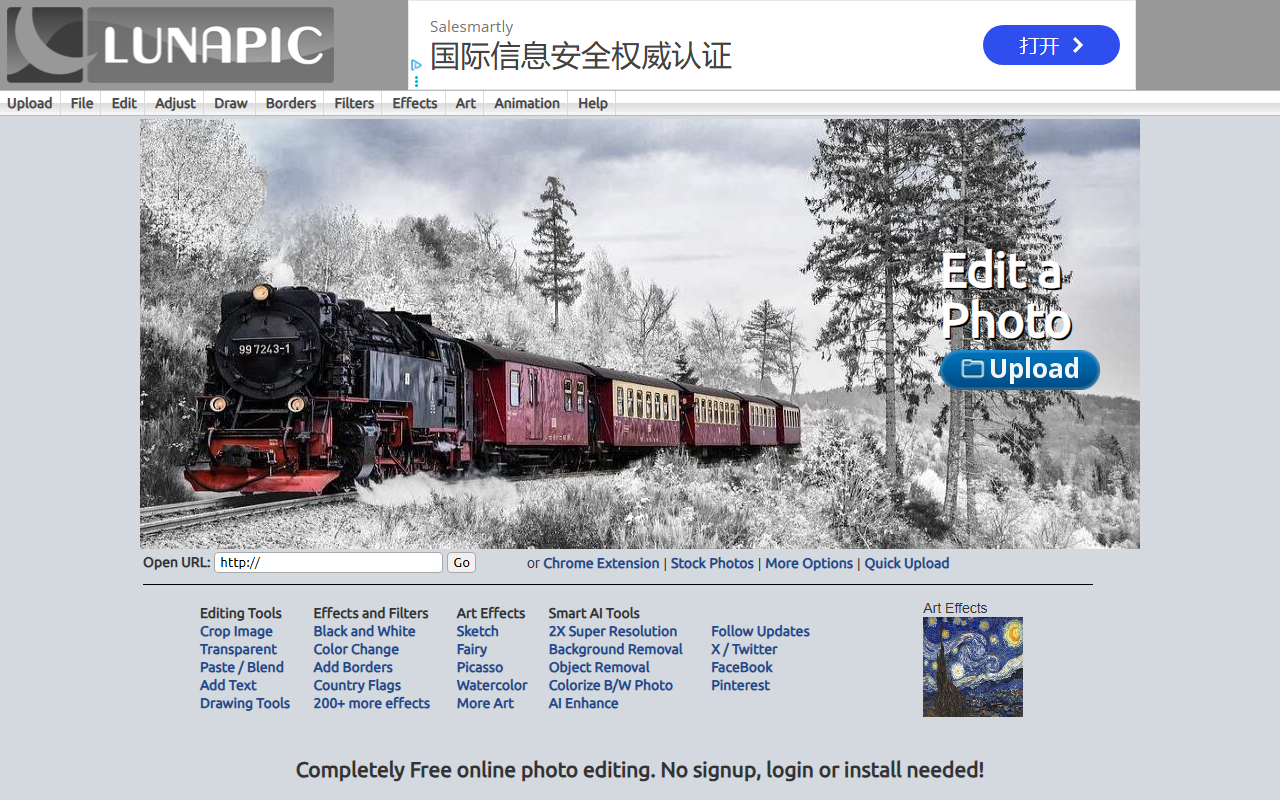
Upon visiting LunaPic, you are greeted by a classic, no-frills interface. The homepage clearly lists every tool—from basic crop and resize to advanced AI effects—in a left-hand menu. There is no account creation or login required; you can upload an image instantly using the "Upload File" button or by dragging and dropping. I tested the free tier by uploading a portrait photo. The editor loaded quickly in my browser, though the sheer number of options feels overwhelming at first. The dashboard is functional but dated, with a toolbar that compactly organizes over 200 effects. Navigation relies on scrolling through long lists rather than a polished dashboard, but search and categories help. The site explicitly states "Completely Free" and emphasizes no signup, which is a breath of fresh air in an era of freemium gates.
AI Painting and Smart Features
LunaPic’s AI tools are tucked under the "Art" menu and the newer "Smart AI Tools" section. I specifically tested the "Cartoon (New New!)" effect under Art Effects. It processed my image in about five seconds and produced a stylized cartoon look that rivals many mobile apps. The "AI Enhancer" and "AI Super Resolution" (2x and 4x) are genuinely useful: they use an upscaling model that sharpens low-res images without heavy artifacting. The "Auto Background Removal" worked well on a subject with a clear backdrop, though it struggled with fine hair detail. Object removal is powered by a similar AI—I used it to erase a small leaf from a landscape, and the result was acceptable for a free tool. Notably, LunaPic offers "Colorize Old Photo" and "Blemish Remover" under AI, plus dozens of artistic filters that simulate styles like Picasso, Kandinsky, or Watercolor. These are not deep-learning style transfer but rather algorithmic effects; still, the variety is unmatched for a free editor.
Limitations and Final Verdict
LunaPic has genuine strengths: it requires no signup, works entirely in the browser, and packs an enormous library of effects—far more than competitors like Pixlr or Canva’s free tiers. However, the interface is cluttered and occasionally buggy. I encountered a few occasions where an effect failed to load and required a page refresh. The tool also runs ads (small banners) that are mildly distracting but not intrusive. There is no mobile-optimized app; the site is best used on desktop. For professional work, the lack of layers, non-destructive editing, and inconsistent output quality make it less reliable than paid tools like Photoshop or Affinity Photo. But for quick fun edits, retro effects, or AI-powered enhancements without spending a dime, LunaPic is an excellent choice. It is best suited for casual users, social media creators, and anyone curious about AI painting who wants to experiment without commitment. Serious photographers should look elsewhere for precision tools. Overall, LunaPic delivers on its promise: free, feature-rich, and surprisingly capable.
Visit LunaPic at https://lunapic.com/ to explore it yourself.


Comments