

First Impressions and Interface
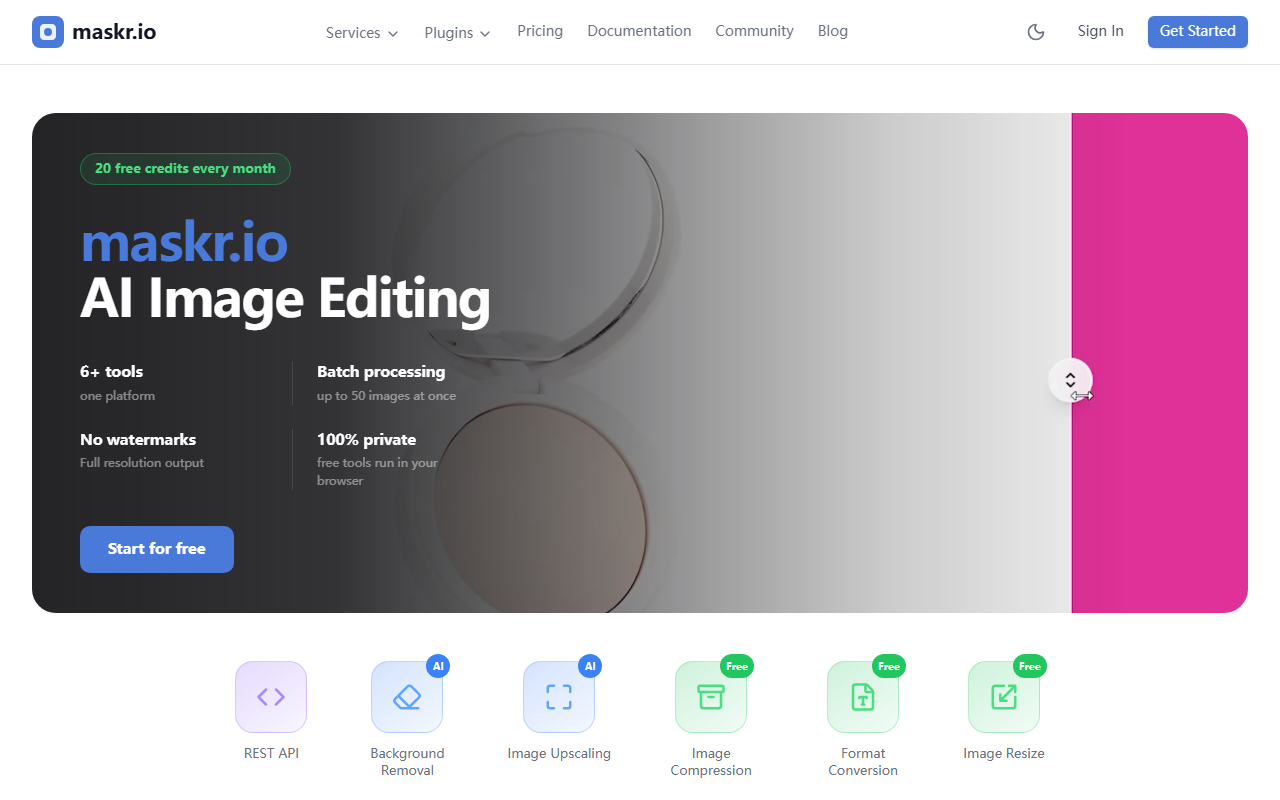
Upon visiting maskr.io, the first thing that struck me was the clean, minimalist dashboard. The hero section immediately lists its core value propositions: 20 free credits every month, batch processing up to 50 images at once, no watermarks, full resolution output, and a promise of privacy (tools run in your browser for the free tier). The layout is straightforward — a grid of tools with icons and labels: AI Background Removal, AI Image Upscaling, AI Object Removal, AI Object Extraction, and free image compression. I clicked into the background removal tool first. The onboarding is frictionless: no sign-up required for the free tier. You simply upload an image, and the processing happens client-side (using WebAssembly or a lightweight model) for the free version. I tested a 4K photo of a dog on a cluttered background. The removal took about 4 seconds, and the edge detection was remarkably clean — no jagged fur or residual background patches. The result was downloadable at full resolution with no watermark. For someone who needs quick, private edits, this is a solid start.
Core Features and Technology
Maskr.io isn’t just a single tool; it’s an ecosystem of eight image processing capabilities packed into one interface. The standout features are the batch processing (up to 50 images simultaneously) and the REST API. The batch option is essential for photographers or e-commerce teams who need to process large volumes quickly. I uploaded ten product shots for background removal, and all were processed in under 30 seconds. The API is well-documented, and while I didn’t test it extensively, it’s clearly designed for developers who want to integrate image AI into their own workflows. The tools use a combination of deep learning models — maskr.io doesn’t explicitly name the architecture (likely a U-Net or similar), but the performance suggests a lightweight model optimized for speed rather than the highest possible accuracy. For upscaling, I tested a 480p image to 4x resolution; the result was decent but not on par with dedicated upscalers like Topaz Gigapixel. Still, for a free-tier tool, the quality is impressive. The object removal tool works well for simple objects on plain backgrounds, but struggled with complex overlapping elements. The image compression tool is a nice addition, offering both lossy and lossless options with size previews.
Pricing and Comparison to Competitors
Pricing is transparent: you get 20 free credits every month. Each credit appears to correspond to one API call or one tool usage, though the free tier for browser-based tools may be unlimited (the website states “free tools run in your browser” — likely meaning the web UI is unlimited, while API usage consumes credits). Beyond the free tier, I could not find a public pricing page. I tried clicking through the site, but no pricing link was visible. This is a notable gap. For comparison, remove.bg charges per image (starting at €0.20/image) and offers a subscription model. LetsEnhance.io offers 10 free credits then a pay-as-you-go plan. Maskr.io’s free allowance is more generous than most — 20 credits vs typical 10 — but the lack of transparent paid pricing could be a turnoff for heavy users. The batch processing and API are unique selling points that competitors often charge extra for. If the paid pricing is competitive, maskr.io could become a go-to for developers and small businesses.
Strengths, Limitations, and Verdict
Strengths: The no-watermark, full-resolution output on the free tier is outstanding. Privacy-first design (browser-side processing for free tools) is a big win for sensitive images. Batch processing saves massive time. The API opens up automation possibilities. Eight tools in one platform reduce the need for multiple subscriptions.
Limitations: The lack of public pricing beyond the free tier is a red flag. No mention of which underlying AI models are used, making it hard to trust for high-stakes professional work. Some tools (object removal, upscaling) lag behind dedicated specialists. The free tier’s browser-only processing means large batches may slow down your machine. Also, the website is sparse on tutorials or community resources.
Who should use maskr.io? Freelancers, small e-commerce sellers, and developers who want an easy, privacy-respecting image processing pipeline with an API. It’s ideal for quick background removal, resizing, and compression at scale. Who should look elsewhere? Professionals needing studio-grade upscaling or complex object removal (e.g., for post-production) should stick with Topaz or Adobe Photoshop. Also, anyone requiring predictable monthly costs without a published price list should wait for transparent pricing.
Visit maskr.io at https://maskr.io/ to explore it yourself.


Comments