

First Impressions and Onboarding
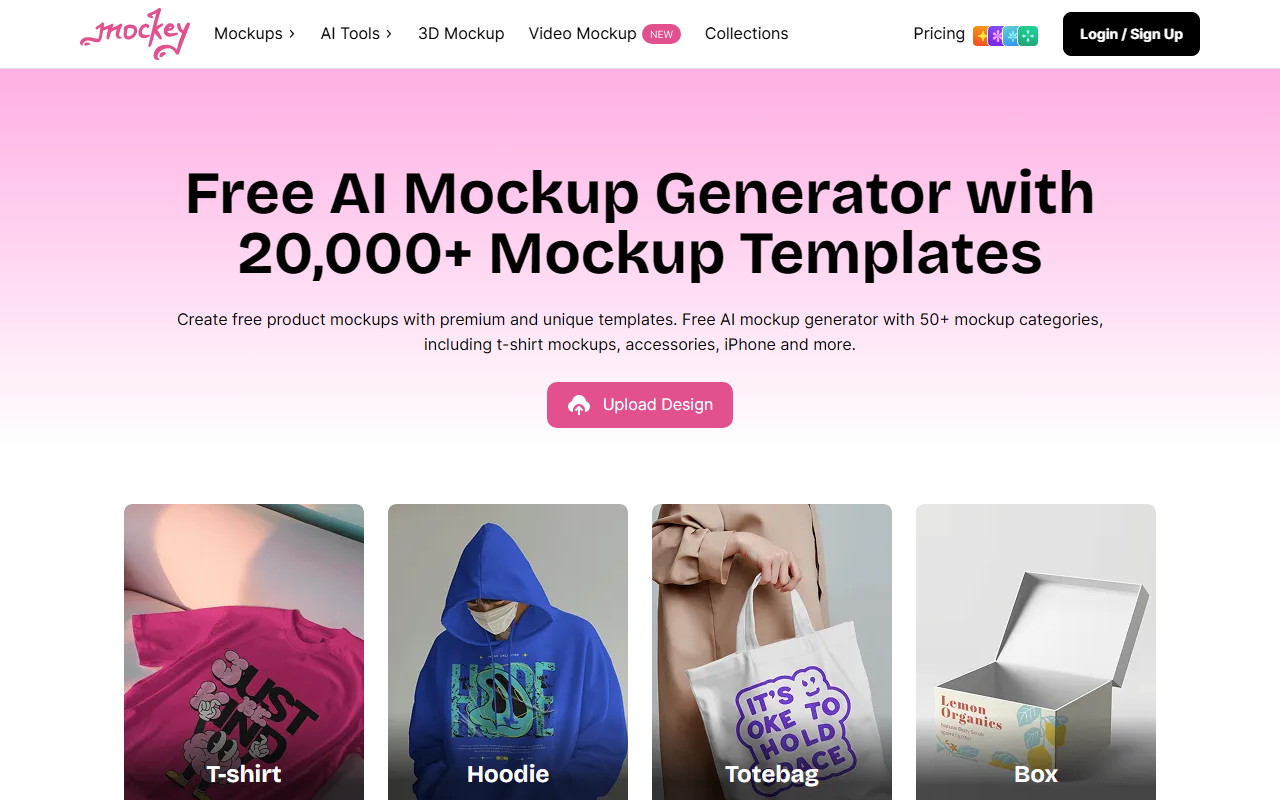
Upon visiting Mockey AI’s homepage, I was greeted by a clean, modern interface that immediately highlights the core value proposition: 20,000+ AI-driven mockup templates. The sign-up process is straightforward—clicking the “Login/Sign Up” button in the top right leads to an account creation form. I used my Google account to sign up, which took less than 15 seconds. Once inside, the dashboard presents a categorized gallery: Apparel, Accessories, Home & Living, and Tech, each with dozens of subcategories. The layout is intuitive, with each template showing a thumbnail and a clear “Upload Design” button. I noticed that the free tier grants full access to browse templates, but some premium templates are locked behind a “Pro” badge.
The onboarding flow doesn’t include a guided tour, but the “How Mockey Works” section on the homepage explains the three-step process: sign up, pick a template, upload your design, and download. I decided to test a simple T-shirt mockup. After selecting a template featuring a male model in a street setting, the editor opened within two seconds. The editor is browser-based and does not require any software installation. It includes basic editing tools like scale, rotate, and color adjustment, plus a dedicated “AI Tools” section for background change and animation.
Key Features and Workflow
Mockey AI distinguishes itself with several standout features that go beyond standard mockup generators. The “Multi Shot” function is particularly impressive: it allows you to view the same design from different angles (front, back, side, close-up) in a single export. I tested this on a hoodie mockup; I uploaded a logo, and within seconds, four variations were generated with consistent lighting and shadows. The “Animate” tool turns static mockups into short MP4 animations. I tried it on a poster design, typing “slow zoom in with a gentle shadow pan” as a prompt. The result was a smooth 5-second animation that looked realistic. This feature is rare among competitors like Placeit, which charges extra for video exports.
The template library itself is vast—over 20,000 templates across 50+ categories. New templates are added weekly, as promised on the homepage. I counted about 1,000 hoodie mockups alone, with diverse models (men, women, teens, plus Asian and American models). The search function filters by category, color, and orientation, though I found the loading times occasionally slow when browsing high-resolution thumbnails. For users needing 3D mockups, Mockey offers a dedicated 3D mockup generator with multiple animations per template. The “Video Mockups” section provides pre-recorded videos of models wearing products; I uploaded a design onto a jewelry video, and the output was a 5-second MP4 with natural motion—no watermark on the free tier for this particular template.
Pricing and Limitations
Pricing is not publicly listed on the website beyond mentioning a free plan and an enterprise option (“Mockey Enterprise pricing to get custom templates on demand”). During my use, I found that the free plan allows unlimited downloads of most templates, but some premium templates and high-resolution exports (above 4K) require a subscription. Watermarks do not appear on free-tier downloads for standard templates, which is a strong advantage compared to Smartmockups’ free plan. However, the free plan limits you to 5 animated exports per month and excludes the “Custom Mockup” feature (which lets you turn any product image into an editable mockup). The “Multi Shot” and “Mockup Collection” features are fully available on the free plan, but the number of simultaneous designs in a collection is capped at three.
Compared to Placeit (which charges $14.95/month for unlimited downloads), Mockey’s free plan is generous but lacks transparency on premium pricing. I suspect the Pro tier is around $9–$15/month based on competitor benchmarks, but without official confirmation, I recommend checking the site’s pricing page after login. The biggest limitation I observed is the lack of API access—no programmatic integration for automated workflows. Also, the editor lacks advanced features like smart object placement or AI upscaling, which some users may need.
Who Should Use Mockey?
Mockey AI is best suited for solo entrepreneurs, small e-commerce brands, and social media managers who need high-quality product mockups quickly without a design background. The vast template library and free plan make it an excellent starting point. However, professional graphic designers who require advanced photo retouching, batch processing, or API integrations should look at alternatives like Adobe Dimension or Vectary. If you prioritize video mockups and 3D animations without paying extra, Mockey is a strong contender. I recommend signing up for the free plan to test the template quality and animation features. For most casual users, the free tier will suffice for months.
Visit Mockey at https://mockey.ai/ to explore it yourself.


Comments