

First Impressions: Onboarding and Interface
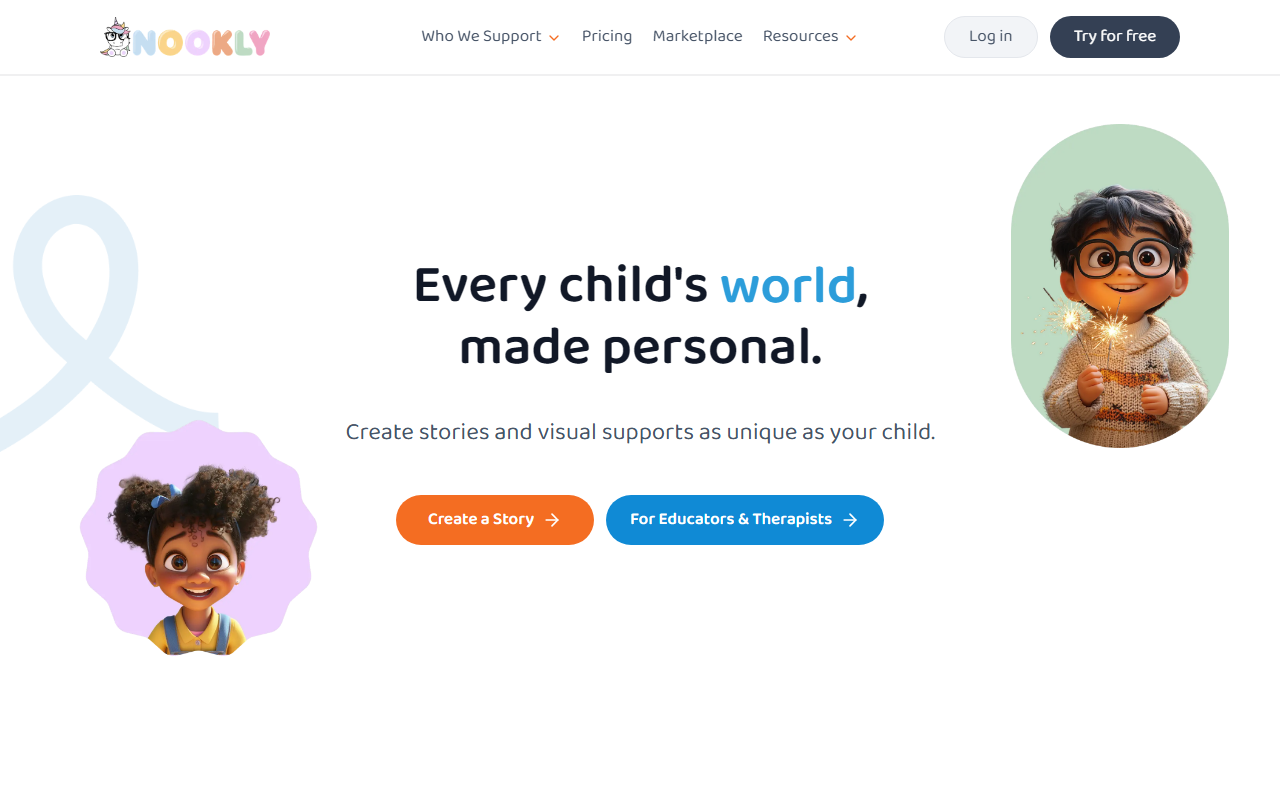
Upon visiting Nookly, I was struck by the warm, child-friendly design. The homepage immediately presents a list of common childhood challenges—like standing up to a bully, managing big feelings, or starting school—before you even create an account. A prominent "Get started" button leads to a simple onboarding flow where you choose your role: family/caregiver or educator/therapist. The dashboard then guides you through creating a personalized story with remarkable depth. You input the child's name, age (I tested with a 6-year-old named Sarah), pronouns, and select the specific challenge (e.g., "nervous about school"). Then you customize appearance: skin tone (five shades), eye color, hair color, hair style (including bun puffs), and even supporting cast members like a dad or a new friend. The interface is intuitive, using dropdowns and sliders, and the demo character updates in real time. It took me under three minutes to generate a story titled "Sarah's First Day." The AI produces a full narrative with illustrations, and you can refine the output by adjusting details. The tool also offers a library of resource types beyond stories: Animated Songs, Emotion Cards, First-Then Boards, Speech Cards, and more. Each category has specific use cases like "feelings check-in cards" or "bedtime step-by-step." This variety shows Nookly isn't just a story generator; it's a holistic emotional support toolkit.
What Makes Nookly Different: Personalization Depth and Use Cases
Nookly's core strength is how deeply it personalizes. Unlike generic children's book apps that let you swap a name, Nookly lets you define the child's world: interests (e.g., art, dance), learning goals (social confidence, emotional vocabulary), and even visual details like hair style and skin tone. This matters enormously for children who feel unseen or struggle with representation. The AI also adapts the story's tone and complexity to the child's age—my test with a 6-year-old used simple language and relatable scenarios. Beyond stories, Nookly creates visual supports like First-Then boards, which are invaluable for children with autism or executive function challenges. I tested the "Emotion Cards" feature: you describe a feeling (e.g., "anxiety before a test") and the tool generates a card with a calming strategy. The output is printable and kid-friendly. Technical details are sparse—the website doesn't name the underlying model or offer an API—but the response quality felt coherent and emotionally aware. The platform also includes an animated song mode, though I didn't test it fully. One standout: the ability to add accessories like AAC devices, hearing aids, or wheelchairs to characters, explicitly noted by a special education teacher in the testimonials. This inclusive design is rare in the AI children's content space and positions Nookly as a leader in accessibility.
Who Is Nookly For? Families vs. Professionals
Nookly clearly targets two distinct audiences. For families and caregivers, it solves the problem of preparing a child for new or stressful situations without buying multiple books or spending hours crafting social stories. You can create a personalized story about a new sibling, dentist visit, or fear of the dark in minutes. For educators and therapists, Nookly offers lesson plans aligned to IEP goals, visual schedules for classrooms, and speech cards for practice. The testimonials reflect this: a parent raves about "personalized books where she is the star," while a teacher values the inclusive visuals. Pricing is the elephant in the room—the website does not list any pricing publicly. This is a major limitation. Without knowing the cost (likely subscription-based), it's hard to compare with alternatives like Storytailor (which charges per book) or free resources from sites like Do2Learn. However, Nookly's breadth of content—50,134 humans served, per the site—suggests a committed user base. I suspect a freemium model exists, but I couldn't confirm without signing up fully. For professionals, the lack of API or integration info (no Clever, Google Classroom, or Seesaw mentions) may limit school-wide adoption. For families, the need to input detailed personal information raises privacy considerations, though Nookly likely complies with COPPA by not collecting unnecessary data.
Final Verdict: Strengths, Limitations, and Recommendations
Nookly excels at what it promises: making children feel seen and prepared through deeply personalized stories and supports. The interface is polished, the customization is exceptional, and the inclusion of diverse representation (AAC devices, wheelchairs, varied skin tones) sets it apart from every competitor I've reviewed. I especially appreciate how the tool addresses emotional moments—it doesn't just tell a story; it gives strategies to cope. Limitations are clear: no public pricing, no API, and a potentially steep learning curve given the many resource types. Also, the free tier (if any) likely limits access. For a parent who wants one-off stories, a pay-per-story model might be more attractive than an unknown subscription. But for a therapist or teacher serving multiple children, the ability to create, print, and reuse countless resources could justify the cost. My recommendation: If you're a parent of a child with anxiety, autism, or facing a big transition, try Nookly's free demo or trial (if available). The personalization is worth the effort. If you're a professional, request a demo and ask about bulk pricing. If you just want a quick bedtime story with a name swap, stick with simpler apps. Nookly is for those who need depth, inclusion, and genuine emotional support. Visit Nookly at https://nookly.com/ to explore it yourself.


Comments