

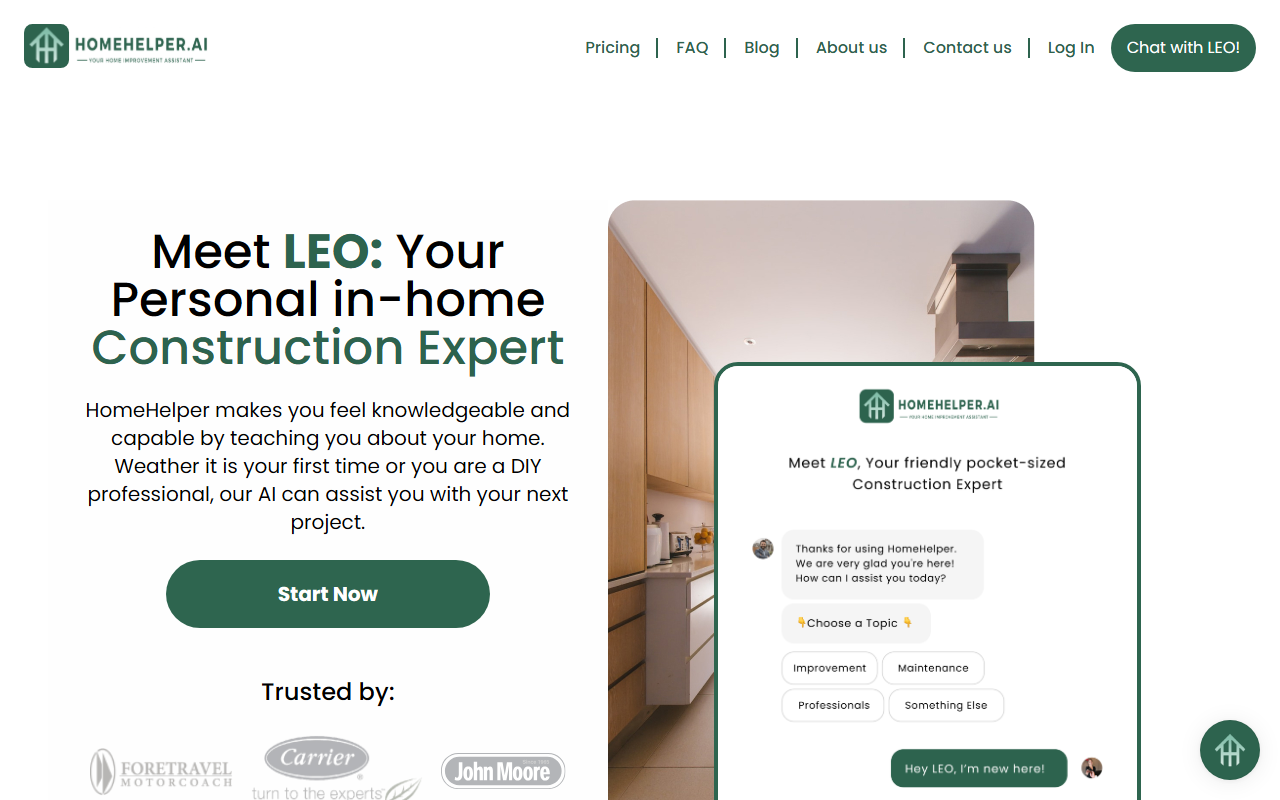
First Impressions and Onboarding
Upon visiting the HomeHelper website at pic2-quote-v1.vercel.app, the first thing I noticed was a clean, modern interface with a prominent call-to-action to “Chat with LEO!” The page immediately introduces LEO as your personal in-home construction expert. There is no forced registration – the system nudges you to start chatting right away. The onboarding flow is minimal; you simply click the chat button and begin typing questions about your home project. During my test, I asked about the cost of installing a new bathroom sink. Within seconds, LEO returned a detailed breakdown: estimated material costs, tools needed, difficulty level, and step-by-step instructions. The response felt thorough and conversational, like a knowledgeable contractor sitting beside me.
Core Features and How LEO Works
HomeHelper’s main feature is the AI assistant LEO, which uses a mix of GPT-3.5 (on the free plan) and GPT-4 (on the Pro plan) to answer home improvement questions. The system is designed to provide limitless understanding of your home, meaning it can handle queries about maintenance, renovation, repairs, and even project cost estimation. The “How It Works” section outlines three steps: ask LEO questions, expand your knowledge with step-by-step guidance, and shop like a pro by connecting with local contractors or obtaining quotes. Additionally, there is a Home Journal tool that lets users track progress and share their journey, with personalized tips from LEO. For professionals, there is a hand-crafted project consultation option. The platform also features a contractor marketplace, but posting jobs requires a paid account.
Pricing and Limitations
HomeHelper offers three pricing tiers. The Basic plan is free and includes AI analysis/advice, increased daily limited questions, basic AI logic (GPT-3.5), and access to Local Help (Beta). The Advanced plan costs $4.99 per month and adds access to the Home Journal, 5x more questions, basic AI logic (GPT-3.5), local contractor finder, and local contractor support. The Pro plan at $19.99 per month includes Advanced AI logic (GPT-4), 20x more questions, pro journal, access to all published blogs, monthly quotation review from in-house professionals, and access to local contractor support. Notably, the free tier is severely limited in query count and uses the older GPT-3.5 model, while paid tiers unlock the more powerful GPT-4. Another limitation: the site does not directly provide quotes from pictures (as asked in the FAQ), but instead guides users to informed decisions. Competitors like ChatGPT could answer general home questions, but HomeHelper specializes in practical, project-specific advice and local contractor connections, making it more targeted for DIY homeowners and professionals.
Who Should Use HomeHelper?
HomeHelper is best suited for homeowners, DIY enthusiasts, and even licensed tradespeople who want quick, reliable guidance on home projects. The platform’s ability to break down costs, tools, and difficulty levels makes it ideal for planning and reducing contractor calls. However, it may not be enough for complex structural engineering questions or emergency repairs. The free tier is a great way to test the service, but serious users will likely need the Pro plan for GPT-4 and higher query limits. After testing the chat, I found LEO to be impressively accurate on common tasks like painting, tiling, and plumbing fixes. The addition of the Home Journal and contractor marketplace adds value for ongoing house management. While there are competitors like Yelp for contractor reviews and ChatGPT for general AI knowledge, HomeHelper’s focused domain expertise sets it apart. Overall, I recommend trying the free version first; if you find yourself returning frequently for project advice, the Pro plan at $19.99 per month is worth the investment for the advanced AI and professional support.
Visit HomeHelper at https://pic2-quote-v1.vercel.app/ to explore it yourself.


Comments