

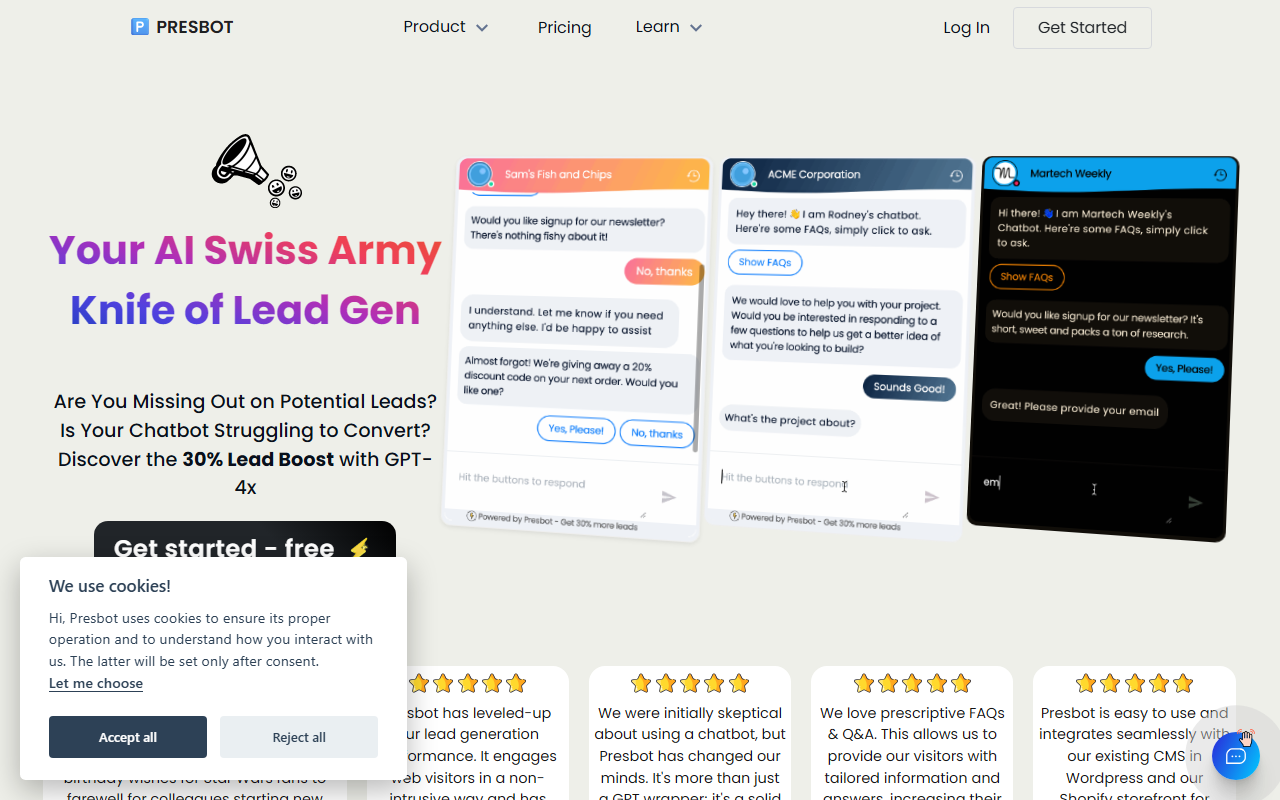
First Impressions and Onboarding Experience
Upon visiting Presbot's website, I was greeted by a clean, marketing-heavy landing page that immediately touted a "30% Lead Boost" using GPT-4x. The call-to-action was a simple "Get started - free" button with no credit card required. I clicked through and found a straightforward signup form asking for name, email, and password. Within minutes, I was inside the dashboard.
The dashboard itself is refreshingly minimal. There is no complex chatbot builder or visual flow editor — just a form where you define the questions your chatbot will ask website visitors. You can set the order of questions, choose lead capture methods (like email), and configure notifications. I created a test bot for a hypothetical e-commerce store: I added questions about customer preferences and a discount offer. The entire setup took less than five minutes. This aligns with the company's promise of lowering the barrier for non-tech folks.
One thing that stood out was the absence of a live preview or testing environment. I had to embed the script into a test page to see the chatbot in action. The responses were fast and coherent, clearly powered by OpenAI's ChatGPT. However, the chatbot only asks the predefined questions sequentially — it does not engage in free-form conversation unless the visitor types a custom query. That is a limitation for businesses needing a fully conversational assistant.
Core Features and Technical Architecture
Presbot is essentially a lead generation wrapper around ChatGPT. The core model is GPT-4x, which is OpenAI's most powerful language model. The tool automates repetitive questions (shipping, returns, pricing) by feeding your pre-written answers into the chatbot. It also offers dynamic lead capture: you can set triggers for specific visitor behaviors, such as time on page or page scroll depth. Notifications arrive in real-time via email or Slack, allowing you to close leads quickly.
Under the hood, Presbot uses a simple form-based configuration rather than a drag-and-drop builder. This makes it extremely easy for beginners, but it also means you cannot create complex conversation trees or branching logic. The chatbot does support prescriptive FAQs and Q&A — you can pre-define question-answer pairs. But if a visitor asks something outside those pairs, the chatbot falls back to generic ChatGPT responses, which may not always be accurate for your business.
Analytics are included: you can track how many leads were captured, how many conversations started, and conversion rates. I noticed the analytics dashboard updates in near real-time. There is also a personal landing page feature where you can share your chatbot link via email or social channels. This is a nice touch for lead generation outside your website.
Integrations and Market Positioning
Presbot integrates natively with Shopify, WordPress, Squarespace, Wix, and PrestaShop. Adding the chatbot involves copying a snippet of code or, for WordPress, using a plugin. I tested the Shopify integration: after installing the app, I could enable the chatbot with one click. The chatbot appeared as a floating widget on my store, and the lead capture worked seamlessly. No other third-party integrations (like HubSpot or Mailchimp) were mentioned, which is a gap for businesses using CRM or email marketing platforms.
Comparing to competitors: Unlike Tidio or ManyChat, which offer visual flow builders and omnichannel support, Presbot is laser-focused on website lead generation. It lacks multi-platform messaging (no support for Facebook Messenger or WhatsApp). Another alternative, Chatling, offers similar ChatGPT-powered chatbots but with more customization and Zapier integration. Presbot feels like a minimal viable product — excellent for its narrow use case, but lacking features for scaling enterprises. The website mentions being "bootstrapped by a small team," so I do not expect enterprise-grade support.
Pricing is not publicly listed on the website. The only indication is a free tier that requires no credit card. The testimonial from Bravoboard mentions using Presbot for creating heartfelt messages — suggesting there may be a writing assistant feature beyond chatbot. But the core tool is definitely lead generation.
Verdict: Who Should Use Presbot?
Presbot is best suited for small business owners, solopreneurs, and marketers who want a no-fuss chatbot to capture leads without learning complex software. Its strengths are simplicity, fast setup, and the power of GPT-4x for answering questions. The real-time notifications and affordable (likely free-to-start) pricing make it very accessible.
However, there are genuine limitations. The chatbot is not truly conversational for custom inputs; it excels at guided Q&A. There is no A/B testing, no advanced analytics, and no integration with popular CRMs. The lack of public pricing is a red flag — you have to sign up just to see plans. I also found no API documentation, which limits developers who want to customize behavior.
If you need a quick lead capture tool for your WordPress or Shopify site and you dislike fiddling with visual builders, Presbot is worth a try. But for complex customer support, multi-channel chatbots, or deep analytics, look at Tidio or Drift instead.
Visit Presbot at https://presbot.com/ to explore it yourself.


Comments