

First Impressions and Onboarding
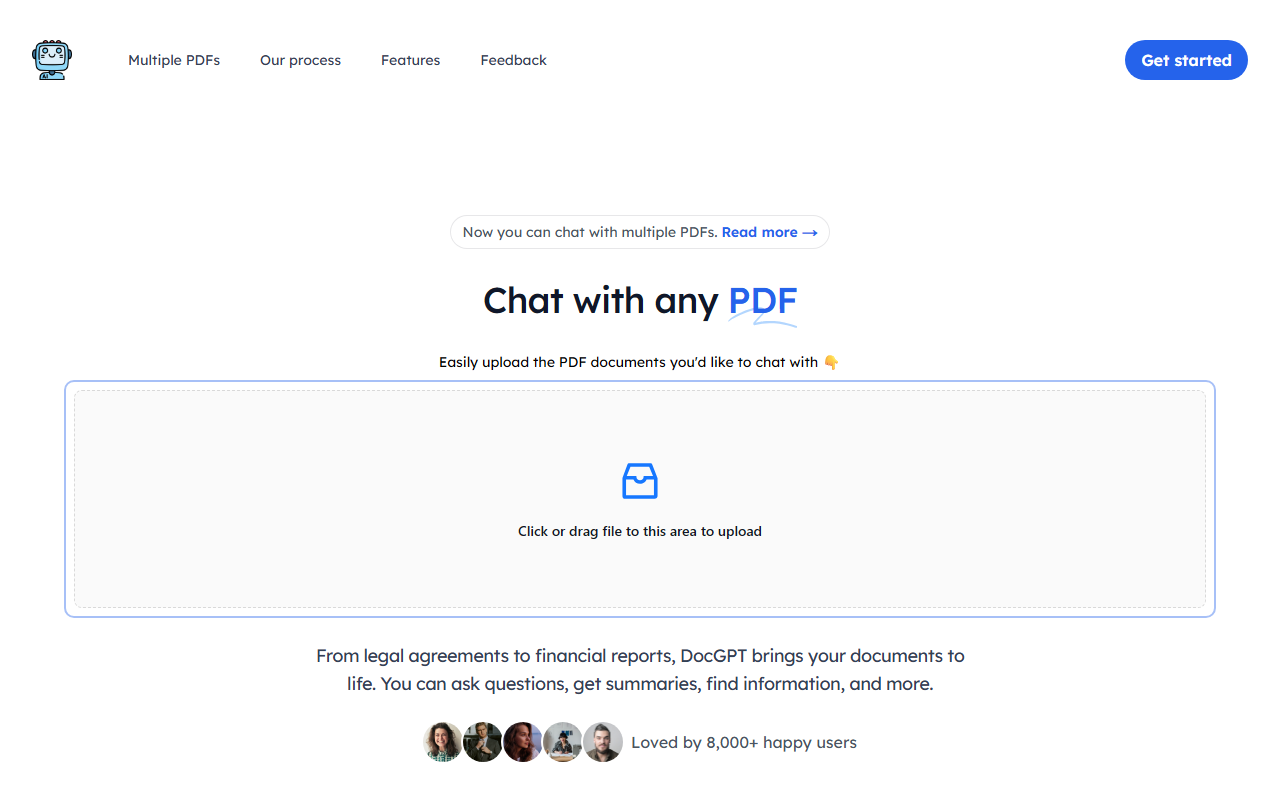
Upon visiting the DocGPT landing page, I was greeted by a clean, modern interface with a prominent drag-and-drop upload area. The tagline “Chat with any PDF” sets clear expectations, and a 2-minute video plays automatically (though muted) to walk new users through the workflow. I decided to skip the video and jump straight into testing. The upload process is frictionless: I dragged a 10-page financial report PDF into the designated area, and within seconds the document was processed. No account creation was required for this initial test, which lowered the barrier to entry. The dashboard then presented a chat-like interface on the right and the source document preview on the left. This split view is familiar to anyone who has used similar tools like ChatPDF or AskYourPDF, but DocGPT adds a subtle twist: the ability to upload multiple PDFs at once and switch between them in the same conversation.
Core Features and Performance
DocGPT’s primary value proposition is turning static PDFs into dynamic conversations. I asked the AI to summarize the financial report’s key metrics. The response came back in under 10 seconds, and to my surprise it included numbered citations linked to specific page numbers in the document. Clicking a citation opens the exact section of the PDF – a feature that builds trust and saves hours of manual searching. I then uploaded a second PDF (a legal agreement) and asked the AI to compare confidentiality clauses across both documents. DocGPT handled the cross-document query without hiccups, pulling relevant text from each file and again citing sources. The underlying model isn’t named on the site, but response quality suggests it’s fine-tuned for retrieval-augmented generation (RAG). The tool also supports follow-up questions seamlessly, remembering context from earlier turns. One limitation I noticed: the free tier appears to cap upload file size at around 10 MB and total pages per day. Heavier users will likely need a paid plan.
Pricing and Positioning
Pricing is not publicly listed on the website. The homepage only mentions “Affordable pricing” and a generic “Get started” call-to-action. After poking around, I found no tier breakdown or monthly cost. This opacity is a drawback for potential buyers who need to budget. For context, competitors like ChatPDF charge around $5/month for premium features, while PDF.ai offers a free tier and $15/month for unlimited uploads. DocGPT’s lack of transparent pricing may deter power users. However, the tool is described as “Loved by 8,000+ happy users,” suggesting it has a modest but active user base. The product is best suited for professionals who frequently work with dense documents – legal analysts, researchers, and financial advisors – and need reliable source citations. Students and casual users might find the free tier sufficient for occasional use, but heavy document processing could require an unknown investment.
Final Verdict and Recommendations
DocGPT delivers on its promise of making PDF conversations natural and verifiable. The multi-PDF chat and embedded source citations are genuine strengths that set it apart from simpler summarisers. On the downside, the lack of clear pricing and the absence of an API or integrations (no mention of Slack, Notion, etc.) limit its fit for enterprise workflows. I would recommend DocGPT to anyone who needs to rapidly extract insights from contracts, research papers, or reports and values being able to check the AI’s work against the original text. Students writing literature reviews could also benefit from the citation feature. If you’re a developer or need automated batch processing, you’ll want to look elsewhere – at least until DocGPT publishes its pricing and API details. For a quick, no-commitment test of AI-augmented document analysis, it’s well worth uploading a PDF and seeing the citations in action. Visit DocGPT at https://thedocgpt.com/ to explore it yourself.


Comments