

First Impressions and Onboarding
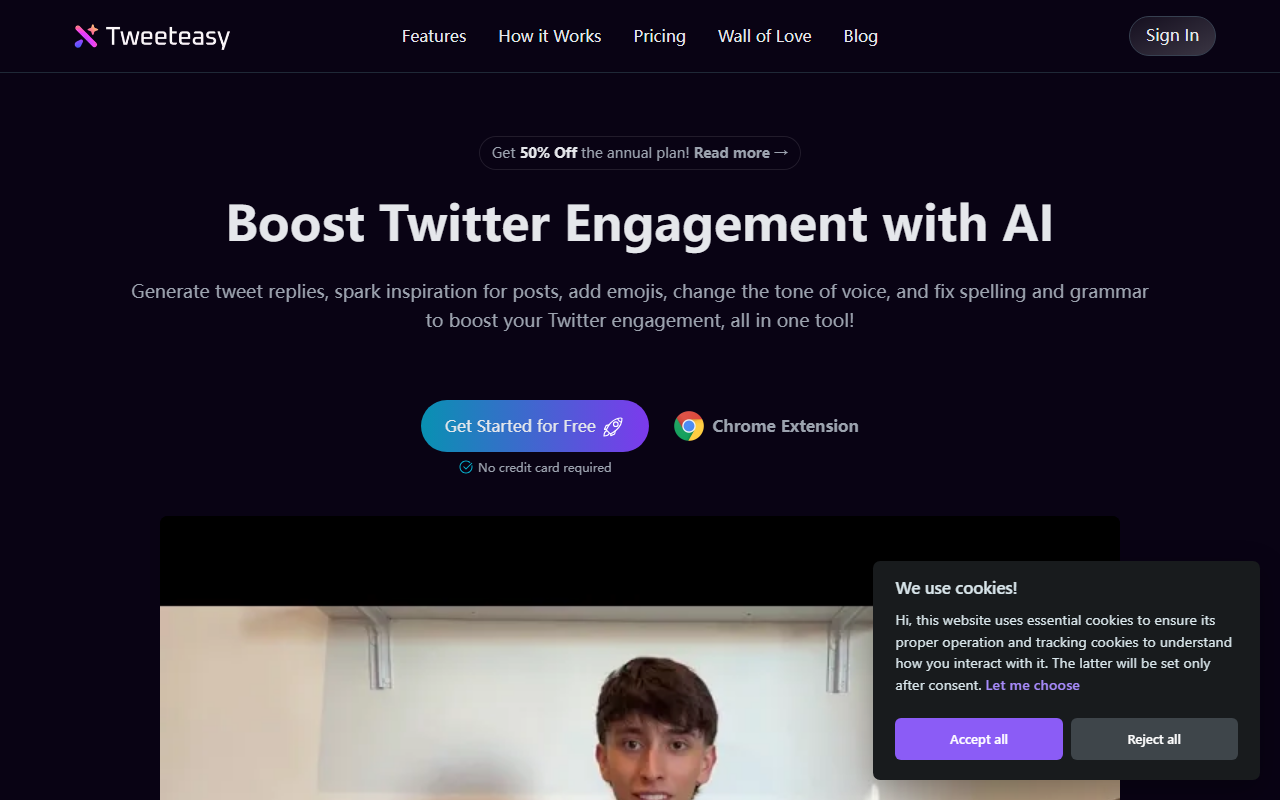
Upon visiting the Tweeteasy website, I was greeted with a clean, modern landing page that clearly outlines the tool's value proposition: boosting Twitter engagement with AI. The navigation is straightforward—Features, How it Works, Pricing, Wall of Love, and Blog. A prominent banner offers 50% off the annual plan. The call-to-action to get started for free (no credit card required) is hard to miss.
To begin, I signed in with my Twitter account using the OAuth prompt. The process took less than a minute. Then I installed the Chrome extension from the link provided. The extension icon appeared in my toolbar, and clicking it opened a small popup with a minimal interface: a text area for replies, a button to "Inspire Post", and a "Boost" toggle. The onboarding felt frictionless—exactly what a busy creator needs.
I tested the free tier, which offers 20 AI generations per month. While the limit is low, it gave me enough room to evaluate the core features. The response quality was surprisingly human-like; the AI didn't sound robotic or spammy. The tone matched the style of my previous tweets, likely because the tool analyzes your Twitter history.
Key Features and Workflow
Tweeteasy focuses on four main actions: reply generation, tweet inspiration, tweet rewriting (boosting), and translation. The reply generator is the standout. I selected a tweet from my timeline, clicked the extension, and within seconds had three different reply options. I could edit them before posting. This alone could save hours a week for someone who actively engages with their community.
The "Inspire Post" feature works similarly: type a topic (e.g., "AI in marketing"), and Tweeteasy drafts a tweet. The output was coherent and ready to publish with minor tweaks. The booster tool lets you select any part of your tweet and rewrite it—changing tone, adding emojis, expanding, or condensing. I found the tone adjustment particularly useful for shifting from casual to professional.
For non-native English speakers, the translator is a nice addition. It not only translates but also corrects spelling and grammar. However, it only translates into English, not the other way around. The Chrome extension makes these features always accessible while browsing Twitter—no need to open a separate dashboard.
Pricing and Target Audience
Tweeteasy offers three paid tiers beyond the free plan. Starter is $9.9/month (or $4.9/month annually) for 1,000 AI generations per month. Basic is $19.9/month ($9.9/month annually) for 3,000 generations—marked as "Most Popular." Professional is $59.9/month ($29.9/month annually) for unlimited generations. All paid plans include historical records and premium support.
Considering the alternatives—like Hootsuite's AI reply feature (only in higher plans) or standalone ChatGPT prompts—Tweeteasy is more affordable and purpose-built for Twitter. However, it's limited to Twitter only. If you manage multiple social platforms, tools like Buffer or ContentStudio might be better. Tweeteasy is best for solo creators, Twitter-first influencers, and small teams who want to scale engagement without spending hours manually crafting replies.
One limitation: the free tier's 20 generations per month is extremely restrictive. You'll need a paid plan if you tweet or reply more than a few times weekly. Also, the tool only works as a Chrome extension—no mobile app or API. That said, the annual pricing is competitive, and the 50% discount makes the Professional plan ($29.9/month) a steal for heavy users.
Final Verdict
After spending a day with Tweeteasy, I can confidently say it delivers on its promise to boost Twitter engagement with less effort. The AI-generated replies are contextually relevant and save significant time. The extension's integration is seamless, and the ability to rewrite tweets on the fly is a productivity win.
Strengths: Human-like AI output, Chrome extension convenience, affordable pricing (especially annual), specific focus on Twitter engagement. Limitations: Chrome-only (no mobile or desktop app), free tier too small for serious use, lacks social listening or scheduling features found in broader tools.
I recommend Tweeteasy for anyone who spends more than an hour per day on Twitter and wants to engage meaningfully without the burnout. It's also excellent for non-native English speakers who need polished responses. If you're already using other AI writing assistants like Jasper or Copy.ai, Tweeteasy is a worthy specialization. Start with the free plan to test the waters, then upgrade to Starter or Basic for regular use.
Visit Tweeteasy at https://tweeteasy.io/ to explore it yourself.


Comments