

First Impressions and Onboarding
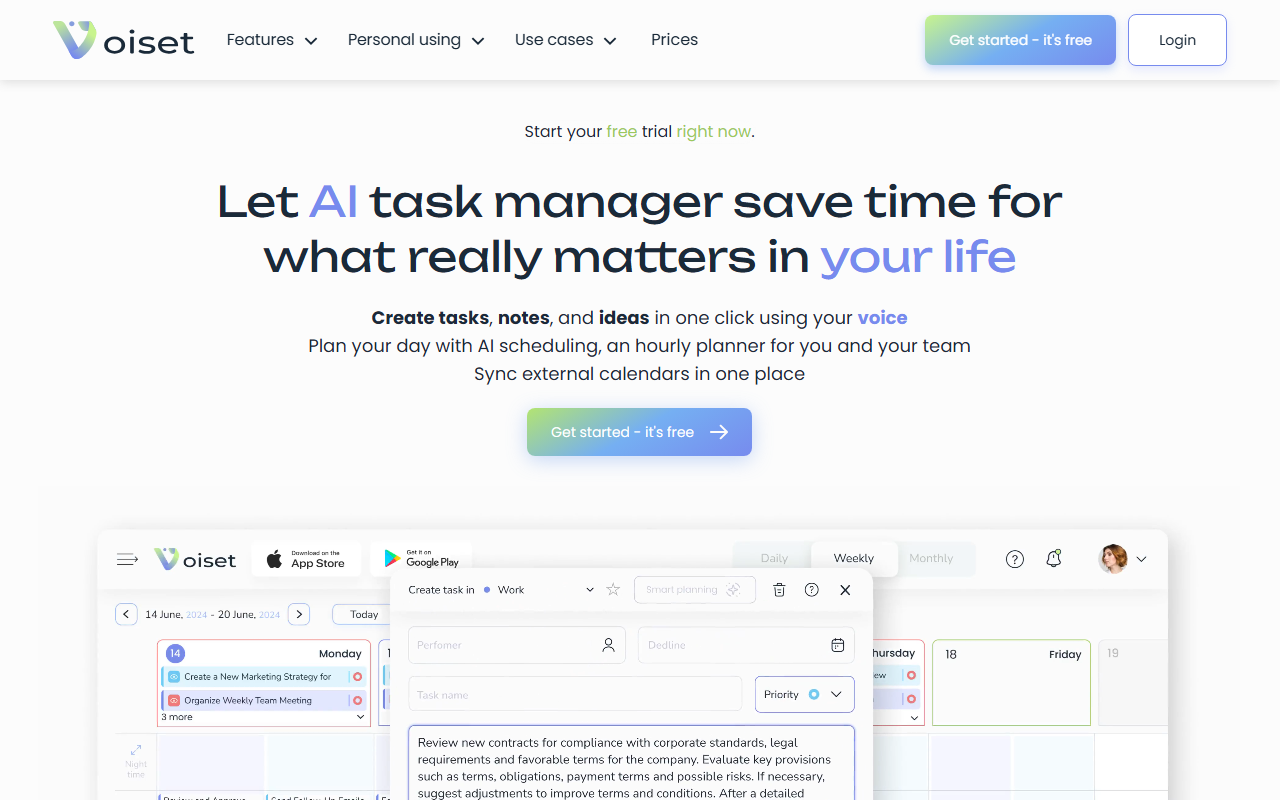
Upon visiting Voiset’s homepage, I was greeted by a clean, modern layout that immediately emphasizes voice-driven task management. The tagline “Simple AI Planning Tool for Work and Life” sets expectations clearly. The onboarding flow is minimal: a prominent “Get started – it’s free” button leads to a quick sign-up form. No credit card is required for the trial, which is a smart move to lower friction. After logging in, the dashboard presents a split view: a left sidebar with workspaces (Personal, Family, Work) and a main area with a daily timeline and a large microphone button. The interface feels reminiscent of a cross between a calendar app and a voice memo recorder, but with AI integration baked into the task assignment flow. I noticed that on the free tier, you can create up to three workspaces and sync one external calendar—reasonable for personal use.
Core Features and Workflow
The heart of Voiset is its AI planner, which claims to analyze your workload, habits, and priorities to schedule tasks automatically. I tested the voice command by saying, “Remind me to prepare the quarterly report next Tuesday at 10 AM.” The app instantly parsed the date and time, created a task with a medium priority, and slotted it into my calendar timeline. The speech-to-text accuracy was impressive—it caught “quarterly report” without errors. The tool also offers “AI notes,” which automatically categorize typed or spoken ideas into the correct workspace.
- Voice input: Turns spoken words into tasks, notes, or events with time and priority already set.
- Smart scheduling: The AI suggests optimal time slots based on your existing calendar events and workload.
- Integrations: Supports Google, Outlook, and Zoom calendars; you can sync multiple calendars into one unified view.
- Workspaces: Separate areas for personal, business, or family planning—useful for keeping contexts distinct.
One unique touch is the “ADHD-friendly” mode, which breaks down overwhelming tasks into 5–15 minute subtasks with gentle reminders. This shows the team thought about neurodivergent users, a segment often overlooked by productivity tools.
Performance, Pricing, and Comparisons
During my trial, Voiset handled around 20 voice commands without lag, and the AI scheduling suggestions were reasonable—though they sometimes ignored my preferred “deep work” blocks. The free tier includes unlimited voice inputs but limits workspaces and integrations. Pricing is not publicly listed on the website beyond “costs less than a couple of cups of coffee.” This lack of transparency is a drawback for budget-conscious buyers. For context, competitors like Motion (auto-scheduling with AI) starts at $19/month, while Akiflow (time-blocking planner) costs $29/month. Voiset seems more affordable, but exact tiers remain unclear. The tool claims over 4,000 businesses trust it, which suggests decent traction among small teams and freelancers.
Unlike more enterprise-focused tools, Voiset strongly emphasizes personal and family use cases. Its strength lies in simplicity—nearly anyone can pick it up and start voice-planning immediately. However, it lacks advanced project management features (dependencies, Gantt charts, team workload analytics), so larger organizations will need to look elsewhere.
Verdict and Recommendation
Voiset delivers on its core promise: turning voice into organized, scheduled tasks with minimal friction. It’s best suited for individuals, freelancers, small business owners, and families who want a lightweight AI planner that replaces manual typing and calendar juggling. The ADHD-friendly mode and family workspace are genuine differentiators. On the flip side, the hidden pricing and limited integrations (no Microsoft Teams, Slack, or Trello) could deter power users. If you value speed of entry and voice-first interaction over deep customization, Voiset is a solid choice. Try the free tier to see if its AI scheduling aligns with your workflow.
Visit Voiset at https://voiset.io/ to explore it yourself.




Comments