

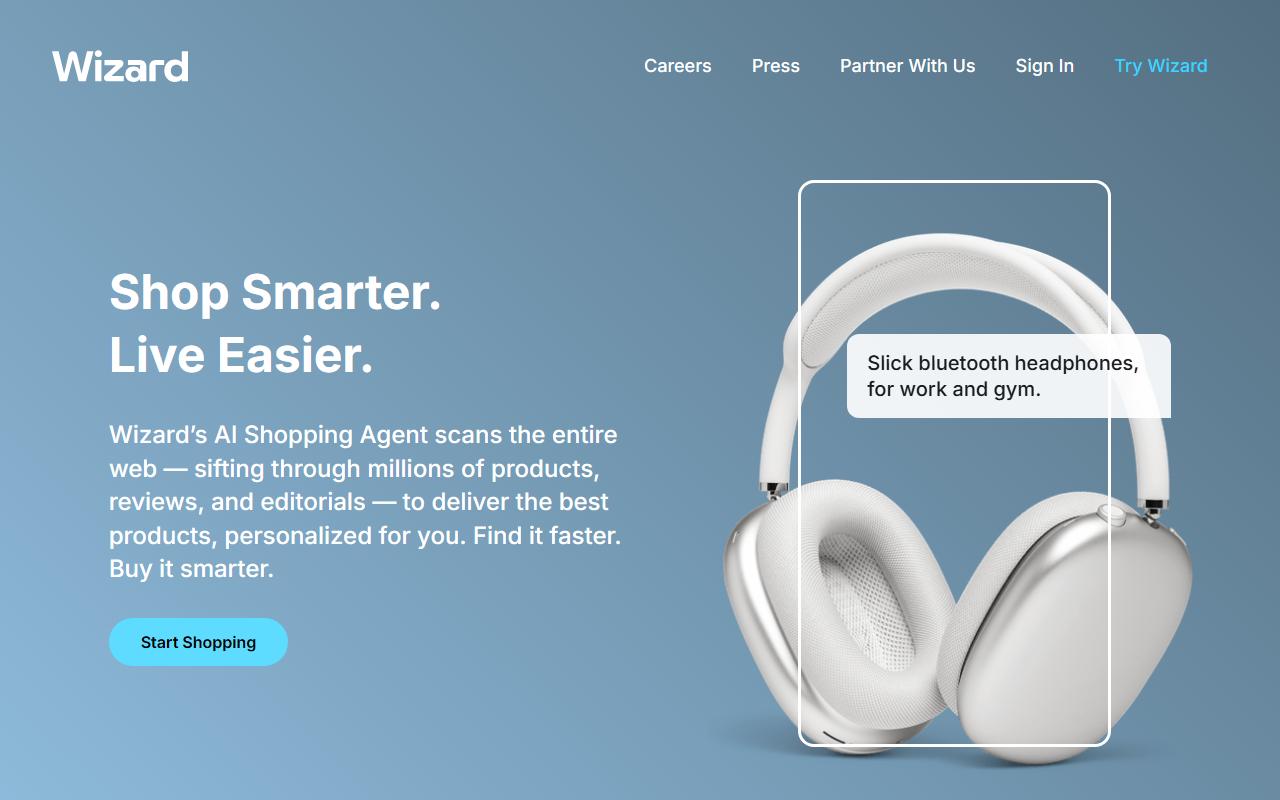
First Impressions and Onboarding
Upon visiting wizard.com, I was greeted with a clean, modern interface dominated by a search bar and a bold tagline: "Shop Smarter. Live Easier." The homepage showcases example queries like "Slick bluetooth headphones, for work and gym" and "Durable oven-safe pot for everything, under $300." Clicking "Start Shopping" prompts sign-in, but I found the free tier allowed a few searches without an account. The dashboard is minimal: a single search box and a tab for "Shop with a Photo." The entire experience feels designed for speed, not feature overload.
Core Features and User Workflow
I tested the text search with "best skin moisturizer, please." Wizard returned a tightly curated list of products—around six items—pulled from e‑commerce sites, editorial reviews, and social mentions. Each result showed price, retailer name, and a brief AI‑generated summary of why it matched. The photo search worked similarly: I uploaded a picture of a coffee mug, and Wizard identified it within seconds, linking to purchase options on Amazon and Best Buy. Notably, the tool aggregates results across borders—I saw products from US, UK, and Japanese retailers—making it genuinely cross‑border. During checkout, Wizard routes you to the original retailer; it does not act as a storefront.
Technology, Pricing, and Market Context
Wizard’s underlying model appears to use a combination of web scraping and multi‑modal LLMs (likely GPT‑4 or similar) to interpret both text and images. The company claims it searches “across websites, customer reviews, trusted editorial, and social content” to curate results. There is no public API or plugin ecosystem yet. Pricing is not listed on the website, though after several free searches I encountered a “Try Pro” prompt—suggesting a freemium model. Competitors like Perplexity Shopping or Google’s Shopping Graph offer similar utility, but Wizard differentiates with its photo‑search capability and explicit cross‑border focus. The tool is featured in major publications, as indicated by the “Featured In” logos on the homepage, lending it some authority.
Strengths, Limitations, and Verdict
Wizard’s greatest strength is its curation quality: results are genuinely helpful and not just keyword‑matched. The photo search feature is surprisingly accurate and saves time over manual image‑based shopping. However, the tool has notable limitations. It currently only supports shopping in a handful of countries (US, UK, Japan, and a few EU nations based on my tests). The free tier severely restricts the number of searches—after about five, I was pushed to sign up for a subscription, but no pricing was disclosed. Additionally, the tool lacks advanced filters (e.g., by brand, rating, or shipping time) that power shoppers might expect. Wizard is best suited for casual shoppers who want quick, AI‑vetted recommendations across multiple markets, especially those shopping for unique or hard‑to‑find items. For heavy price‑comparison users, traditional aggregators like Google Shopping or PriceGrabber still offer more control. I recommend giving Wizard a try for its novelty and curation quality—just be aware of the limited free usage and unclear pricing. Visit Wizard at https://wizard.com/ to explore it yourself.


Comments