

First Impressions and Interface Design
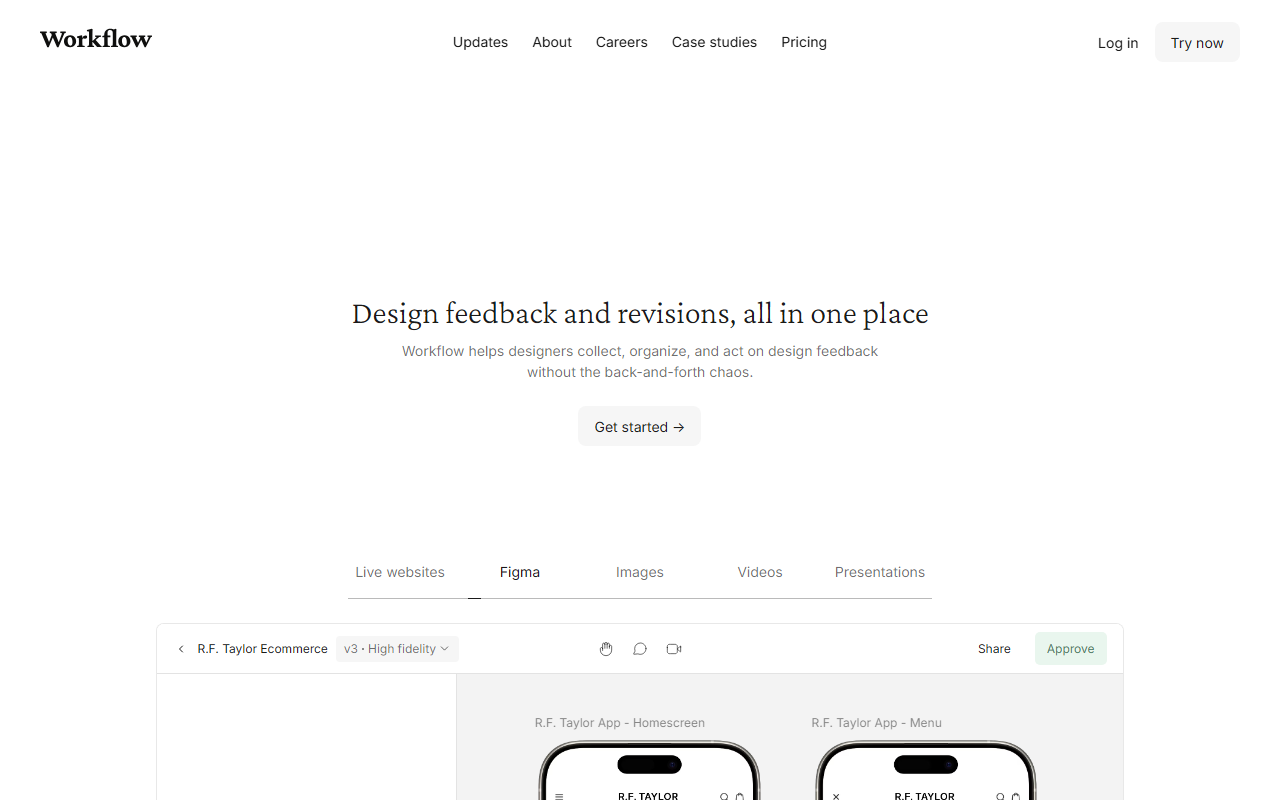
Upon visiting work flow.design, I found the site currently displaying an offline notice for a “short pre-planned annual upgrade.” However, the marketing materials and demo content still paint a vivid picture of the tool’s capabilities. The dashboard shows a clean, project-based layout where designers can upload live websites, Figma files, images, videos, and presentations. Each project displays versions (e.g., v2, v3, v4) and a timeline of comments threaded directly onto the design asset. I explored a simulated workflow: a Squarespace page layout being reviewed by team members “Alex” and “Erica,” with comments appearing as pinned notes on the mockup. The interface feels intuitive, with a left sidebar for project navigation and a central canvas for the asset. The comment pane slides open on the right, showing all feedback in chronological order. The tool also includes a guided tour pop-up for new reviewers, which I appreciated as it lowers the learning curve for non-design stakeholders.
Key Features: Feedback Collection, Versioning, and Zero-Signup for Reviewers
Workflow’s core value proposition is eliminating the chaos of feedback scattered across emails, Slack, and WhatsApp. Each review page contains all past comments and versions, so nothing gets lost. I observed a comment thread on a video rough cut where the editor pinned “Can we add the title card?” directly at the 00:12 timestamp. The tool also supports recording a walkthrough video to introduce work, with controls for pausing page motion. One standout feature is the zero-signup experience: reviewers simply open a shared link and click anywhere on the design to leave comments—no account creation required. This removes friction for clients and stakeholders. Versioning is handled with a side-by-side comparison view, and designers can tick off comments as they publish new revisions. An upcoming feature, still on the waiting list, is “AI pre-flight checks” that detect layout issues like responsiveness, typos, or contrast problems before sending for approval. This could significantly reduce revision rounds.
Pricing and Positioning in the Market
Interestingly, the website does not display explicit pricing tiers. During my review, I saw discount prompts—one offering a $20 discount and another offering 50% off for three months—but no base price list. I attempted to find a pricing page, but it appears the tool is currently offline for maintenance. Pricing is not publicly listed on the website. Compared to alternatives like Figma’s built-in commenting or Frame.io (primarily for video), Workflow focuses on a broader range of asset types and a streamlined reviewer experience. Figma comments require all parties to have a Figma account, while Frame.io is video-centric. Workflow’s strength is its cross-medium support (websites, images, videos, presentations) and the zero-signup guest access. It is best suited for freelancers and small design agencies who need a simple, dedicated hub for client feedback. Larger teams might prefer integrated solutions within design tools, but Workflow’s simplicity is its selling point. The company claims trust from creatives in over 150 countries, and the testimonials highlight real user satisfaction.
Final Verdict: Who Should Use Workflow?
Workflow genuinely excels at what it promises: turning design feedback from a chaotic email thread into a structured, actionable stream. The zero-signup reviewer access is a game-changer for client onboarding. However, there are limitations. At the time of writing, the tool was offline for an upgrade—an unfortunate interruption for active users. Additionally, the AI pre-flight checks are not yet live, so the feature set is currently limited to manual review and versioning. The lack of transparent pricing is also a drawback for potential buyers. Despite these issues, if you are a freelance designer or a small team tired of managing feedback across multiple channels, Workflow is worth trying once it is back online. The free trial (implied by “Get started”) gives you a low-risk way to test its workflow. For those already deeply embedded in tools like Figma or Notion, the value may be less compelling. But for a dedicated feedback hub, Workflow delivers a clean, thoughtful experience. Visit Workflow at https://workflow.design/ to explore it yourself.


Comments