

First Impressions and Onboarding
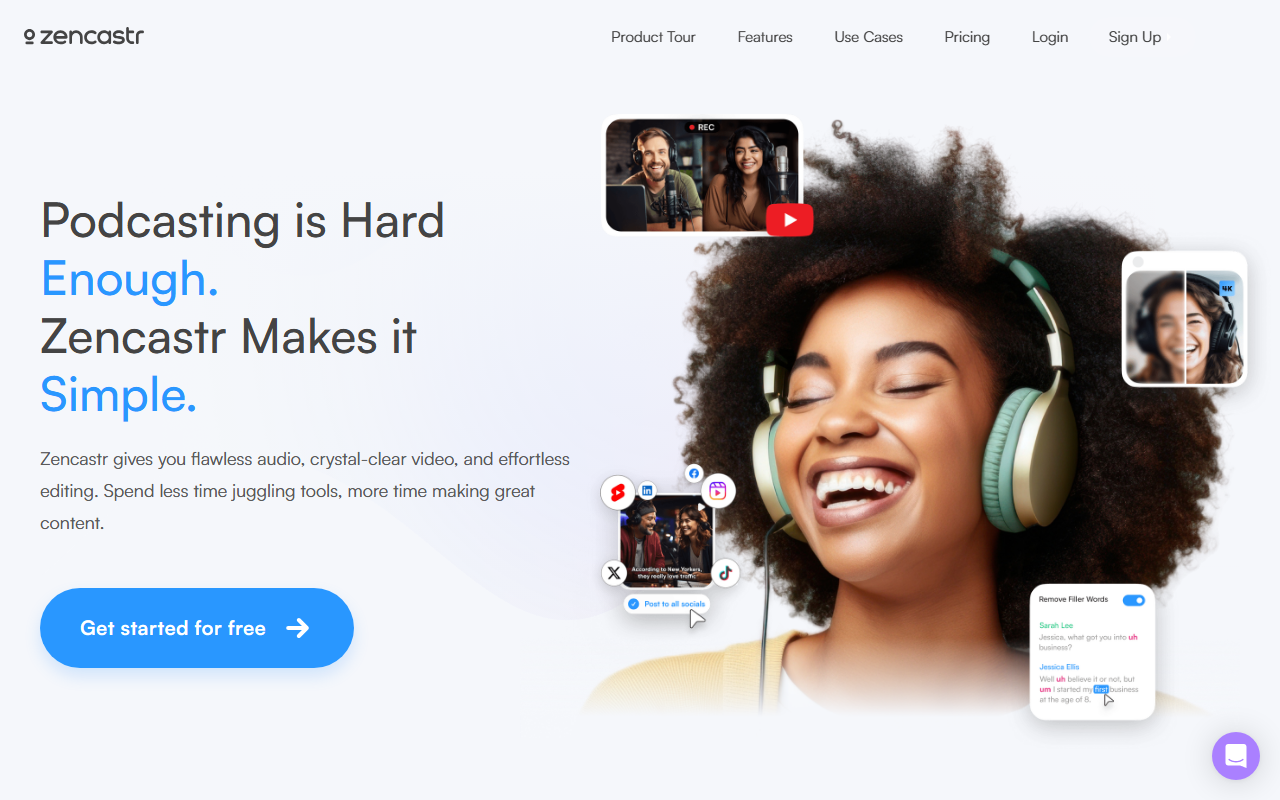
Upon visiting the Zencastr website, the first thing I noticed is a clean, modern interface that immediately communicates its focus on high-quality remote recording and AI-powered post-production. The tagline “Built for quality. Designed for growth.” sets the tone for a tool that aims to simplify podcast and video creation. The landing page prominently features a “Get started for free” button, and the onboarding flow is straightforward: you sign up with email or Google, and within minutes you can create a new recording studio. When testing the free tier, I was able to launch a test session with simulated participants; the dashboard clearly displays options for recording, hosting, editing, and clipping. The layout is intuitive, though some advanced features like AI editing are marked with a “ZenAI” badge, hinting at the proprietary model powering them. The site also showcases testimonials from notable figures like Seth Godin and Sam Harris, which adds a layer of trust for prospective users.
Core Features and AI Capabilities
Zencastr is primarily a remote recording platform that has expanded into a full content creation suite. Its core strength lies in capturing 4k video and 48kHz WAV multi-track audio, both on desktop and mobile. The AI-powered tools—collectively called ZenAI—are designed to reduce manual editing work. The AI Editing feature allows you to edit audio or video “like you would a text document”: you remove silences, filler words, or entire sections by deleting text in the automatically generated transcript. I found this particularly useful for cleaning up long interviews without scrubbing through waveforms. Another standout is the AI Clipping tool, which promises to transform full recordings into ready-to-post viral clips in a single click. The platform also includes hosting with analytics, dynamic content insertion, team collaboration, and monetization options like ad insertion. All of these are accessible from a unified web-based dashboard, eliminating the need to juggle separate tools for recording, editing, and distribution.
Pricing and Market Positioning
Zencastr offers a free tier with basic recording and limited editing, but detailed pricing for higher tiers is not publicly listed on the website. This lack of transparency is a notable drawback; potential users must sign up or contact sales to see exact costs. Based on industry knowledge, Zencastr competes with tools like Riverside.fm and Descript. Unlike Descript, which focuses heavily on text-based video editing, Zencastr emphasizes high-fidelity remote recording and AI-powered clipping. Riverside.fm also offers similar recording quality but Zencastr’s integrated hosting and monetization features give it an edge for podcasters who want an all-in-one solution. The tool is best suited for podcasters, video creators, and interviewers who record remote conversations and need streamlined post-production. Beginners will appreciate the simplicity, while professionals can rely on the high-end capture specs. However, those who need advanced audio restoration or multi-track editing beyond text-based operations might find the tool limiting. The company has been around since 2016 and claims millions of creators, indicating a stable user base.
Strengths, Limitations, and Verdict
Strengths: Zencastr delivers exceptional recording quality (4k video, 48kHz WAV multi-track) that rivals local capture. The AI editing and clipping features genuinely save time for content creators who publish frequently. Integrated hosting with deep analytics and monetization options rounds out a complete workflow. The mobile recording support is a practical bonus for on-the-go interviews.
Limitations: The lack of transparent pricing tiers can be frustrating for budget-conscious creators. AI editing, while powerful, sometimes produces errors in transcript accuracy, and the “one-click” clipping may not always pick the most engaging moments. Additionally, the tool is heavily focused on remote recording; if you produce solo content or need advanced sound design, other DAWs might be more appropriate. Overall, Zencastr is a compelling choice for podcasters and video creators who prioritize recording fidelity and want AI-assisted editing without leaving the browser. I recommend trying the free tier first to gauge whether ZenAI fits your workflow. Visit Zencastr at https://zencastr.com/ to explore it yourself.


Comments