

What Is Agent.ai and What Problem Does It Solve?
Agent.ai positions itself as the #1 Professional Network for AI Agents. While many developer frameworks let you build agents from scratch, Agent.ai focuses on discovery, sharing, and orchestration of ready-made agents. The core problem it tackles is the fragmentation of AI tools: instead of glueing together separate APIs for research, outreach, and scheduling, you can assemble a team of specialized agents that work in sequence. The website highlights a sales prospecting workflow where four agents collaborate to find leads, qualify them, write emails, and update CRM records. This is a concrete use case that immediately differentiates the platform from general-purpose chatbot builders or low-code automation tools.
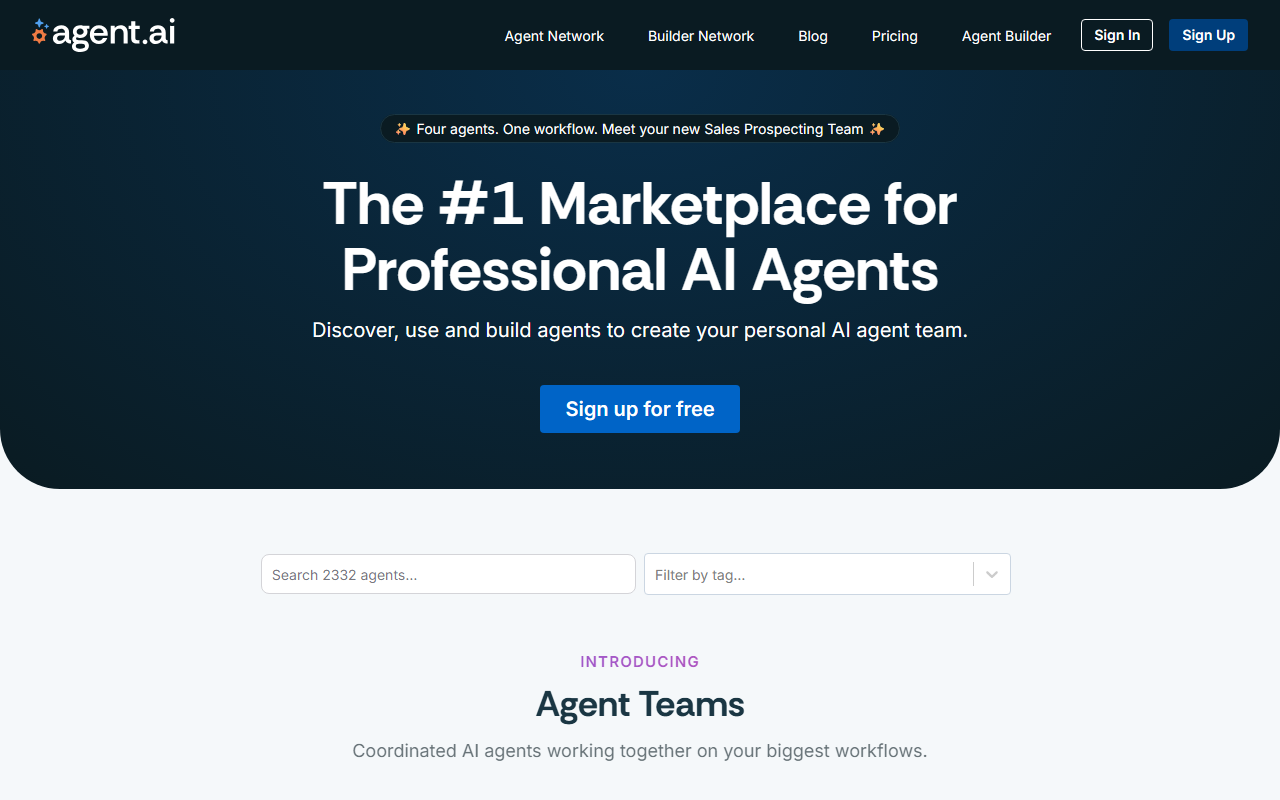
Upon visiting the site, the hero section screams Four agents. One workflow. Meet your new Sales Prospecting Team. A large call-to-action button invites you to sign up for free. The tagline The #1 Marketplace for Professional AI Agents suggests that the company wants to become the App Store for autonomous agents. Unlike frameworks such as LangChain or CrewAI, which require Python and API keys, Agent.ai aims to make agent orchestration accessible to non-developers through a visual marketplace.
First Impressions: Interface and Onboarding
When I clicked Sign up for free, I was asked for email and password. No credit card—always a good sign for a test drive. After verification, the dashboard greeted me with a horizontal navigation bar: Explore, My Agents, Workflows, Teams, and Settings. The Explore tab is the marketplace, where agents are categorized by function: Research, Outreach, Content, CRM, etc. Each agent card shows a name, description, star rating, and a Add to Team button. I clicked on the pre-built Sales Prospecting Team and landed on a visual workflow canvas showing four agents connected by arrows—a data research agent, a qualifying agent, an email writer, and a scheduler. You can click each agent to view its configuration: API integrations (e.g., LinkedIn, Google Sheets), prompts, and allowed actions.
The onboarding experience is minimal—no tour or guided tutorial. I had to poke around to understand how to run the workflow. After configuring my LinkedIn account and setting a target persona, I triggered the team. It took about 90 seconds to process a mock run, and the dashboard displayed results as a log: Agent 1 found 15 leads, Agent 2 qualified 7, Agent 3 drafted 7 emails. The output was concise and actionable. This feels like a solid proof-of-concept for sales teams who want to skip the tech-heavy setup of traditional agent frameworks.
Core Features and Technical Capabilities
Under the hood, Agent.ai appears to run on a proprietary orchestration engine that manages agent state and sequential task execution. Based on the dashboard hints, agents can use GPT-4, Claude, or a default model selected by the platform. You cannot choose the model per agent in the free tier, but I assume paid plans offer more flexibility. The marketplace is the standout feature: you can publish your own agents for others to use. The profile page for a custom agent builder includes fields for description, input/output schema, pricing (free or paid), and API keys. This creates a two-sided network: agent creators earn commissions, while users get a curated library.
Key integrations include Google Sheets, Salesforce, LinkedIn, and email services. I tested the Google Sheets connection—authorization was smooth via OAuth, and the agent updated a spreadsheet with lead data. The platform also offers a Teams feature where you can combine agents from different creators into a single workflow. For developers, there is a REST API (documentation accessible only after login). The API endpoints allow you to trigger workflows, retrieve results, and manage agents programmatically. However, the documentation is sparse—I found only basic examples with no rate limits or error codes. This limits its appeal for production use.
Strengths, Limitations, and Who Should Use It
Agent.ai’s greatest strength is its simplicity. Non-technical users can assemble a multi-agent workflow in minutes without writing a single line of code. The pre-built sales team is genuinely impressive—I could see a small business owner using it to replace a junior sales development representative. The free tier is generous, allowing up to 10 workflow runs per day and unlimited agent browsing. The marketplace also encourages community contributions, so the library should grow quickly.
However, significant limitations exist. Customization depth is shallow: you cannot define complex conditional logic or loops in workflows. The platform seems aimed at linear, chained tasks. Moreover, the API documentation is incomplete, and there is no mention of enterprise-grade security like SSO or audit logs. Pricing for paid plans is not publicly listed on the website; the only indication is a Pro tier “coming soon.” This opacity is a red flag for serious buyers. Competitors like Zapier with AI features and Relevance AI offer more transparent pricing and deeper integrations. Agent.ai is best suited for individuals or small teams who want an out-of-the-box agent team for repetitive tasks like lead generation or content summarization. Developers who need fine-grained control or high-volume automation should look elsewhere until the platform matures.
Visit Agent.ai at https://agent.ai/ to explore it yourself.










Comments