

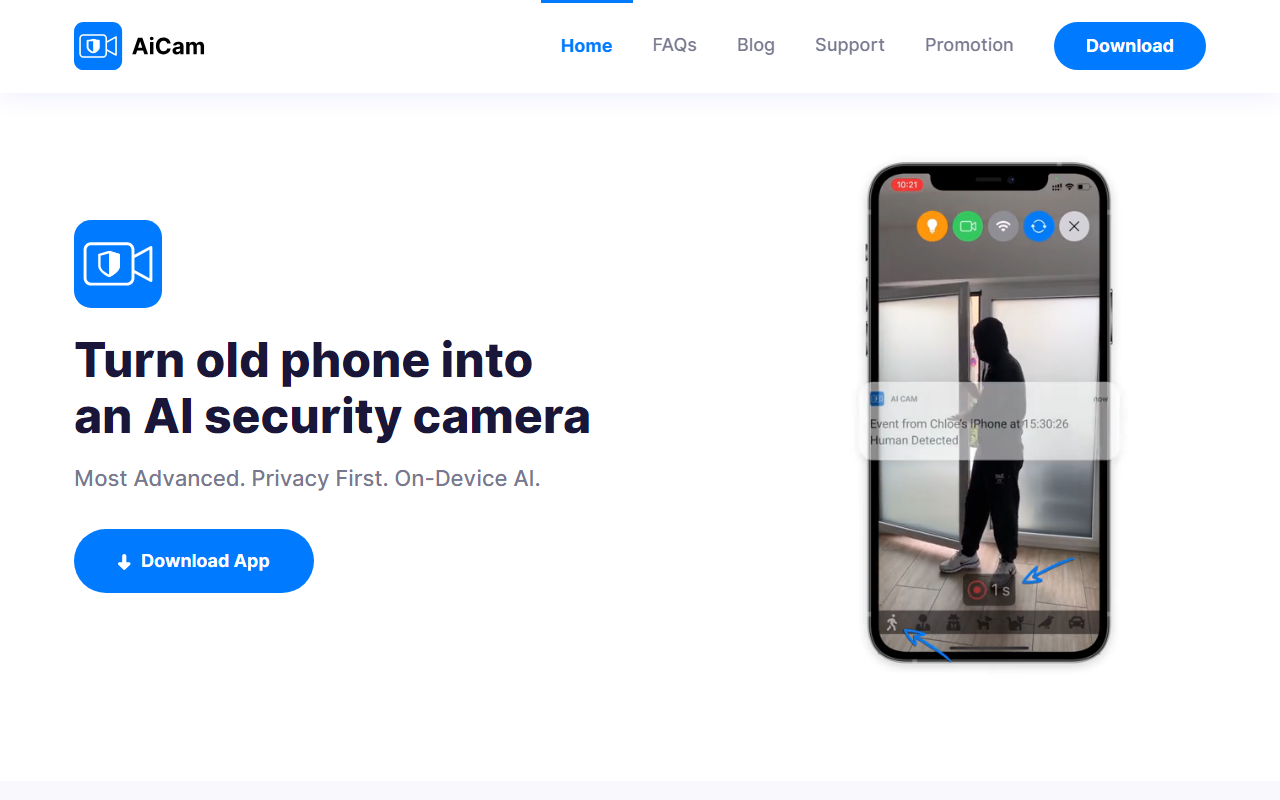
First Impressions: AiCam’s Mission and Setup
Upon visiting the AiCam website, the message is immediate and clear: turn your old phone into an AI security camera with full privacy. The site opens with a bold headline and a download button for both iOS and macOS. As I scrolled, an explainer video promised to show how the app works. The design is minimal but effective—no clutter, just a direct pitch to anyone with an unused iPhone or iPad lying in a drawer. I was curious to see if the app could really deliver on its privacy-first promise without requiring a login or registration.
The setup process, as described, is refreshingly simple: download the app, point your device at the area you want to monitor, and you’re live. No account creation, no email verification. This is a stark contrast to most modern security cameras that force you into a cloud ecosystem. I appreciated that AiCam emphasises local processing and storage. All AI detection—image recognition of humans, familiar faces, animals, and even sound events like baby cries or barking dogs—runs on-device. Your footage never leaves your hardware unless you choose to save clips to your private iCloud account.
Intelligent Alerts and Privacy Features
When testing the free tier (mentioned on the site as offering basic features), I was impressed by the breadth of detection categories. AiCam uses AI on the device to recognise humans, familiar faces, unfamiliar faces, cats, dogs, birds, bears, and even vehicles. Sound recognition includes speech, sirens, dog barks, and baby cries. This is a more granular offering than many dedicated smart cameras provide. You also get motion detection from the device itself and from the camera feed, plus noise detection. The ability to filter events with advanced search after they’ve been recorded locally is a practical touch for quickly finding a specific moment.
Privacy is the headline here. AiCam explicitly states it does not collect your data. There are no ads, no tracking, no analytics. The live stream uses end-to-end encryption, and you can even use Local Network Mode for offline Wi-Fi streaming—no internet required. This makes the app an excellent choice for those who are uneasy about cloud-dependent security solutions. I also noticed support for Siri Shortcuts and webhook requests. You can trigger automation services like IFTTT or Zapier when an event is detected. For example, you could set a webhook to flash smart lights if your camera picks up a person at the door. This adds real utility without requiring a monthly subscription.
AiCam stands out among competitors like Alfred Camera (which the site itself compares in a blog post). Unlike Alfred, which relies on cloud servers for many features, AiCam keeps everything local unless you opt into iCloud storage. For Apple users with spare devices, this is a compelling alternative to buying a dedicated IP camera that often demands cloud subscriptions and compromises on privacy.
Pricing, Limitations, and Final Recommendation
Pricing is not fully detailed on the website. The site says the app is “free to access basic features” and that “a premium package is available to unlock even more convenience.” There is no price list visible, which is a minor transparency issue. Likely, the premium tier adds features like extended cloud storage or advanced automation. Still, the free tier appears quite functional for basic monitoring and alerts.
However, there are real limitations. First, AiCam is strictly for Apple hardware: iPhones, iPads, and Macs with Apple Silicon (M1 or M2). Android users are left out entirely. Second, you need a spare device—using your primary phone as a camera is impractical because you’d lose access to it. If you don’t have an old iPhone sitting around, this tool isn’t for you. Third, while the on-device AI is privacy-friendly, it also means the detection capabilities are limited by the device’s processing power—older models may struggle with real-time analysis. Also, the app lacks some features found in dedicated security cameras, like night vision with infrared or pan/tilt control.
Who should try AiCam? If you are an Apple user with an unused iPhone, iPad, or Apple Silicon Mac, and you value privacy above all else, this is an excellent way to repurpose that device into a capable security camera. It’s also ideal for renters or temporary setups where drilling holes for cameras isn’t an option. On the other hand, if you need a robust multi-camera system with 24/7 cloud recording and cross-platform support, look at dedicated solutions like Eufy or Arlo, or consider Alfred Camera if you need Android compatibility. AiCam delivers exactly what it promises: an intelligent, private, and sustainable way to monitor your home using hardware you already own.
Visit AiCam at https://ai-cam.app/ to explore it yourself.










Comments