

Getting Started with Airbrush: First Impressions and Onboarding
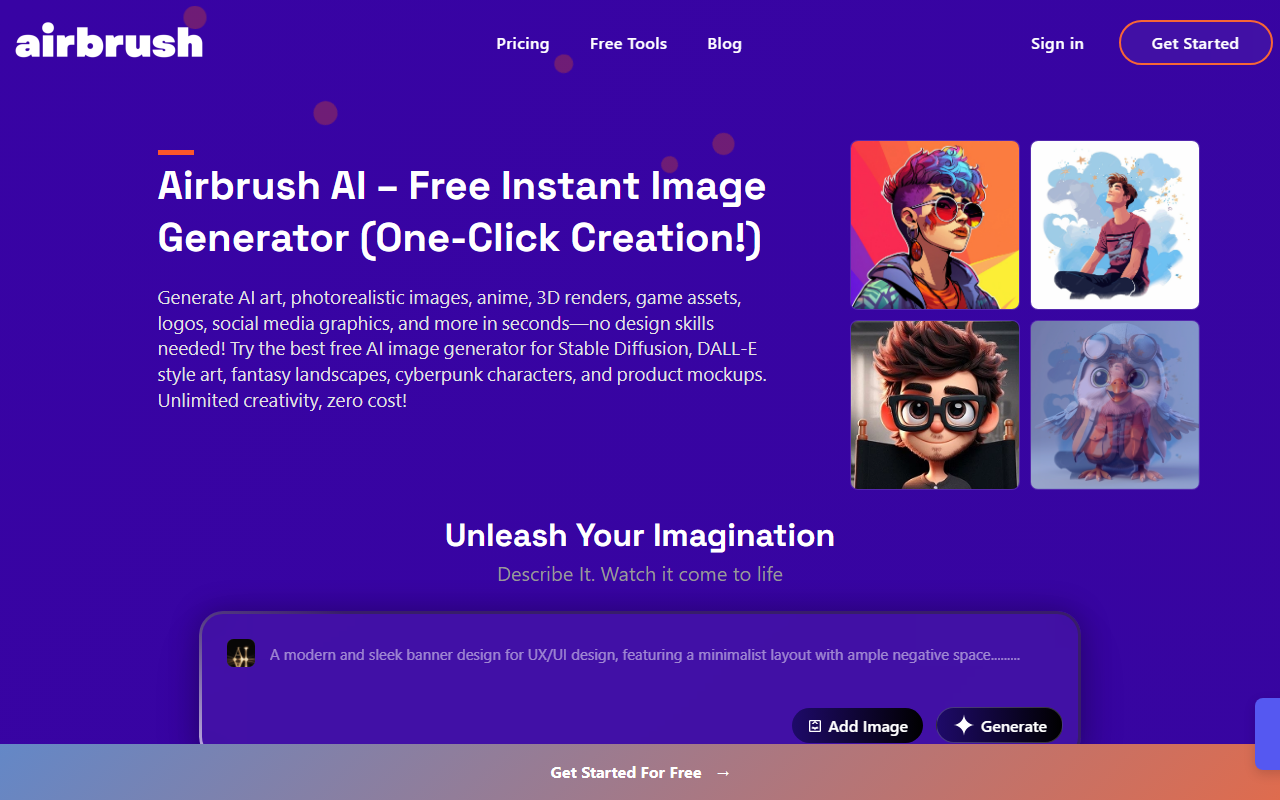
Upon visiting Airbrush.ai, I was greeted by a clean, modern dashboard that immediately invites experimentation. The homepage prominently features a text-to-image generation box with a dropdown for aspect ratio and a button to add a reference image. The free tier requires no credit card—just a quick sign-up with email or Google, and I was generating within seconds. I typed "cyberpunk cat with neon goggles" and selected the 1:1 ratio. The generation took about 10 seconds, and the result was a vibrant, detailed image with good lighting and anatomical consistency. The interface also shows a "Subscribe" button for Pro, but the free tier feels fully functional for initial tests.
One early observation: some sections of the site still display placeholder Latin text, indicating that certain pages (like the inspiration gallery) may be under construction. This doesn't affect core functionality, but it suggests the platform is still maturing.
Key Features and Technology Under the Hood
Airbrush distinguishes itself by supporting a wide array of AI engines, including Stable Diffusion, Stable Diffusion XL, DALL-E 2, Anything, Wifu, Redshift, Analog, Protogen, Realistic Vision, Disney Pixar, Pixel Art, Anime Diffusion, Inkpunk, and many more. This is a major advantage over single-model tools like Midjourney or DALL-E 3, as users can switch styles without leaving the platform. The tool also offers face swapping, character design, and realistic human generation directly from the main dashboard. I tested a face swap by uploading a portrait and letting the AI blend it into a fantasy character—the result was surprisingly seamless, with natural skin tones and expression retention.
Output resolutions range from 256x256px to 1024x1024px, with upscaling up to 4x (4096x4096px). The image-to-text converter and image history are handy for marketers and content creators who need to track iterations. Notably, all generated images come with full commercial rights—a clear plus for businesses and designers who want to avoid licensing headaches. The tool also includes a static design generator for social media graphics, though I found its output less customizable than Canva’s AI features.
Pricing and Value for Creators
Airbrush offers two plans: a Free Plan with 20 image credits and a Premium Plan (Pro) at $9 USD per month for 500 credits. Both include image upscaling, blog article cover generation, image-to-text conversion, image history, and public gallery access. The Free Plan is generous for casual users—20 credits let you explore engines and styles. However, heavy users will quickly hit the limit. The Pro plan at $9 is competitive with other AI art services; for comparison, Midjourney starts at $10/month (but lacks free tier and multi-engine support). Airbrush also mentions a mobile app on Android (iOS pending), which adds convenience for on-the-go generation.
That said, the free tier limits output resolution? Not explicitly stated, but the FAQ lists resolutions up to 1024px only for Pro? Actually the FAQ says all users can generate at 256, 512, or 1024px. So no resolution cap on free—impressive. Still, the lack of a monthly subscription tier between free and $9 (e.g., a $5 option) might deter users who only need 50–100 credits.
Final Verdict: Who Should Use Airbrush?
Airbrush is best suited for hobbyists, social media managers, and small business owners who want a cheap, versatile AI image generator with commercial rights. The multi-engine support is a standout feature, giving you flexibility without switching tools. The free tier is genuinely usable for light work. However, power users who need high volumes of images (e.g., 1,000+ per month) may find the Pro plan insufficient and should consider Leonardo AI or a self-hosted Stable Diffusion setup.
Limitations: The interface occasionally shows placeholder text (e.g., lorem ipsum in the inspiration section), which feels unpolished. Also, there’s no advanced control over specific engine parameters (e.g., CFG scale, seed), so fine-tuning is limited. For professional photographers or control-focused artists, this may be a dealbreaker.
Overall, Airbrush delivers on its promise of free, multi-model image generation. It’s a solid entry point for anyone exploring AI art, and the commercial rights remove legal friction. Visit Airbrush at https://airbrush.ai/ to explore it yourself.













Comments