

What Is Amie and How Does It Work?
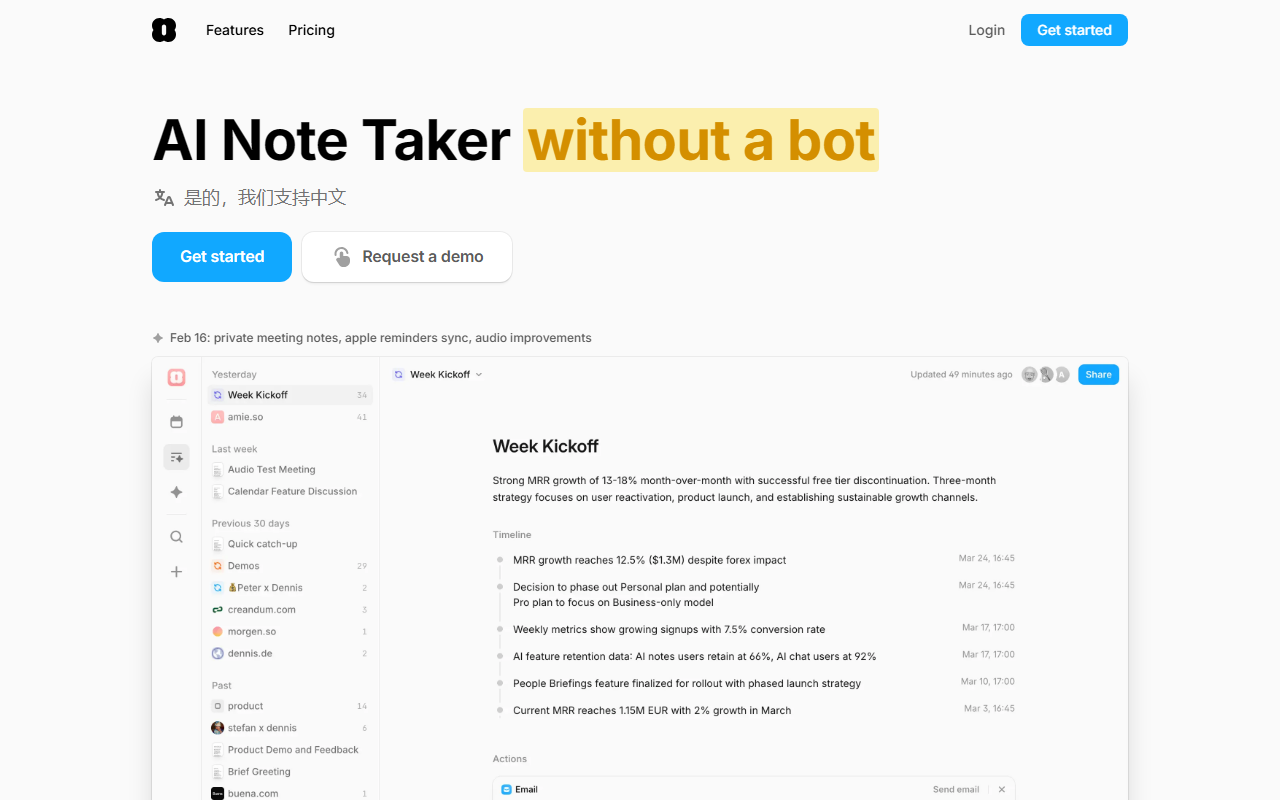
Upon visiting the Amie website, I immediately noticed the tagline: “AI Note Taker without a bot.” That’s the core differentiator. Amie is a Mac-first desktop app (the UI lives in the notch or as a floating overlay) that records meetings from any provider — Zoom, Google Meet, Slack Huddles, Microsoft Teams — without inviting a clunky bot into the call. Instead, the recording starts from your own machine, giving you full control. The tool transcribes conversations, generates summaries in 17 languages (with speaker labeling; 82 more without labeling), and extracts action items. It also offers an AI chat assistant that understands your company context because it integrates with Google Calendar, Gmail, and tasks. The pitch: most meeting notes apps just spit out generic summaries; Amie aims to make you better at your job by understanding your business.
My Hands-On Experience With Amie’s Interface and Features
The dashboard, described through screenshots and testimonials, starts with a simple “Get started” call to action. After connecting your calendar, you can record meetings in seconds. I was most intrigued by the notch-based control: you can pause recording for off-the-record moments, and recordings automatically stop when no microphone is used. No more forgetting to stop the bot. A testimonial from a software engineer praised the “super neat” overlay UI and the one-click task creation from automatic todo suggestions. I also saw a feature called “Chat Actions” — you can ask Amie to draft emails, create calendar events, or even move all your events to Thursday with a single command. The private notes tab lets you pre-write notes that guide the summary, which is a clever way to ensure the AI focuses on what matters to you. For multilingual users, the transcription works well, and the speaker diarization remembers names across meetings.
Pricing, Integrations, and Platform Review
Pricing is not publicly listed on the website. The site offers a free trial and mentions a “Business” plan in a user testimonial (“instantly upgraded to Business”), but exact tiers and prices are absent. You’ll need to request a demo or sign up to see costs. Integrations are robust: Google Calendar, Gmail (to mimic your writing style for drafts), Apple Calendar, Apple Reminders, Slack, Notion, HubSpot, Pipedrive, and Linear. You can export meeting notes directly to these tools with one click, a major time-saver for CRM-heavy workflows. The app works only on macOS currently (the notch UI is a Mac feature; a floating UI is available for older Macs). No Windows or Linux support is mentioned. Competitors like Fireflies, Otter, and Fathom offer cross-platform and lower-cost options, but they rely on bots. Amie’s “no bot” approach is a clear differentiator, but it locks you into Apple hardware.
Who Should Use Amie? Strengths and Limitations
Strengths: The context-aware summaries genuinely improve follow-ups. The AI chat that knows your calendar and email feels like a supercharged ChatGPT. The ability to take private notes that influence the summary is a unique productivity win. Automations — like drafting follow-up emails or creating Linear tickets from transcripts — save hours per week. The multilingual support is excellent for global teams. Limitations: Mac-only restricts many teams. The lack of public pricing makes it hard to evaluate cost-effectiveness against competitors that are cheaper (Otter’s free tier, for example). Also, if you’re happy with a basic summary tool, Amie’s extra features may be overkill. The AI is still prone to occasional misses if your company context isn’t well-connected. Recommendation: Amie is ideal for Mac-using sales teams, startup founders, and busy managers who want meetings to drive real actions without extra manual work. If you want a cross-platform, bot-based cheap option, look at Fireflies or Otter. But if you value deep context, AI that knows your business, and a polished notch experience, Amie is worth the try. Visit Amie at https://amie.so/ to explore it yourself.













Comments