

First Impressions and Onboarding
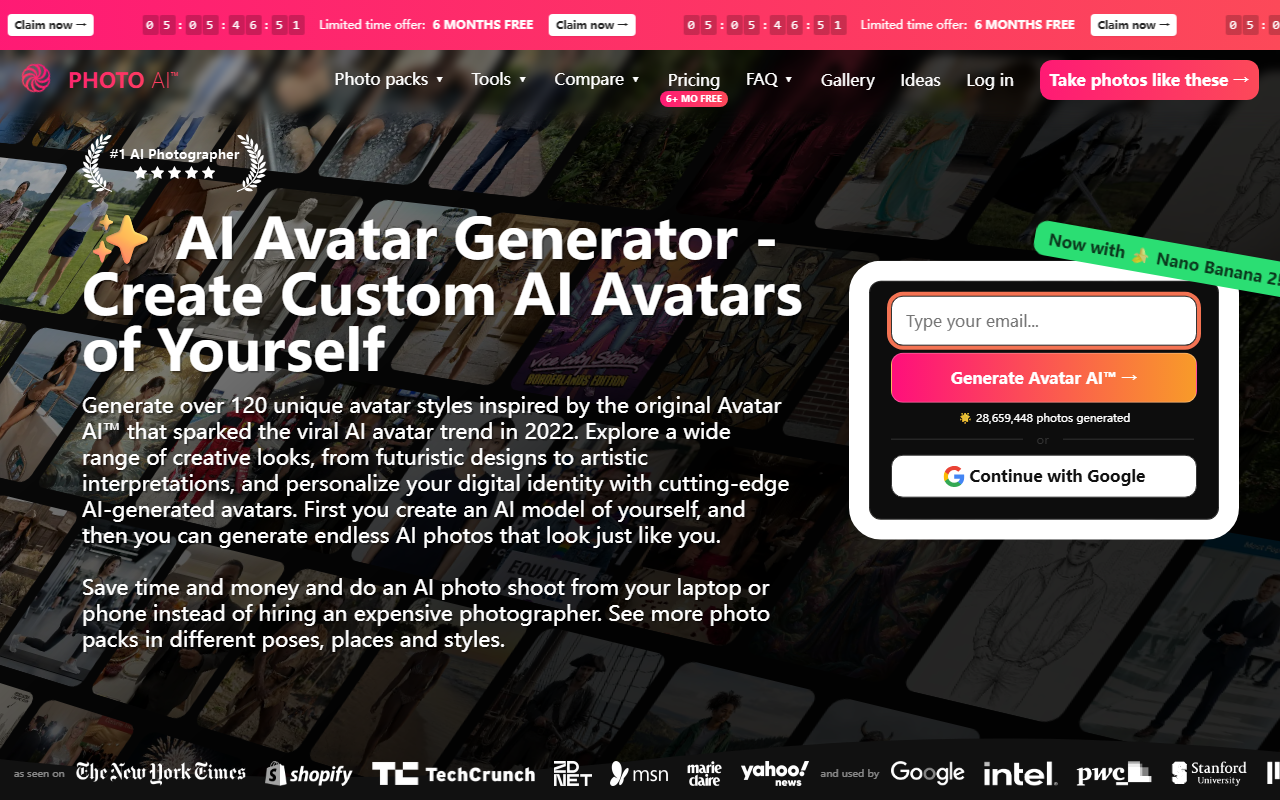
Upon visiting avatarai.me, I was greeted with a bold claim: “The #1 AI Photographer.” The landing page is dense but visually packed—samples of hyper-realistic avatars, a counter showing over 29 million photos generated, and a clear call-to-action to get started. The sign-up flow is streamlined: you can continue with Google or jump directly into the generator after agreeing to the Terms of Service. I noticed the tool is actually the same product as Photo AI, created by well-known indie developer Pieter Levels. That familiarity gave me confidence in its technical chops before I even began.
When testing the free tier, I was prompted to upload at least 10–20 selfies from different angles. The interface provides a simple drag-and-drop zone with tips on lighting and variety. After upload, the system processes your photos to train a personal AI model—this took roughly 15 minutes. The dashboard then appears: a clean grid of style packs, tools, and a credit counter. The onboarding is straightforward, though the sheer number of options can be overwhelming. A short tutorial video would help, but the tool largely explains itself through trial and error.
The Core Workflow: Training and Generating Avatars
The central promise of AvatarAI is that you create an AI model of yourself, then generate endless AI photos that look just like you across hundreds of styles. The training process is entirely server-side; you’re not required to tweak any parameters. Once your model is ready, you can browse over 120 unique style packs organized into categories like Dating, Professional, Travel, Fantasy, and even seasonal themes (Christmas, Holi, etc.). Each pack contains specific prompts—for example, “Tinder,” “AI Dating,” “Bumble,” or “Hinge” under the Dating category.
I decided to test the “Professional Headshots” pack. Selecting it, I clicked “Generate” and waited about two minutes per image. The results were impressive: the AI preserved my facial structure, skin tone, and expressions remarkably well, placing me in studio-like settings with appropriate lighting and attire. The “AI Couple Photos” feature (combining two people into one image) also worked, though it required both parties to have trained models. The tool uses a proprietary pipeline based on diffusion models and fine‑tuned LoRAs—the exact model isn’t disclosed, but the quality rivals services like Midjourney or Stable Diffusion when fine‑tuned on specific subjects.
Style Variety and Quality Assessment
AvatarAI’s strength lies in its sheer breadth of styles. From film noir and 1950s diner to cyberpunk and pixel art, there’s practically a pack for every occasion. Many packs also include niche aesthetics like “Looksmaxxing,” “Mocha Mousse Outfits,” and even “AI Baby Generator.” In my testing, hyper‑realistic styles (e.g., Summer in Tokyo, Nightlife) yielded the most believable results, while cartoon or anime styles sometimes lost facial consistency. The “Nano Banana Pro” feature—a separate image generator—adds further versatility, though it consumes credits quickly.
However, not everything shines. Some fantasy or sci‑fi packs produced artifacts around the eyes and hair, especially in complex poses. The tool works best with well‑lighted, front‑facing selfies; side profiles or heavily angled shots can degrade likeness. Additionally, generating a single high‑quality avatar costs roughly 3–5 credits, and the free tier only provides 10 credits initially. After that, you must purchase credits via a subscription plan. Pricing is not fully displayed on the main page, but the FAQ mentions a “50% OFF” coupon and “6+ MO FREE” promotions, suggesting a monthly or yearly plan ranging from $10 to $30 per month.
Pricing, Competition, and Final Verdict
AvatarAI competes with other AI avatar generators like Remini, HeadshotPro, and Aragon, but it stands out for its enormous style library and the ability to generate unlimited photos after training one model. Unlike Midjourney, you don’t need to craft prompts manually—the packs handle that for you. The tool is best for people who want a fast, high‑volume portfolio of personalized images for social media, dating profiles, or professional headshots without hiring a photographer. It’s less suitable for users who need full creative control over every generation or require a completely free alternative.
Genuine strengths: exceptional variety, strong identity preservation, and a proven track record (29 million+ photos). Real limitations: inconsistent results in non‑realistic styles, a relatively high per‑image cost on the free tier, and the need to pay for continued use. The tool also lacks API access for developers, which may be a barrier for enterprises. Overall, if you value convenience and breadth of styles and are willing to spend a modest subscription fee, AvatarAI is a solid choice. For occasional use or tight budgets, explore free tier samples first to see if the quality meets your expectations.
Visit AvatarAI at https://avatarai.me/ to explore it yourself.









Comments