

First Impressions: A Clean Interface for Focused Note-Taking
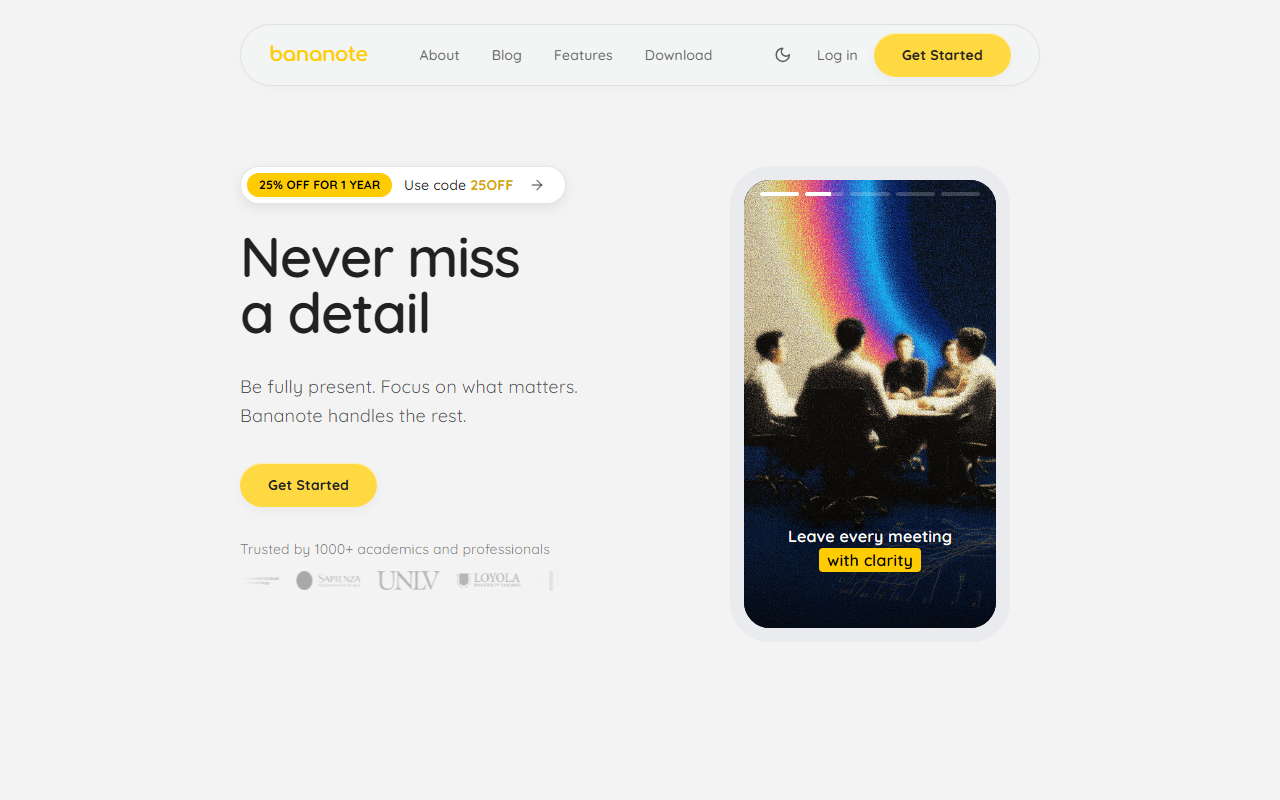
Upon visiting Bananote’s website, I was immediately struck by the clean, minimal design that reflects its core promise: helping you stay present while it handles the note-taking. The landing page emphasizes being “fully present” and turning content into “organized, actionable knowledge.” The onboarding flow is straightforward — a “Get Started” button leads to a sign-up page, and within minutes I was testing the free tier. The dashboard shows a simple layout with options to record audio, upload files, paste text, or import YouTube videos. I uploaded a short lecture recording in English, and the transcription appeared almost instantly, with decent accuracy and timestamps. The interface felt intuitive, though I noticed the free tier limits the number of transcriptions and summaries you can generate per month.
Key Features Tested: Transcription, Templates, and AI Study Tools
Bananote’s core feature is its voice-to-text transcription, which supports over 100 languages. I tested Spanish and Mandarin samples, and the transcription handled both well, though accent variations sometimes caused minor errors. The “Instant Notes” feature automatically generates structured transcripts and summaries — I found the summaries concise and useful for quick review. The app offers smart templates for lectures, meetings, brainstorming, and more; I used the meeting minutes template, which neatly organized action items and decisions. More impressive was the “Chat with AI” function: it let me ask questions about my uploaded notes, such as “What were the key takeaways?” and received accurate, context-aware answers. Bananote also automatically creates flashcards and quizzes from your notes, which I tested with a sample study guide. The flashcards were basic but functional, and the quiz feature provided multiple-choice questions that helped reinforce the material. For organization, folders and favorites kept everything tidy. I particularly liked the Feynman technique template, which prompts you to explain concepts simply.
Pricing and Positioning: Who Should Use Bananote?
Bananote is free to start, but the free tier has usage caps on transcriptions and summaries. Paid plans are not explicitly listed with dollar amounts on the website — instead, a banner offers 25% off for the first year using code 25OFF, hinting at a subscription model likely under $10–15/month. This makes it competitive with tools like Otter.ai (which focuses on meetings) and Fireflies.ai (enterprise-oriented). Unlike those, Bananote positions itself as a comprehensive study and productivity tool for students, business professionals, content creators, language learners, researchers, and entrepreneurs. Its strength lies in the all-in-one package: transcription, summarization, flashcard generation, and AI chat. However, it lacks integrations with calendars or video conferencing platforms, which Otter offers. Bananote is best for individuals who want a single app for capturing and reviewing content from multiple sources — lectures, meetings, interviews, or even language practice. If you need deep enterprise features or real-time collaborative note-taking, look elsewhere.
Strengths and Limitations: A Balanced Look
Bananote’s genuine strengths include its 100+ language support, fast transcription accuracy, and the integrated study tools (flashcards, quizzes, AI chat) that turn passive notes into active learning. The ability to import YouTube videos and PDFs broadens its use cases. I also appreciated the privacy promise: notes remain private unless shared. On the limitation side, the free tier is quite restrictive — after a few tests, I hit the monthly limit and had to wait. There is no desktop app (only iOS and web), and macOS support is “coming soon,” which may frustrate Windows users. The transcription accuracy can falter with heavy accents or background noise, and the AI summaries sometimes oversimplify complex discussions. Additionally, the lack of transparent pricing page makes it hard to evaluate cost before committing. Overall, Bananote is a promising tool for anyone who regularly needs to capture and review spoken content, especially students and language learners. If you can live with the free tier’s constraints or are willing to subscribe, it’s worth trying.
Visit Bananote at https://bananote.ai/ to explore it yourself.













Comments