

First Impressions: From Idea to Running App in Minutes
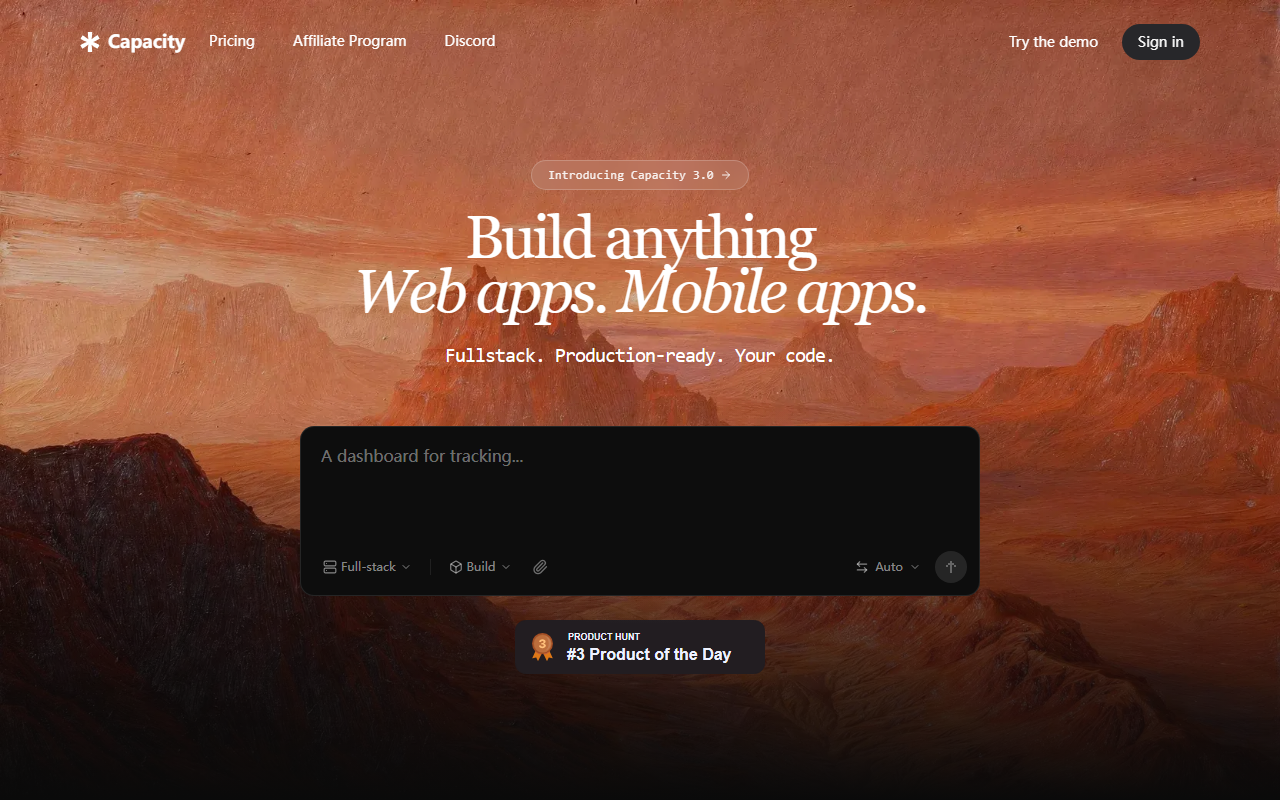
Upon visiting the Capacity website, you are immediately greeted with a bold promise: “Turn that idea you had in mind into a website.” The landing page is clean and modern, with a prominent input field inviting you to “Describe your idea”. A dropdown suggests integrations (e.g., '/ for integrations...'). I typed a short description for a simple project management tool. Within seconds, Capacity generated a full-stack app skeleton — a React frontend with an Express backend and SQLite database. The dashboard was intuitive: there is a “Build” tab showing code in real-time, a “Spec” mode for planning, and an AI Co-founder chat panel on the side. The onboarding was smooth; the tool walked me through refining my idea step by step. The free tier allowed me to test the core functionality without any credit card, which is a rare and appreciated move.
The response time was impressive. The AI did not just produce boilerplate code; it generated a working app with user authentication, a data model, and a simple UI. I could see the generated files in a side panel — dashboard.tsx, api.ts, and more — and edit them directly. The experience felt like having a senior developer sitting beside me, instantaneously transforming vague thoughts into a deployable product.
What Makes Capacity Different: Technical Depth and Real Backends
Capacity is not just another AI code generator that produces static snippets. It creates production-ready, full-stack applications with a real backend (Express server) and a dedicated SQLite database — no reliance on third-party services like Supabase or Firebase. You own the code and the infrastructure. This is a significant differentiator. I tested the deployment: after minor adjustments, I clicked “Publish” and got a live URL (myapp.capacity.studio) within seconds. The platform also supports adding a mobile app (React Native) to the same backend — a rare feature that extends reach without duplicating work.
Under the hood, Capacity leverages multiple AI models — Claude, GPT-4, Gemini, and more — and lets you switch between them. This flexibility allows users to choose the model that best fits their project’s complexity. I found the “Spec Mode” particularly valuable: it helps you plan before coding. I asked the AI Co-founder to generate a project brief for a content platform, and it produced a detailed document with goals, user personas, and recommended next steps — all saved and editable. This human-AI partnership is marketed as an “AI Co-Founder”, and it genuinely feels like collaborative problem-solving rather than a one-shot generation.
Capacity also emphasizes vendor lock-in avoidance. Your code is your own; you can export it and run it anywhere. The platform itself is built on modern infrastructure, and the company highlights that “thousands of makers” (over 13k users) are already shipping faster. The pricing details are not explicitly listed on the public site, which is a bit of a letdown — you need to sign in or contact sales to see tiers. However, the free tier seems generous for small projects.
Strengths and Real Limitations
The tool’s greatest strength is its ability to turn a vague idea into a deployable, full-stack application with minimal technical effort. The AI Co-founder is genuinely helpful for refining requirements and planning architecture. The “one-click deploy” and mobile app expansion are standout features. For non-technical founders or solo entrepreneurs, this is a game-changer: you can validate an idea, build an MVP, and even go to market without hiring a developer. The real backend (not just a frontend mock) means you can actually handle data and scale.
However, I observed some limitations. For complex, highly customized applications, the generated code may need substantial manual tweaking. The AI sometimes produces overly generic UI components that require styling adjustments. The lack of transparent pricing is a drawback — many potential users will want to know costs before committing. Additionally, the platform seems heavily oriented towards web and mobile apps; if your idea involves heavy data processing or specific hardware integrations, this is not the right tool. The reliance on AI models also means that output quality varies; I noticed that switching from GPT-4 to Gemini changed the code structure and comments, which could be confusing for beginners.
Compared to competitors like Replit Agent or GitHub Copilot Workspace, Capacity focuses more on the entire lifecycle from idea to deployed app rather than just code generation. Replit’s agent also builds full-stack apps but lacks the dedicated “co-founder” planning mode. Github Copilot excels at inline coding but does not handle deployment. Capacity fills a niche for people who need both ideation and execution under one roof.
Final Verdict: Who Should Use Capacity?
Capacity is ideally suited for non-technical founders, product managers, and “no-code” enthusiasts who want to quickly turn a concept into a working product without learning to code. It also serves technical developers who want to rapidly prototype full-stack ideas and then take over the codebase for further customization. If you are building a standard CRUD app, a small business website, or a mobile companion for an existing web service, Capacity will save you days of setup and planning.
But if you need deep customization of the backend, very specific integrations, or you are building something that requires low-level control (e.g., machine learning pipelines, real-time gaming servers), you will likely outgrow Capacity quickly. The lack of public pricing is a barrier for budget-conscious teams. Nonetheless, for its target audience, Capacity delivers on its promise: it turns ideas into websites—and more—faster than any tool I’ve tested.
Visit Capacity at https://capacity.so/ to explore it yourself.










Comments