

First Impressions and Interface
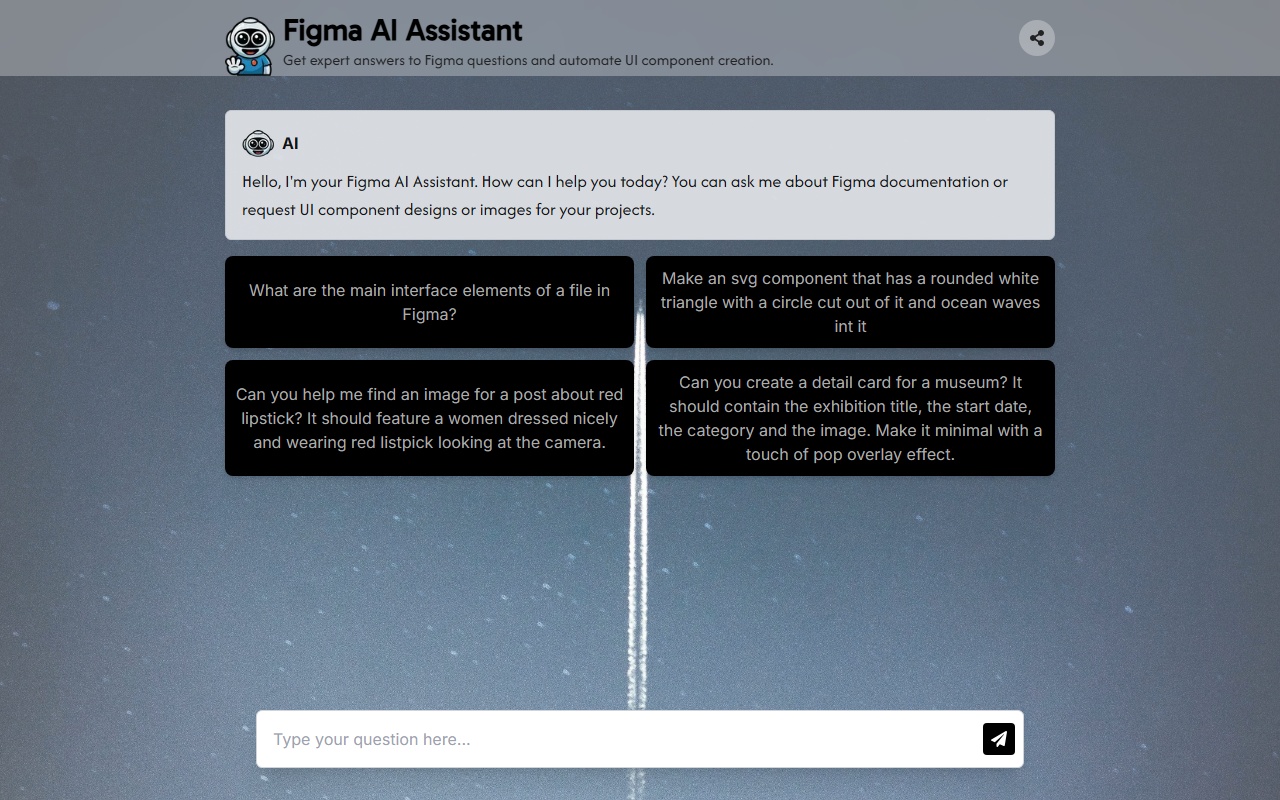
Upon visiting the website, I was greeted by a minimal, single-page layout featuring a chat window and a simple prompt: “Hello, I'm your Figma AI Assistant. How can I help you today?” The interface is straightforward — no login, no onboarding flow. The dashboard shows a greeting message and three example prompts: asking about Figma interface elements, requesting an SVG component, and seeking an image for a post about red lipstick. The color scheme is clean and modern, with a light gray background and a purple accent for the user input area. There is no visible indication of which underlying model (e.g., GPT-4, Claude) powers the assistant, but the responses are generated in real time and appear as text or inline code.
I tested the free tier — which currently has no payment gate or rate limits evident — by entering the first example prompt: “What are the main interface elements of a file in Figma?” The assistant responded with a clear, bullet-point list covering the canvas, layers panel, properties panel, toolbar, and menu bar. It even added a short explanation for each. The reply was accurate and helpful for a beginner. Next, I asked it to “Make an svg component that has a rounded white triangle with a circle cut out of it and ocean waves in it.” The assistant returned a raw SVG code snippet with a comment explaining that the design was a conceptual representation. The SVG did indeed contain a white rounded triangle with a circular cutout and stylized wave patterns. However, the code was not functional inside Figma without manual copy-pasting; it lacked a proper viewBox and some attributes. Still, it demonstrated the tool’s ability to generate visual components from natural language.
Technical Capabilities and Underpinnings
The Figma AI Assistant appears to be a lightweight wrapper around a large language model (likely OpenAI’s API, given the quality and style of responses). It focuses on two main tasks: answering Figma-specific documentation questions and generating UI components or images via text. The “image search” feature, tested with the query “Can you help me find an image for a post about red lipstick?”, returned a list of Unsplash-like image URLs and descriptive captions. The results were relevant but not licensed or embedded; the tool essentially performed an automated search. There is no integration with Figma’s API, so all outputs must be manually transferred to the design tool. The site does not mention any private API or technology stack, and no pricing tiers are listed — the service appears entirely free and public, hosted on Vercel (judging by the domain).
For developers, there is no documented API. The tool seems best suited for quick prototyping or learning Figma. Its responses include markdown-formatted text sometimes, and the SVG generation highlights its potential for automating repetitive design tasks. However, the lack of model specificity and the occasional inaccuracies (e.g., the SVG had a mismatched closing tag) remind me that this is a early-stage demo. Unlike more established alternatives like Uizard or Figma’s built-in AI features (which are integrated directly into the editor), this tool operates as a separate chat window, which limits practical workflow efficiency.
Strengths and Limitations
The Figma AI Assistant’s main strength is its accessibility: no sign-up, instant responses, and a focused scope. It answers Figma questions with surprising depth and can generate SVG code and image suggestions on the fly. For a designer stuck on a workflow or needing a quick component mockup, this can be a handy companion. The UI is clean and responsive, and the assistant handles multi-turn conversations well within a session.
On the downside, the tool has significant limitations. It cannot actually interact with Figma files, so you cannot automate design changes directly. The SVG and image outputs require manual adjustment and are not always production-ready. There is no history persistence — refreshing the page loses the entire conversation. Furthermore, the website does not specify data privacy policies, model source, or usage limits. As a result, using it for sensitive design projects might be risky. The assistant sometimes misunderstands complex queries (e.g., when I asked for a “pop overlay effect” on a museum detail card, it generated a generic HTML/CSS snippet rather than a Figma-suitable design).
Overall, this tool is a promising experiment but not a mature replacement for dedicated Figma plugins or full design systems. It is best suited for curious designers who want to explore AI-assisted ideation quickly and without cost. Power users who need tight Figma integration should look into the official Figma AI beta or third-party plugins like Anima or Visily.
Visit Figma AI Assistant at https://figma-ai-agent.vercel.app/ to explore it yourself.










Comments