

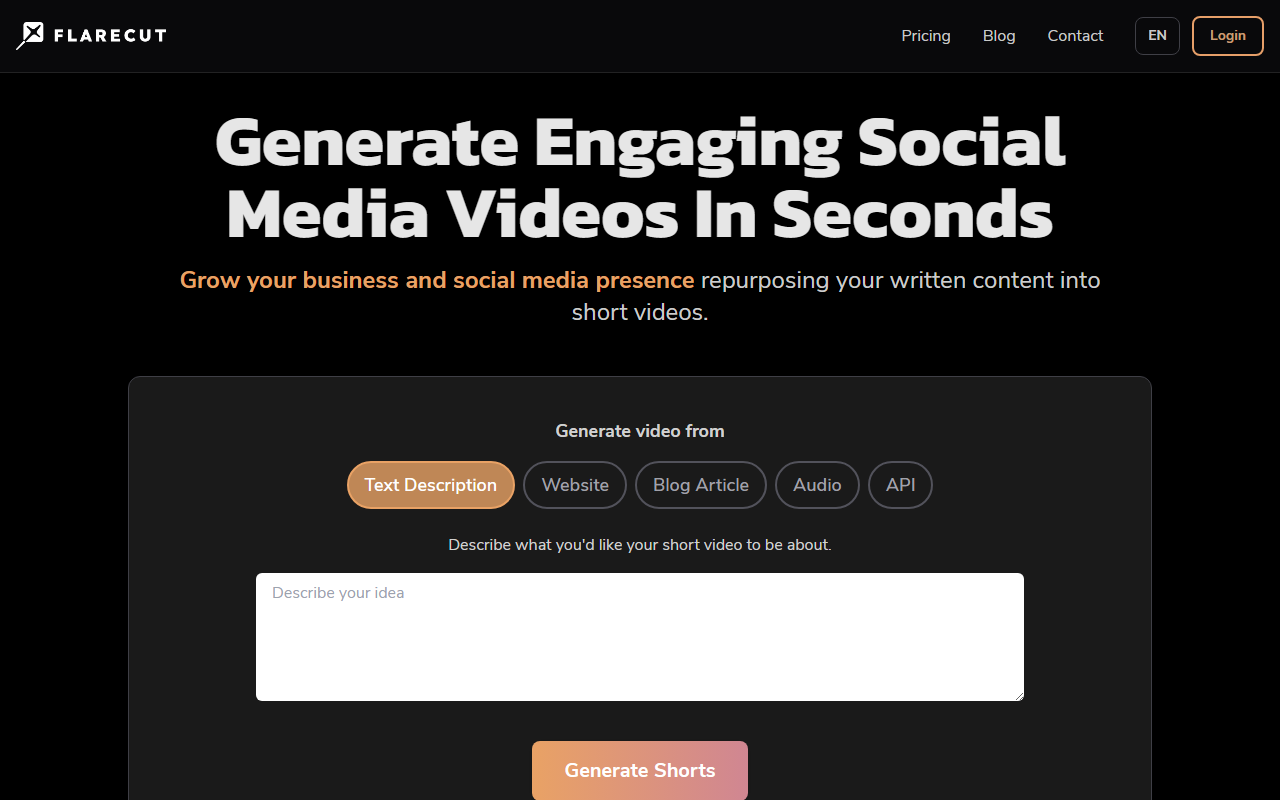
First Impressions and Interface
Upon visiting Flarecut's website at flarecut.com, I was greeted by a clean, modern landing page that immediately communicates its core value: converting written content into short, faceless videos for platforms like TikTok, YouTube Shorts, and Instagram. The homepage features a simple prompt — "Describe what you'd like your short video to be about" — accompanied by a "Generate Shorts" button. There is no clutter, and the onboarding flow is intuitive even for a first-time visitor. The dashboard is not visible without signing up, but the free trial process is straightforward: after a quick email registration, I was taken to a minimal editor where I could paste a URL or write a script.
Key Features and Workflow
Flarecut is essentially a text-to-video generator tailored for short-form, faceless content. It accepts input in several forms: a text description, a website URL, a blog article, an audio file, or via an API. I tested the blog article option by pasting the URL of a 500-word article I had written. Within about 90 seconds, Flarecut produced three short clips (roughly 30 seconds each), each highlighting a key point from the article. The AI generated background visuals that were somewhat relevant but not deeply contextual — a common trade-off in this category. The voiceover options are impressive: Flarecut offers a library of 20 natural-sounding AI voices (male and female, such as Aria, Roger, Laura, Liam). I selected a voice and was able to adjust subtitle appearance, though customization is limited to font size and color. The video rendered in 1080p with automatic subtitles burned in, ready to export to TikTok or YouTube without a watermark — but only if I subscribed. The free trial adds a small watermark.
Another notable feature is the ability to turn a script or prompt into a faceless short. For a 150-word script about productivity tips, Flarecut automatically chose stock footage of people working, with overlays and transitions. The AI voice was clear, with decent intonation, though it lacked the emotional range of a human narrator. For faceless YouTube automation, this is more than adequate. The tool also provides basic SEO suggestions for titles and descriptions, aligning with YouTube's search engine potential — a smart addition for growth-focused users.
Pricing and Limitations
Flarecut does not publicly list its pricing tiers on the website. The FAQ mentions a free trial with watermarked videos, but to remove the watermark and access higher resolution or longer clips, you must subscribe. In the absence of transparent pricing, users will need to sign up or contact support for details — a point of friction for prospective buyers. Competitors like Pictory and InVideo offer clear monthly plans starting around $19 to $30. Flarecut's value proposition is its focus on faceless, short-form content specifically, which may justify a premium for niche automation.
A genuine limitation I observed is the lack of deep customization. You cannot upload your own background footage or select specific scenes from a library; the AI picks clips automatically. For users wanting brand consistency or precise visual storytelling, this will feel restrictive. Also, the voiceover speed cannot be manually adjusted; you must re-roll the generation if you need faster pacing. On the positive side, the speed of generation is excellent — each short took under two minutes — and the automatic subtitles were accurate with good timing. The tool is clearly optimized for speed over complete creative control.
Verdict and Alternatives
Flarecut is best suited for beginners, small business owners, and faceless channel operators who want to repurpose blog posts or scripts into quick social media videos without learning video editing. If you need granular control over assets, look at Descript or RunwayML. For budget-conscious creators, Pictory offers a similar value with more transparent pricing. Flarecut’s strength is its simplicity and focus: it does one thing — turning text into short faceless videos — and does it well. Its limitations in customization are acceptable for its intended use case. I recommend trying the free trial to gauge the quality of AI voices and visual matching for your niche. If speed and automation are your priorities, Flarecut is a solid choice.
Visit Flarecut at flarecut.com to explore it yourself.










Comments