

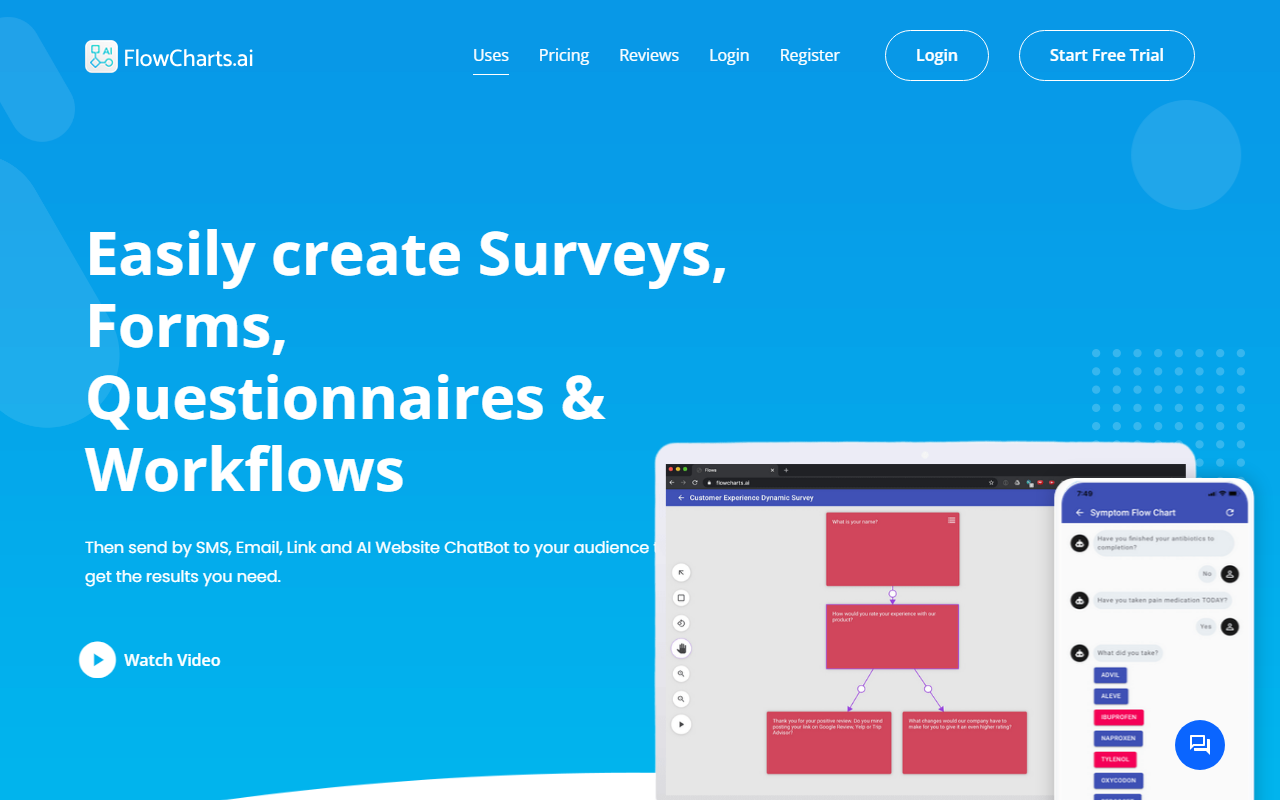
First Impressions and Core Functionality
Upon visiting FlowCharts.ai, I was greeted by a clean, minimalistic landing page that immediately highlights its core value proposition: creating and distributing smart surveys, forms, questionnaires, and workflows through multiple channels. The dashboard, which I accessed through the free Bronze plan, is well-organized with a left-side menu for building flows, viewing responses, and managing settings. The onboarding flow is straightforward—you start by creating a “flow,” which acts as a decision tree or dynamic form. Adding questions is intuitive: you can choose yes/no, free text, single choice, or multiple choice, and then define conditional logic (if X, then show Y) to route respondents to different paths. I tested a simple customer feedback form and was impressed by how quickly I could set up branching logic without any coding. The real differentiator, however, is the delivery method: FlowCharts.ai lets you send your forms via SMS, email, a public link, or embed them as an AI chatbot on your website. This multi-channel approach solves a specific problem—collecting data from users who may not have email access or prefer mobile interactions.
Exploring the Features and Technology
FlowCharts.ai uses what it calls a “patent-pending smart engine” to dynamically route respondents based on their answers. This is not just a simple linear form; it’s a true workflow automation tool. When testing the free tier, I was able to publish one flow and collect up to five responses. For a deeper test, I upgraded briefly to the Silver plan ($49/month), which unlocked SMS and AI chatbot delivery. Sending an SMS survey was as simple as importing a contact list or manually entering a number—the system generates a unique link and sends it via a short code. The AI chatbot widget for websites is a notable feature: once embedded, visitors can start a conversation with the bot, which guides them through your flow interactively. The technology behind this seems to rely on a decision tree engine rather than natural language processing, but it works well for structured data collection. I also appreciated the real-time analytics dashboard, which shows response rates, completion times, and branch-specific data. Mobile apps for iOS and Android are available, allowing you to administer surveys on the go or via a kiosk mode.
Pricing and Market Positioning
The pricing is straightforward but has significant tier-based limitations. The Bronze plan is free but restricts you to one flow and five responses with no SMS or chatbot access—essentially a demo. The Silver plan ($49/month or $495/year) allows up to two master flows, unlimited deliveries via all channels, and unlimited responses for two business locations. The Gold plan ($99/month) removes all limits and is labeled “Most Popular.” Compared to alternatives like Typeform or Jotform, FlowCharts.ai differentiates itself with native SMS and chatbot delivery. However, it lacks some advanced features found in those competitors, such as extensive integrations, API documentation (I could not find any), and detailed analytics reporting. The tool is best suited for small to medium businesses, healthcare providers (symptom checkers), and service companies needing price quotes or candidate screening. Larger enterprises or users requiring deep custom branding or complex workflows may find the limits restrictive. FlowCharts.ai claims over 750 companies trust the platform, and the homepage shows 11K clients and 1300+ projects done, indicating a growing user base.
Verdict and Recommendations
FlowCharts.ai is a competent and focused tool for creating dynamic surveys and forms that are delivered via SMS and chatbot—a niche that many general form builders neglect. Its strengths lie in ease of use, clean UI, and the ability to reach respondents on their phones without an email address. The real-time data collection and conditional logic are smooth. However, limitations include the very restrictive free plan (only 1 flow and 5 responses), the lack of public API or deep integrations, and the absence of advanced analytics like heatmaps or A/B testing. The Silver plan’s cap of two flows may be frustrating for growing businesses. I would recommend FlowCharts.ai for small teams or solo entrepreneurs who need a quick way to collect data via SMS or a simple chatbot, especially for customer feedback, appointment scheduling, or price quotes. If you require unlimited workflows from the start or more sophisticated features, consider Typeform or Jotform’s business tiers. For its target audience, FlowCharts.ai delivers on its promise. Visit FlowCharts.ai at https://flowcharts.ai to explore it yourself.









Comments