

First Impressions and Onboarding
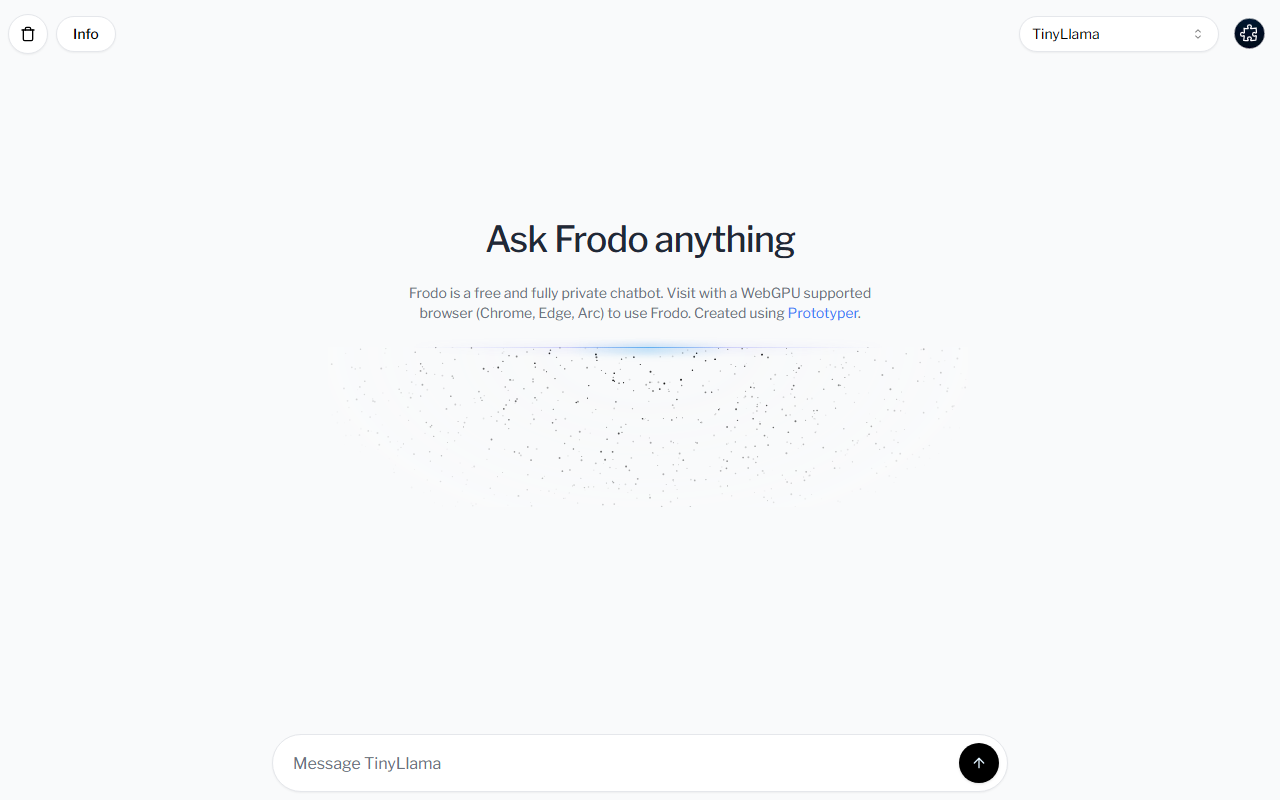
Upon visiting Frodo's site, you are greeted by a minimal, clean dashboard. The interface is just a text input field with a large "Ask Frodo anything" prompt and a sidebar listing available models. Before you can chat, the page checks for WebGPU support. Since I was using Chrome, it worked; on Firefox I got a warning. The first step is to load a model—each model has a cache status. I selected Mistral-7B-Instruct-v0.2 and clicked load. The download progress was shown, but it took about 30 seconds on my decent machine. Once loaded, the chat input became active. I typed a complex question about generating a marketing email. The response started streaming within a few seconds and was coherent, though not as polished as GPT-4. The entire conversation history remained in the browser; no network requests were made after model loading.
What Frodo Does and How It Works
Frodo is a local-first chatbot that runs open-source LLMs directly in your browser using WebGPU and the WebLLM library. The key problem it solves is privacy: no data ever leaves your device. The tool offers four models: Mistral-7B-Instruct-v0.2, Llama-3-8B-Instruct, TinyLlama-1.1B-Chat, and phi-2. All are quantised (q4f16 or q4f32) to reduce memory footprint. There is no sign-up, no API, and no server backend. Because it relies on WebGPU, only Chromium-based browsers (Chrome, Edge, Arc) are fully supported. The creator used Prototyper, a no-code tool, to build the interface.
Technically, Frodo is a wrapper around existing open-source models. It does not add any fine-tuning or custom prompting beyond the default chat templates. The loaded models range from 1.1B to 8B parameters, meaning responses can be slower and less accurate than cloud-based alternatives. Interestingly, the caching mechanism shows that if you have previously loaded a model, it might be cached locally, but the site still required me to reload each time I closed the tab.
Market Position and Comparison
Frodo enters a growing space of private, on-device AI tools. Unlike ChatGPT or Claude, which require internet and send data to servers, Frodo ensures total privacy. Compared to Ollama (a desktop app), Frodo is more convenient—no installation—but less powerful (limited to ~8B models vs. 70B on Ollama). Another competitor is PrivateGPT, which focuses on document RAG; Frodo is purely a conversational chatbot. Frodo's main strength is its zero-friction entry: no account, no payment, fully instant privacy. However, its biggest limitation is the browser dependency and the small model size. The tiny 1.1B TinyLlama performs poorly on complex tasks; even Mistral-7B struggles with nuanced reasoning compared to cloud models. Pricing is not listed—Frodo is completely free.
The tool is best suited for privacy-conscious users who want a quick, no-fuss chatbot for simple tasks like summarization, brainstorming, or casual conversation. It is not suitable for professional content creators needing high-quality writing or for those using Safari/Firefox. Developers might appreciate that the models are open-source and can be inspected, but there is no API or customization.
Strengths, Limitations, and Verdict
I found Frodo's core strength to be its simplicity and genuine privacy. The fact that everything runs locally is impressive for a web app. The interface is intuitive: select a model, load it, chat. No ads, no tracking. However, the reliance on WebGPU means many users are locked out. On my Windows machine with Chrome, the larger Llama-3-8B model took over a minute to load and used about 6 GB of RAM, which could be prohibitive for older devices. Also, once you close the tab, the model cache is lost and needs to be re-downloaded (though the site says "Cached", I had to reload).
Another real limitation: there is no context memory beyond the current conversation. No file upload, no internet search, no system prompt customization. For serious writing tasks, the output quality is below what a professional writer would need. I tested the same email prompt on Frodo (Mistral) and on Claude, and Frodo's reply was more generic with occasional grammar issues.
Who should use Frodo? Privacy enthusiasts and early adopters who want to experiment with local AI without installing anything. Students and hobbyists will find it useful for quick questions. Who should skip? Anyone needing polished, production-ready content or using non-Chromium browsers. If you need reliability and quality, stick with cloud services.
Visit Frodo at https://frodo-chi.vercel.app/ to explore it yourself.










Comments